EasyManua.ls Logo

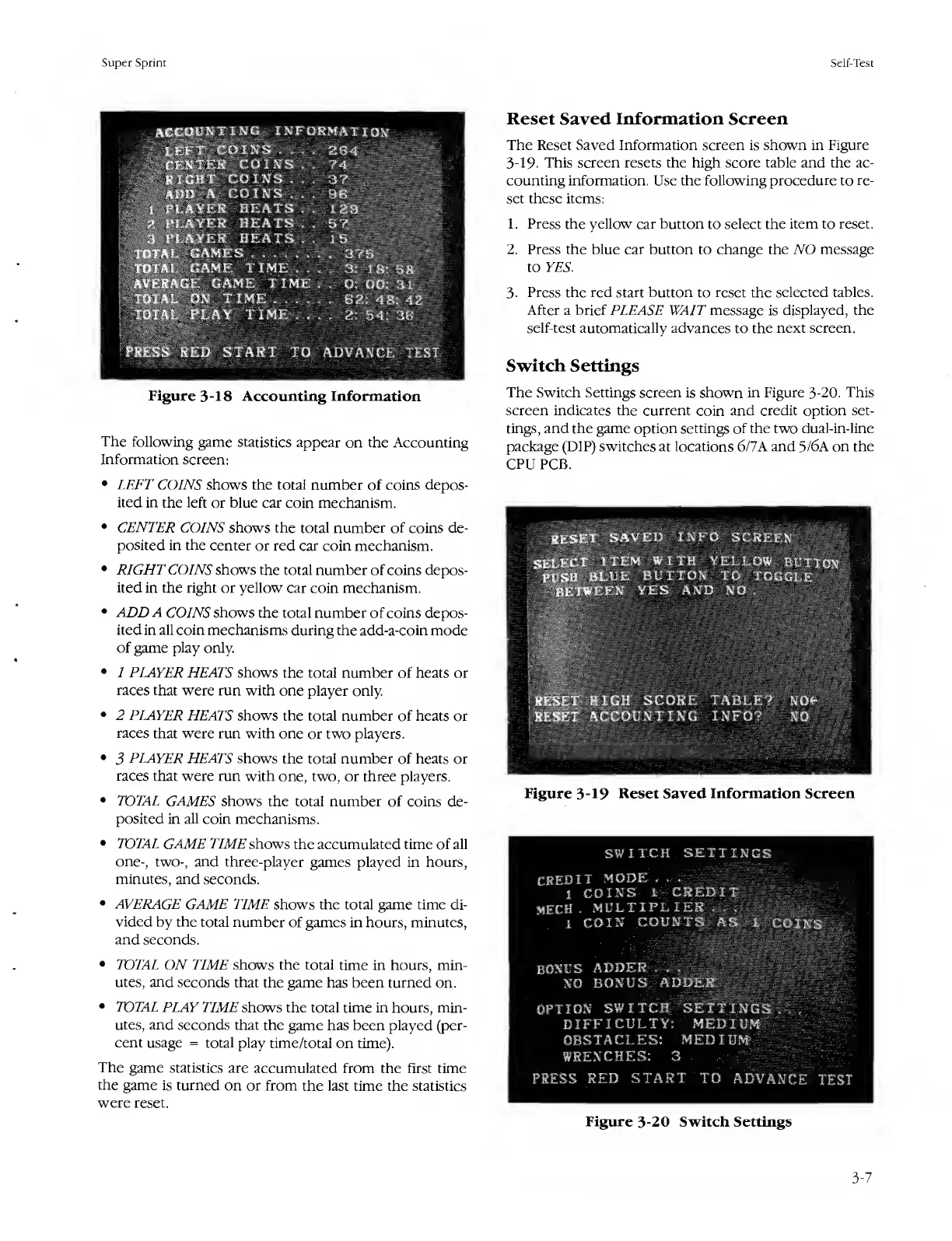
Atari SUPER SPRINT - Reset Saved Information Screen; Switch Settings; Figure 3-18 Accounting Information; Figure 3-20 Switch Settings

Atari SUPER SPRINT
80 pages
Print Icon
To Next Page IconTo Next Page
To Previous Page IconTo Previous Page
Loading...
Super
Sprint
Self-Test
:
C
O
I
N
!
a
coin:
H
PLAYER
HE
A'
A^\*LAYER
hea
xvX^^LAYER
HEA'
TOTAL
GAMES
.
.
,
TOTAEv
GAME
TIN
A^ttftlGE
GAME
1
T0fA£
ON
TIME
.
Figure
3-18
Accounting
Information
The
following
game
statistics
appear
on
the
Accounting
Information
screen:
LEFT
COINS
shows
the
total
number
of
coins
depos¬
ited
in
the
left
or
blue
car
coin
mechanism.
CENTER
COINS
shows
the
total
number
of
coins
de¬
posited
in
the
center
or
red
car
coin
mechanism.
RIGHT
COINS
shows
the
total
number
of
coins
depos¬
ited
in
the
right
or
yellow
car
coin
mechanism.
ADD
A
COINS
shows
the
total
number
of
coins
depos¬
ited
in
all
coin
mechanisms
during
the
add-a-coin
mode
of
game
play
only.
1
PLAYER
HEATS
shows
the
total
number
of
heats
or
races
that
were
run
with
one
player
only.
2
PLAYER
HEATS
shows
the
total
number
of
heats
or
races
that
were
run
with
one
or
two
players.
3
PLAYER
HEATS
shows
the
total
number
of
heats
or
races
that
were
run
with
one,
two,
or
three
players.
TOTAL
GAMES
shows
the
total
number
of
coins
de¬
posited
in
all
coin
mechanisms.
TOTAL
GAME
TIME
shows
the
accumulated
time
of
all
one-,
two-,
and
three-player
games
played
in
hours,
minutes,
and
seconds.
AVERAGE
GAME
TIME
shows
the
total
game
time
di¬
vided
by
the
total
number
of
games
in
hours,
minutes,
and
seconds.
TOTAL
ON
TIME
shows
the
total
time
in
hours,
min¬
utes,
and
seconds
that
the
game
has
been
turned
on,
TOTAL
PLAY
TIME
shows
the
total
time
in
hours,
min¬
utes,
and
seconds
that
the
game
has
been
played
(per¬
cent
usage
=
total
play
time/total
on
time).
The
game
statistics
are
accumulated
from
the
first
time
the
game
is
turned
on
or
from
the
last
time
the
statistics
were
reset.
Reset
Saved
Information
Screen
The
Reset
Saved
Information
screen
is
shown
in
Figure
3-19-
This
screen
resets
the
high
score
table
and
the
ac¬
counting
information.
Use
the
following
procedure
to
re¬
set
these
items:
1.
Press
the
yellow
car
button
to
select
the
item
to
reset.
2.
Press
the
blue
car
button
to
change
the
NO
message
to
YES.
3-
Press
the
red
start
button
to
reset
the
selected
tables.
After
a
brief
PLEASE
WAIT
message
is
displayed,
the
self-test
automatically
advances
to
the
next
screen.
Switch
Settings
The
Switch
Settings
screen
is
shown
in
Figure
3-20.
This
screen
indicates
the
current
coin
and
credit
option
set¬
tings,
and
the
game
option
settings
of
the
two
dual-in-line
package
(DIP)
switches
at
locations
6/7A
and
5/6A
on
the
CPU
PCB.
Figure
3-20
Switch
Settings
3-7

Table of Contents

Related product manuals