EasyManua.ls Logo

Atari SUPER SPRINT - Pedal Test; Calibration Procedure; Letatest; Alphanumeric Test

Atari SUPER SPRINT
80 pages
Print Icon
To Next Page IconTo Next Page
To Previous Page IconTo Previous Page
Loading...
Self-Test
Super
Sprint
Press
the
blue
car
button
to
select
the
sound
numbers
indicated
by
the
CURRENT
SOUND
message
shown
in
Figure
3-8.
Turn
the
blue
car
steering
wheel
to
sequence
through
the
selected
sounds.
The
sound
status
screen
also
indicates
the
condition
of
the
left,
right,
and
auxiliary
coin
switches.
Press
the
left,
center,
and
right
coin
switches,
and
check
the
screen
for
a
corresponding
LEFT
COIN
,
CENTER
COIN
,
and
RIGHT
COIN
message.
(See
Figure
1-3
in
Chapter
1
for
the
switch
locations.)
Press
the
red
start
button
to
obtain
the
next
screen.
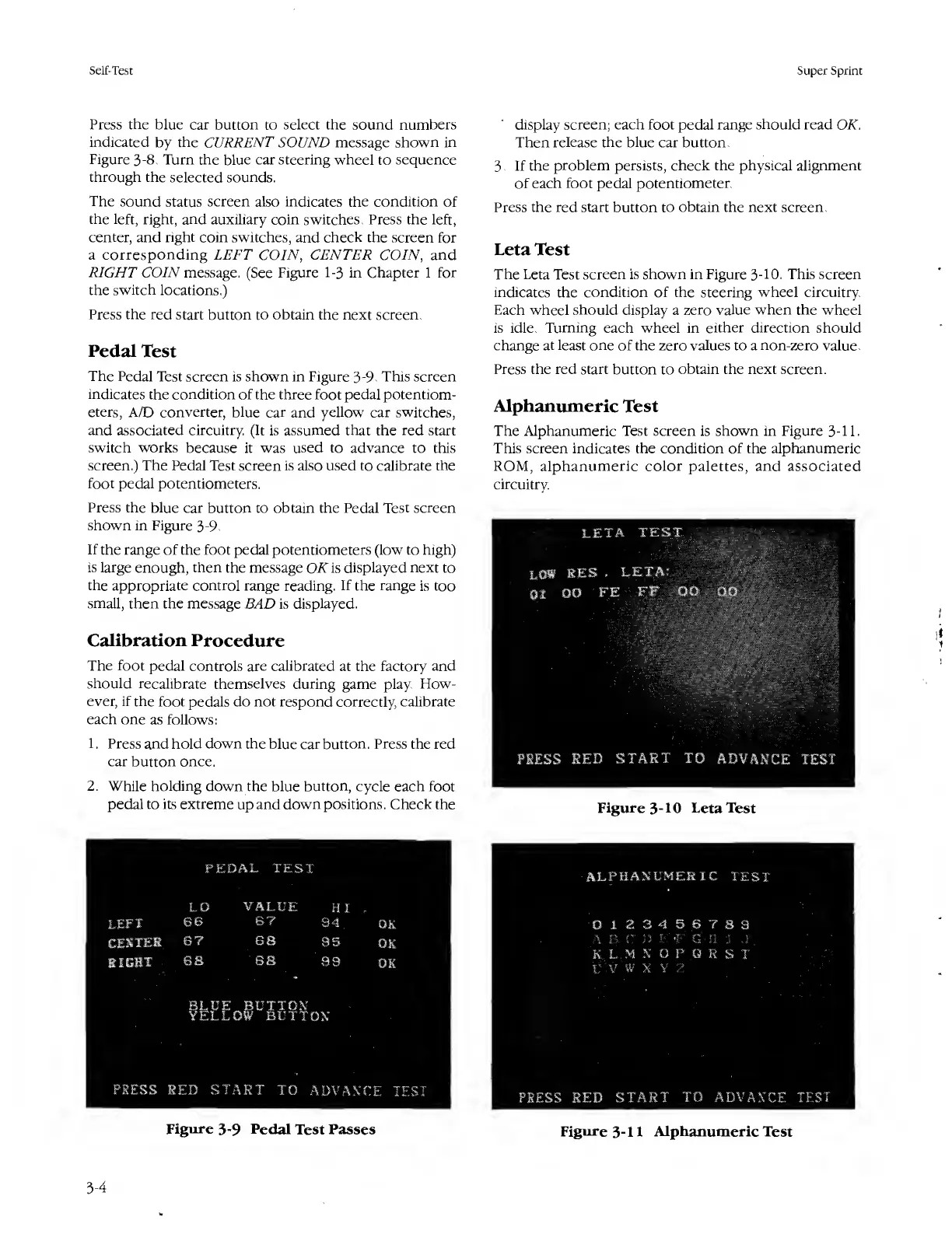
Pedal
Test
The
Pedal
Test
screen
is
shown
in
Figure
3-9.
This
screen
indicates
the
condition
of
the
three
foot
pedal
potentiom¬
eters,
A/D
converter,
blue
car
and
yellow
car
switches,
and
associated
circuitry.
(It
is
assumed
that
the
red
start
switch
works
because
it
was
used
to
advance
to
this
screen.)
The
Pedal
Test
screen
is
also
used
to
calibrate
the
foot
pedal
potentiometers.
Press
the
blue
car
button
to
obtain
the
Pedal
Test
screen
shown
in
Figure
3-9.
If
the
range
of
the
foot
pedal
potentiometers
(low
to
high)
is
large
enough,
then
the
message
OK
is
displayed
next
to
the
appropriate
control
range
reading.
If
the
range
is
too
small,
then
the
message
BAD
is
displayed.
Calibration
Procedure
The
foot
pedal
controls
are
calibrated
at
the
factory
and
should
recalibrate
themselves
during
game
play.
FIow-
ever,
if
the
foot
pedals
do
not
respond
correctly,
calibrate
each
one
as
follows:
1.
Press
and
hold
down
the
blue
car
button.
Press
the
red
car
button
once.
2.
While
holding
down
the
blue
button,
cycle
each
foot
pedal
to
its
extreme
up
and
down
positions.
Check
the
display
screen;
each
foot
pedal
range
should
read
OK.
Then
release
the
blue
car
button.
3.
I
f
the
problem
persists,
check
the
physical
alignment
of
each
foot
pedal
potentiometer.
Press
the
red
start
button
to
obtain
the
next
screen.
Leta
Test
The
Leta
Test
screen
is
shown
in
Figure
3-10.
This
screen
indicates
the
condition
of
the
steering
wheel
circuitry.
Each
wheel
should
display
a
zero
value
when
the
wheel
is
idle.
Turning
each
wheel
in
either
direction
should
change
at
least
one
of
the
zero
values
to
a
non-zero
value.
Press
the
red
start
button
to
obtain
the
next
screen.
Alphanumeric
Test
The
Alphanumeric
Test
screen
is
shown
in
Figure
3-11.
This
screen
indicates
the
condition
of
the
alphanumeric
ROM,
alphanumeric
color
palettes,
and
associated
circuitry.
Figure
3-10
Leta
Test
Figure
3-9
Pedal
Test
Passes
ALPHANUMERIC
TEST
0
1
2
34
5
6
789
A
B,
C
D
It
-F
G
H
5
J
K,
L..M
N
0
P
Q
R
S
T
V
V
W
X.Y
2
PRESS
RED
START
TO
ADVANCE
TEST
Figure
3-11
Alphanumeric
Test
3-4

Table of Contents

Related product manuals