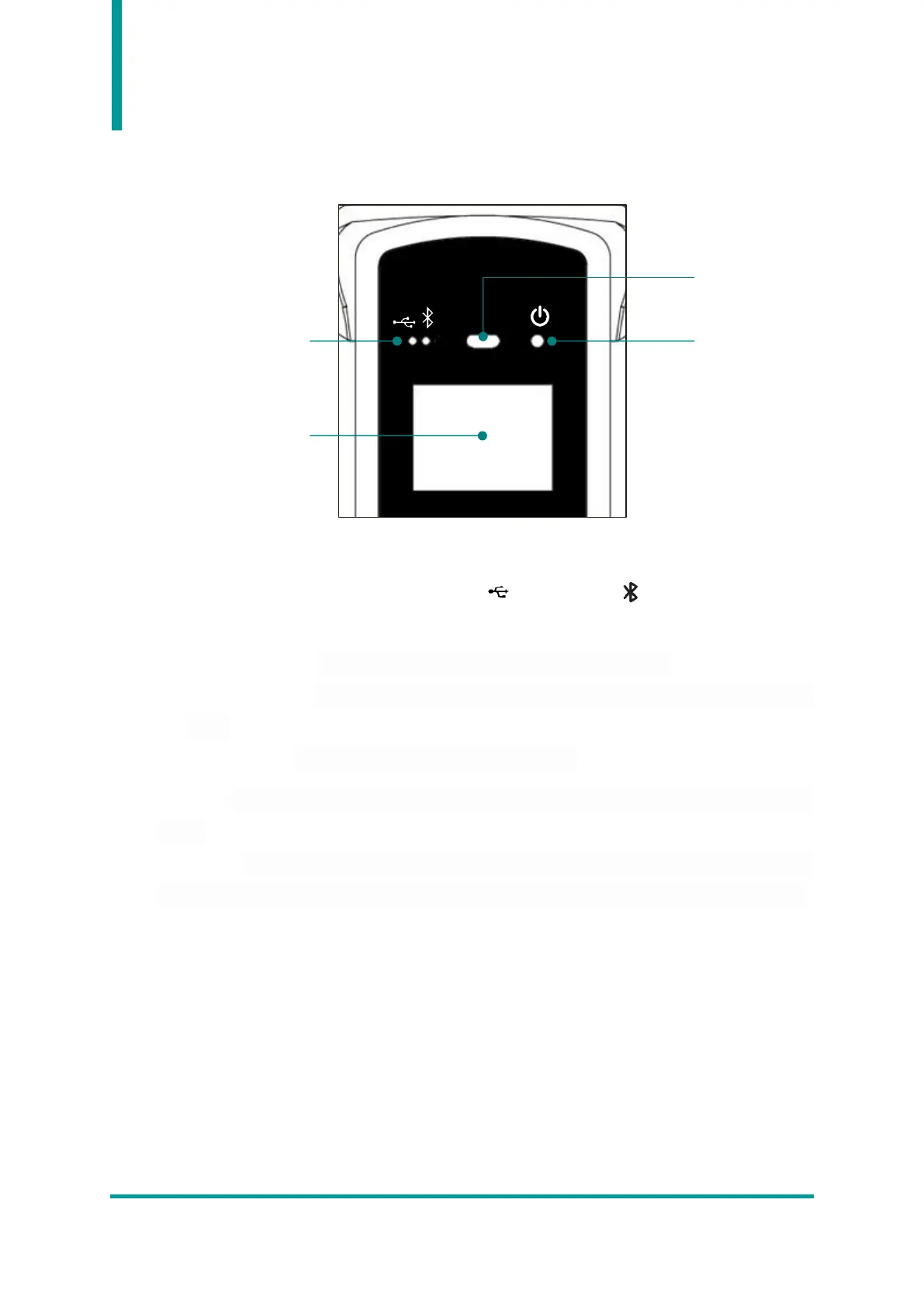
2. Configuration and Operation of LED
1) Communication Status LED : Displays the communication method currently being used. Each time
the communication switch button is pressed, USB( ) and Bluetooth( ) two modes are switched,
and each LED operates as follows according to the connection status with the host device.
• Blinks LED quickly : Indicates that waiting to connect to the Host device..
• Blinks LED slowly : Indicates that the Host device is connected in the current communication
mode.
• When LED off : No attempt to connect to the Host device.
2) Scan LED : The blue LED turns on when recognizing Barcode or RFID information according to the
setting.
3) Power LED : The red LED turns on when the product starts charging. Conversely, when the battery
is low and flashes when charging is required. The green LED turns on when charging is complete.



 To Next Page