2. WINDOWS 10 Platform
1) After entering the Device Setting Mode of AT388, move to ‘5. Network Setup → 2. Host Paring
→ 3. BTH Pairing’.
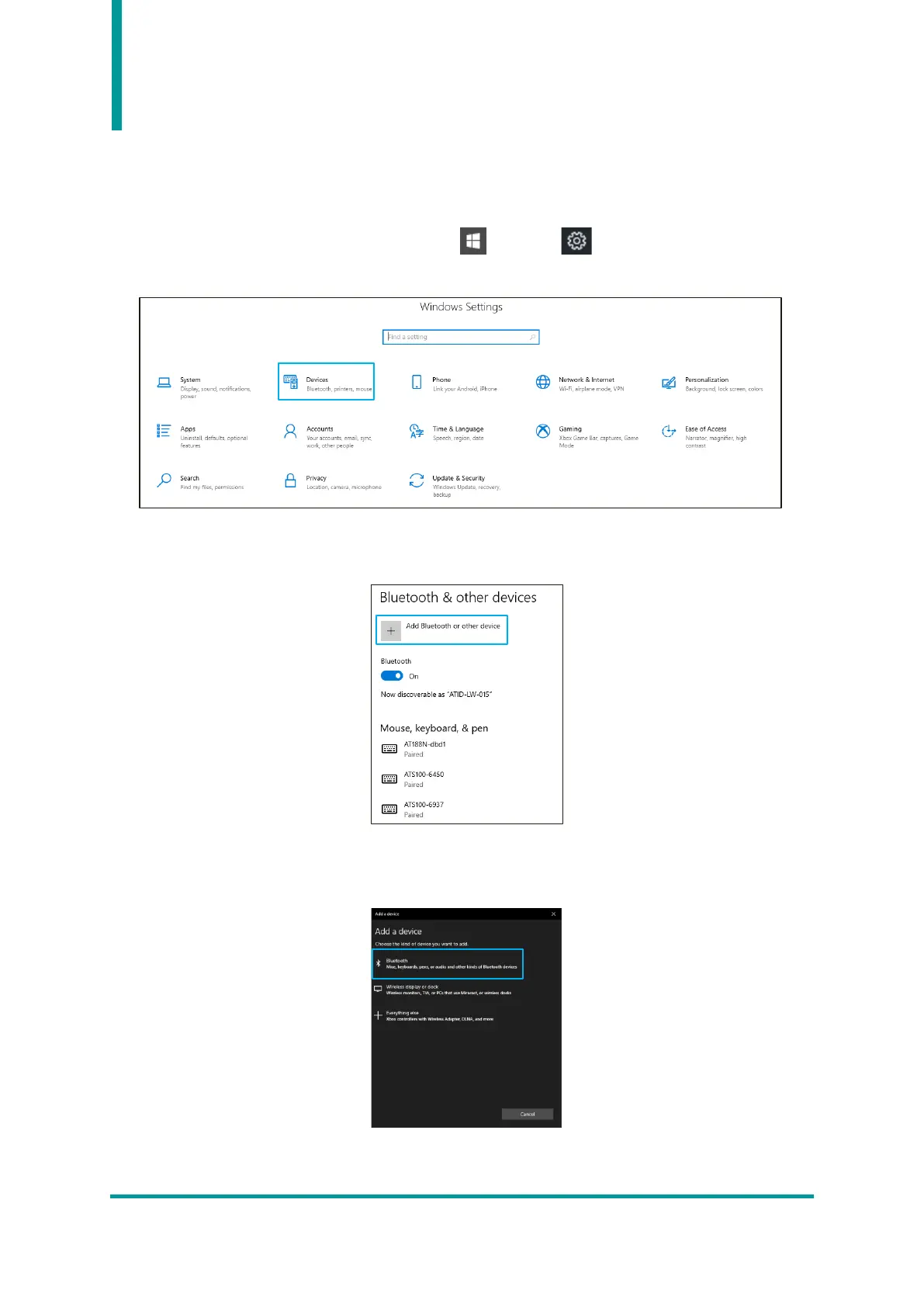
2) Enter the Windows Settings menu through ‘ Start → Settings’ of Windows.
3) Select ‘Device’ menu in Windows settings.
4) Check that the Bluetooth function is turned on. If it is off, turn on the Bluetooth function.
5) Select ‘Add Bluetooth or other device’ menu.
6) Select the device type to add as Bluetooth. When selected, it starts searching for nearby Bluetooth
devices that are requesting pairing.



 To Next Page