2. Transmission of stored data
Batch processing mode can be set in various combinations as shown below to transmit data to
the host.
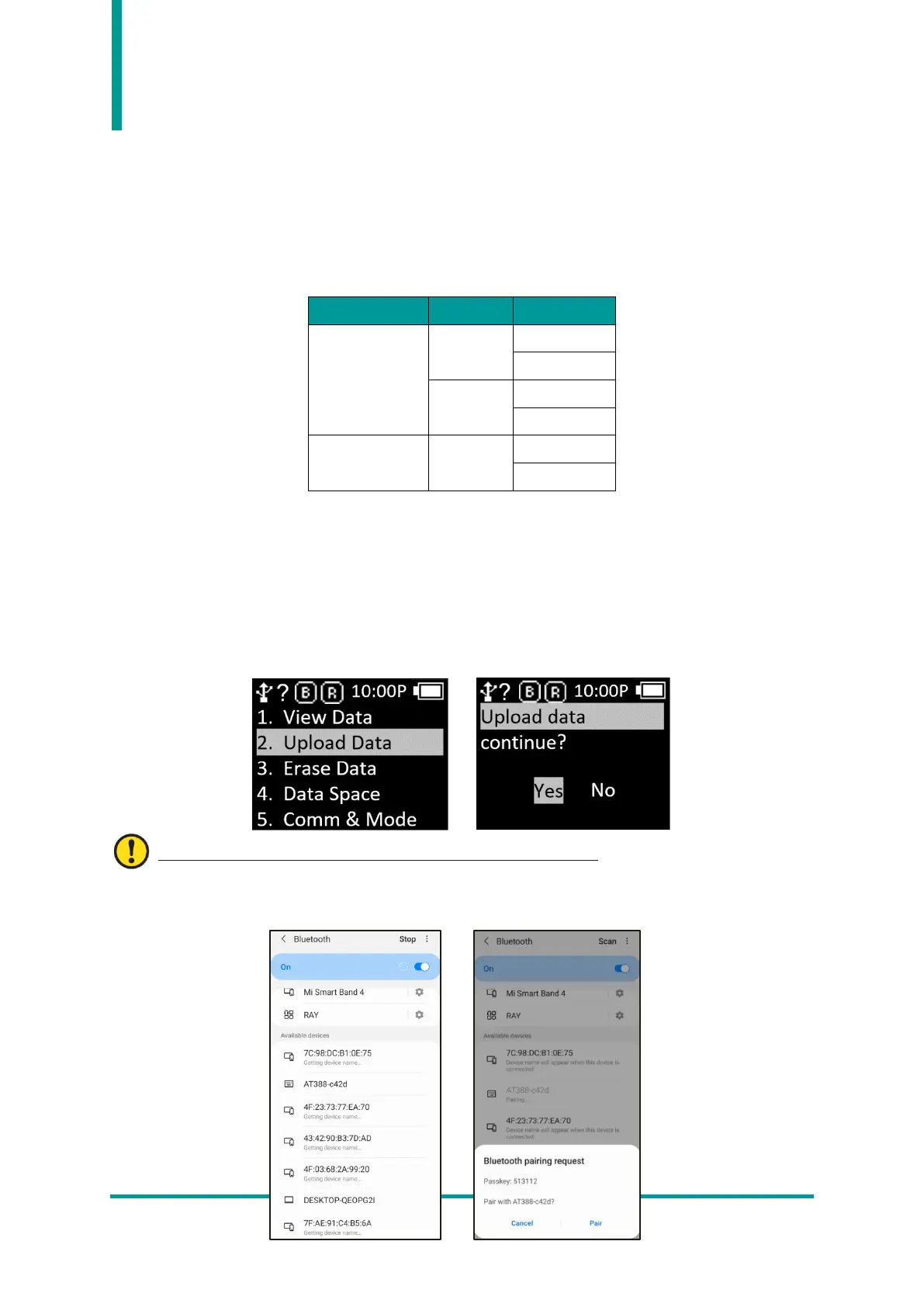
1) Example #1 : Data transmission method when setting ‘Batch-BTH’ , Android Host, ‘BTH-HID’.
- Reading Barcode or RFID Tags under batch processing mode. The read data is displayed
on the AT388 screen.
- In ‘Scan Mode’, press ‘◀ Button’ for 2 seconds to enter ‘Scan Setting Mode’.
- Select ‘2. Upload Data’ menu.
User must proceed to the next step without pressing ‘YES’.
- Search for ‘AT388-XXXX’ in Bluetooth Device Scan Menu of Android Host and register it.



 To Next Page