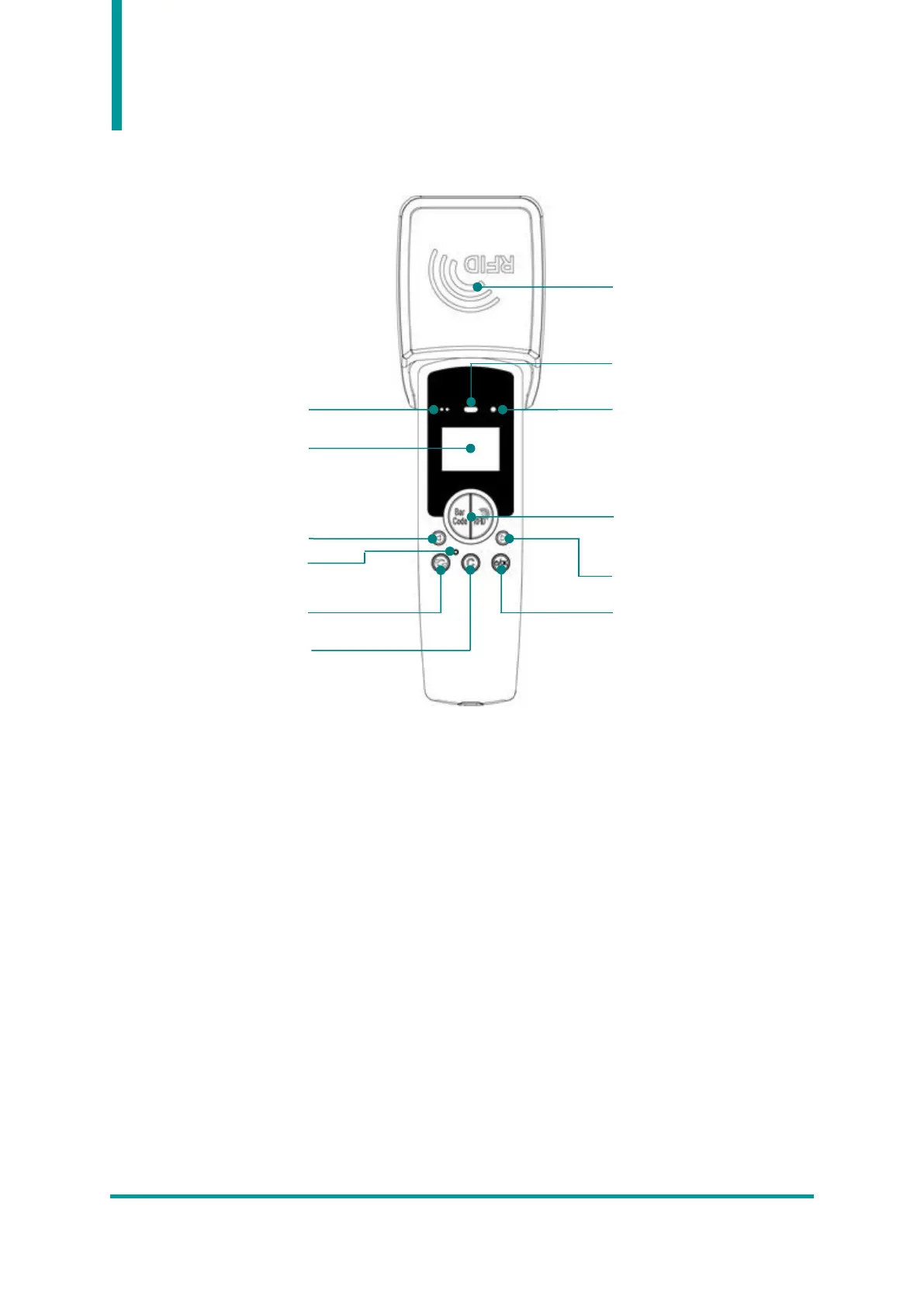
2. Product Appearance - Front
1) Scan LED : When the barcode or RFID tag information is recognized, the blue LED is turned on-
off.
2) Barcode / RFID Scan Button : Press the Barcode and RFID scan button to perform the function
of each button.
3) Communication Status LED : Displays the connection status of Bluetooth and USB.
4) Power LED : Displays the charging status. (Red : charging, Green : fully charged).
5) Display : Displays the current status of the product and collected data.
6) Left / Right Button : Moves items such as menu selection or calls the setting menu.
7) Communication Mode Switching Button : Switches the USB and Bluetooth modes by this button.
8) Reset Button : Rebooting the product.
9) Cancel Button : Cancel or Call the upper menu.
10) RFID Antenna : Circular type RFID antenna. 180° tilt structure is applied.



 To Next Page