Firmware Update
This product may be updated in the future to enhance its functionality and performance. If there is a
problem during Firmware's update operation, the product may not be recoverable. So if you don't
have knowledge of software and hardware, please contact your place of purchase or manufacturer for
updates.
1. Firmware Update Preparation
1) PC with Windows 7 or higher version (USB 2.0 Port)
2) AT388
3) Micro USB Cable
4) Firmware File ( xxxx.bin )
5) Firmware Update Tool (Available from reseller or manufacturer if required)
2. Firmware Update Procedure
1) Save the firmware file in a specific folder on your PC.
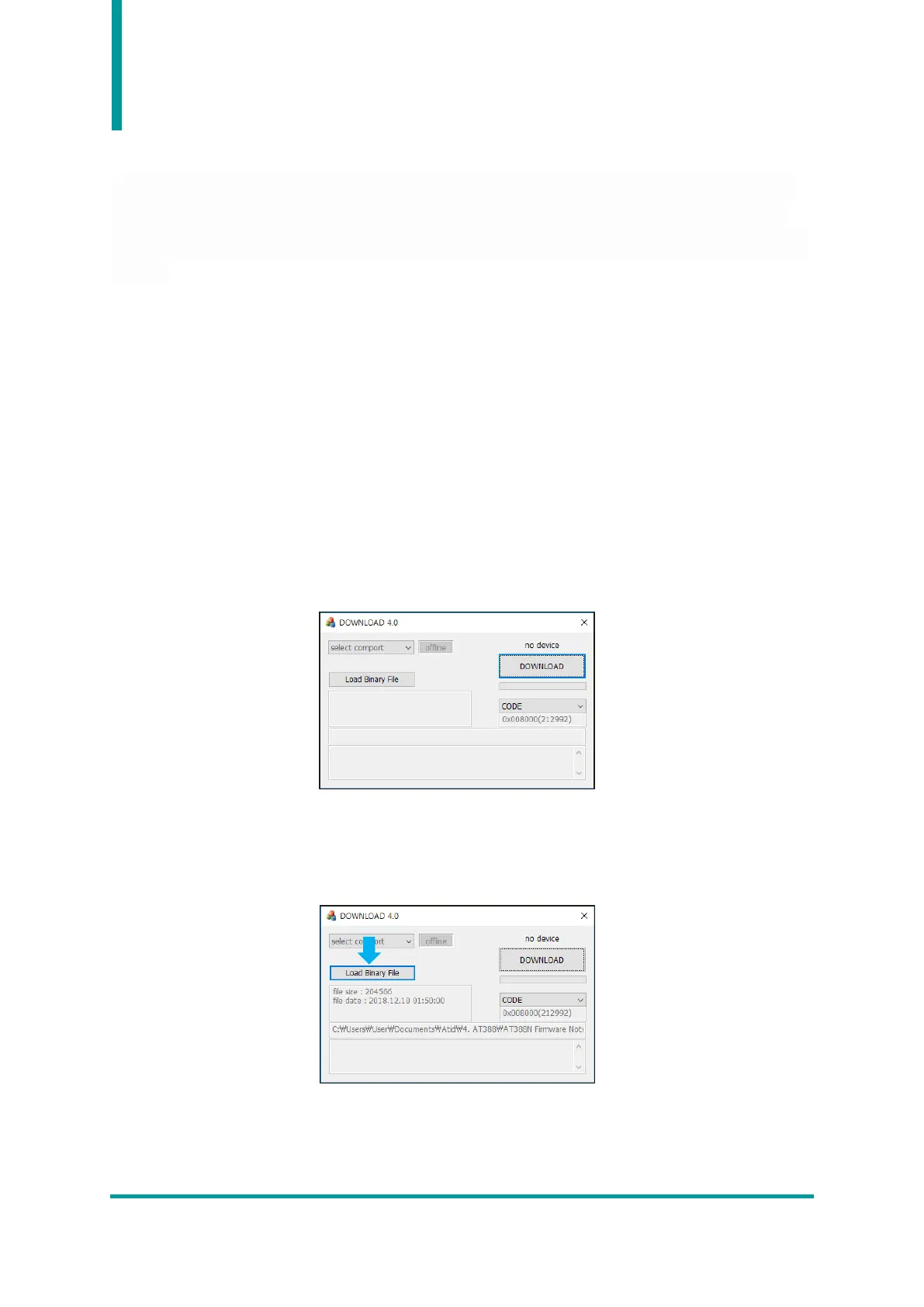
2) Execute the firmware update program.
3) After clicking the ‘Load Binary File’ button, designate the folder where the firmware file was
previously saved.



 To Next Page