Bluetooth Connection Settings
To send/receive data with a Windows platform device using Bluetooth, the AT388 requires a PC with
built-in Bluetooth functionality or a dedicated Bluetooth dongle. This chapter describes the Bluetooth
connection method for Windows 7 and Windows 10, which are representative Windows platforms.
• For details related to the Bluetooth function of the host device, please check with the place
of purchase of the PC or the person in charge of product installation.
• In this chapter, it is assumed that the Bluetooth-related driver is installed normally.
• For any problems that occur while using the product or during the installation process, please
contact the reseller or manufacturer where you purchased the product.
• If the Bluetooth driver is not installed normally, or if you use a special driver that is separately
supported by Windows 7 and Windows 10 OS, the contents of this manual may not match
each other.
1. Windows 7 Platform
1) After entering the Device Setting Mode, set the system to ‘5. Network Setup → 2. Host Paring →
3. BTH Pairing’.
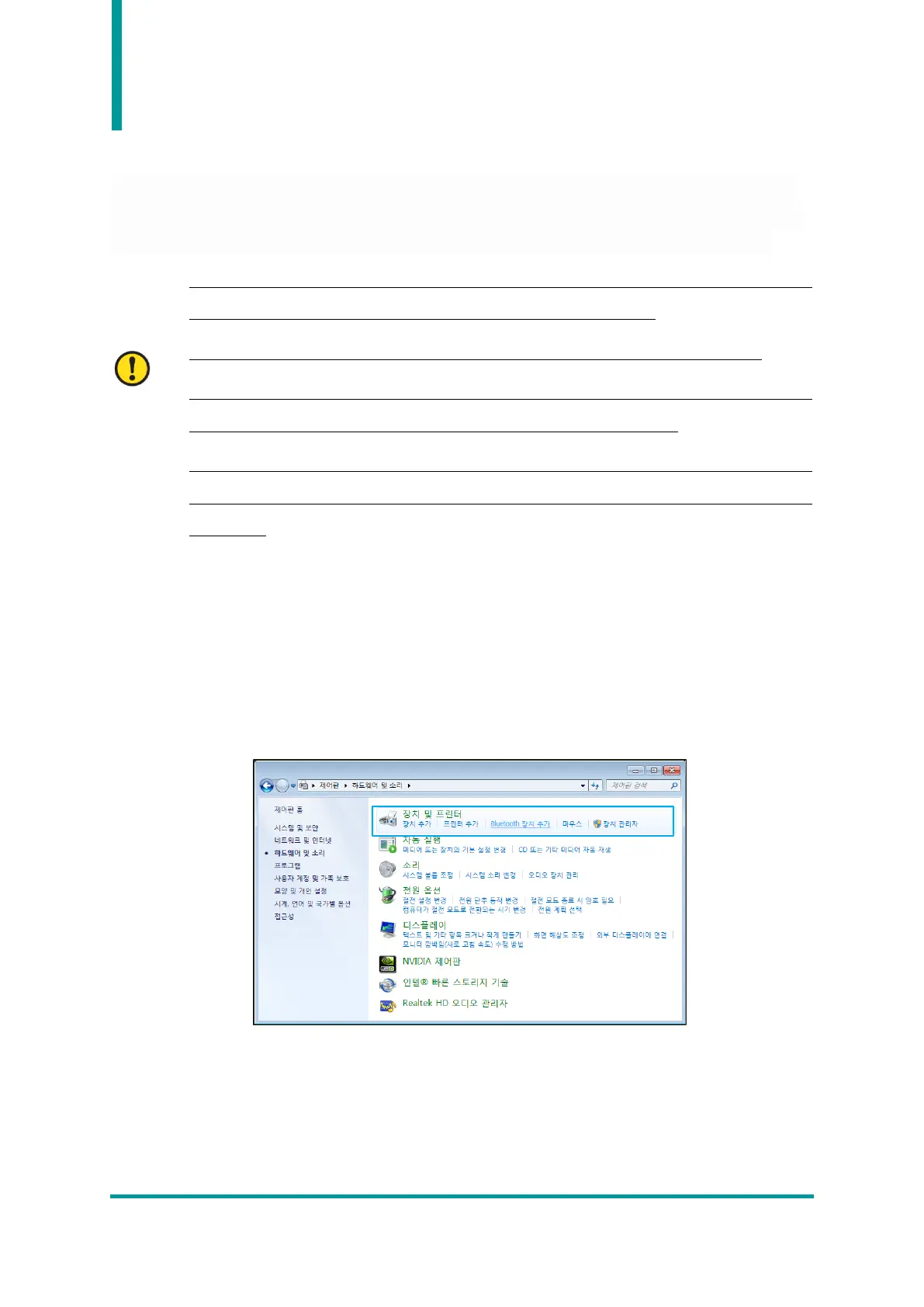
2) Select ‘Start → Control Panel → Hardware and Sound → Devices and Printers → ‘Add
Bluetooth Device’.



 To Next Page