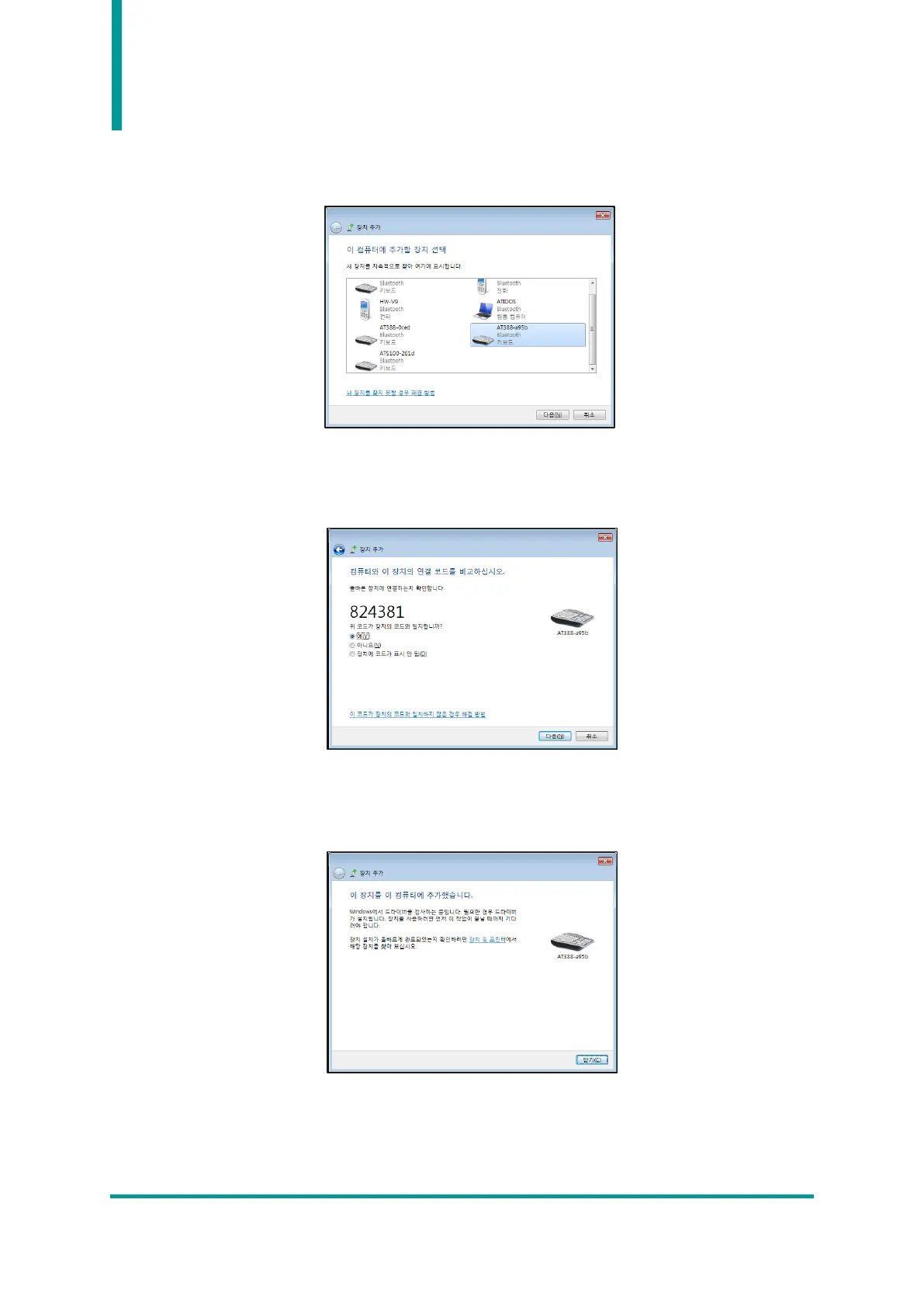
3) The Bluetooth device is automatically searched. After selecting the ‘AT388-XXXX’ that you want to
connect to, press ‘Next (N)’ to proceed with adding a device.
4) When the connection code confirmation window is displayed, click ‘Next (N)’ to proceed. The
connection code does not need to be specially changed.
5) After a while, Windows7 will automatically search for the driver and proceed with the installation,
and the screen will display a message Add device complete.



 To Next Page