4. Data Format
This is the menu to set the format in which the captured data is output.
• The contents of this mode are explained based on what happens when the Barcode Data is
recognized.
• When the RFID Tag Data is recognized, the operation may not be the same.
• Some functions are not applied in ‘Interactive Mode’.
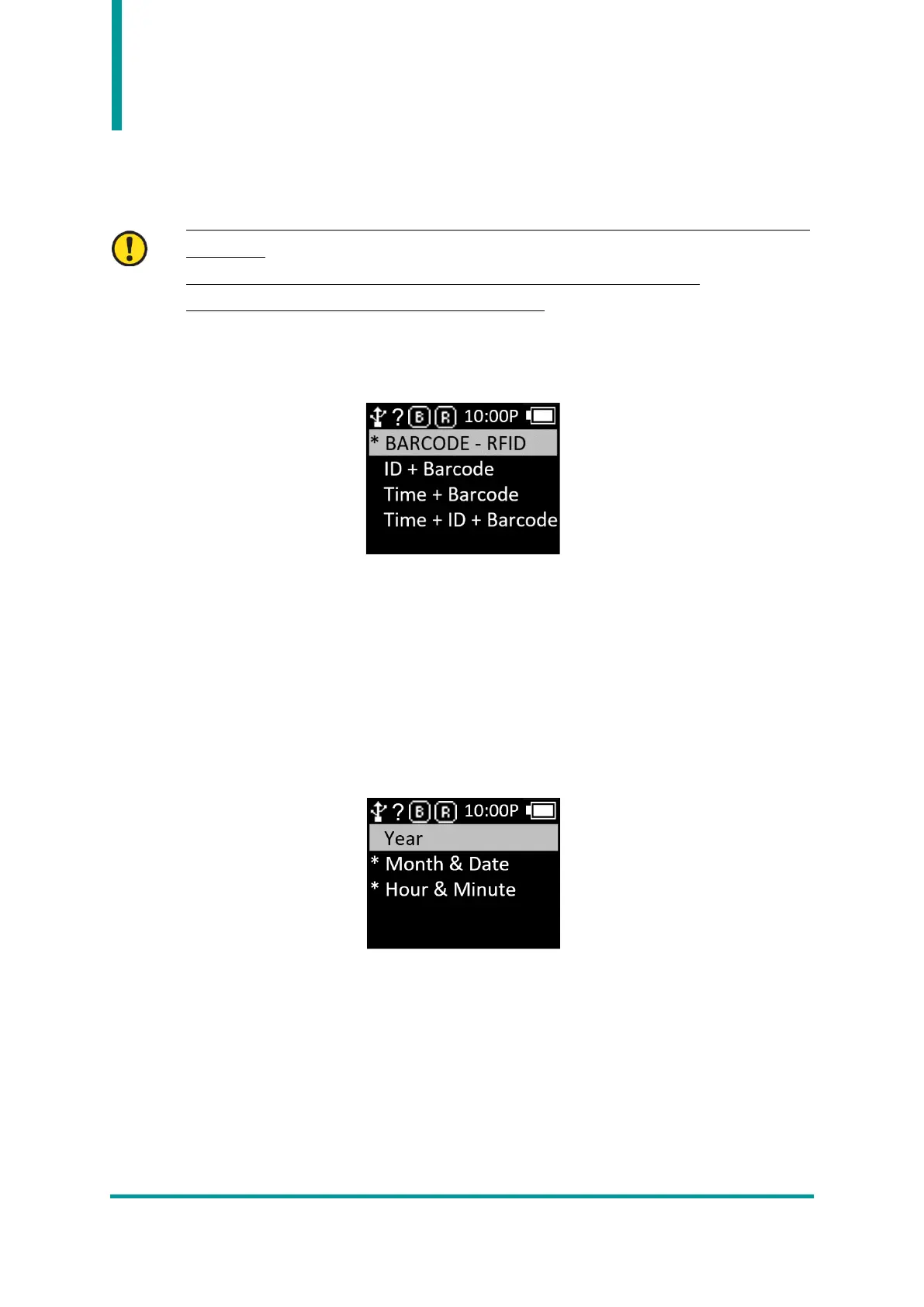
1) Record : After reading the Barcode Data, the user can decide to use the Barcode Type ID or Time
to add when saving or sending data.
• Barcode Only : Only Barcode Data is saved or transmitted.
• ID+Barcode : Stores or transmits the ID of Barcode and Barcode Data.
• Time+Barcode : Time data and Barcode data are saved or transmitted.
• Time+ID+BarcodeMode : Time data, Barcode ID and Reading Barcode data are stored or
transmitted.
2) Time Format : Set the time format of Barcode Data. ‘1. Record’ setting, the Time item must be
selected for this function to be applied.
• Year : Set whether to use year data for time data. (YYYY)
• Month & Date : Set whether to use month/day data for time data. (MMDD)
• Hour & Minute : Set whether to use hour/minute data for time data. (HHMM)
3) Quantity : Set whether to input the quantity of read barcode data. The Quantity setting works only



 To Next Page