2) USB Protocol : This is the communication protocol to use when connecting with the host device
via USB. Only Windows platforms are supported.
• USB HID : It is connected to the host device through HID (Human Interface Device), and the data
to be transmitted is transmitted as if typing with the keyboard where the cursor is currently
located. Depending on the keyboard language setting of the host device, the data recognized
by the actual device and the data displayed at the current cursor position may appear differently,
so be careful when using it.
• USB VCP : It is connected to the host device through the VCP (Virtual Com Port) provided by
USB, and the transmitted data is transmitted to the COM port of the host device. In order to
utilize the data transmitted from the host device, a separate application must be developed
using the ATID SDK.
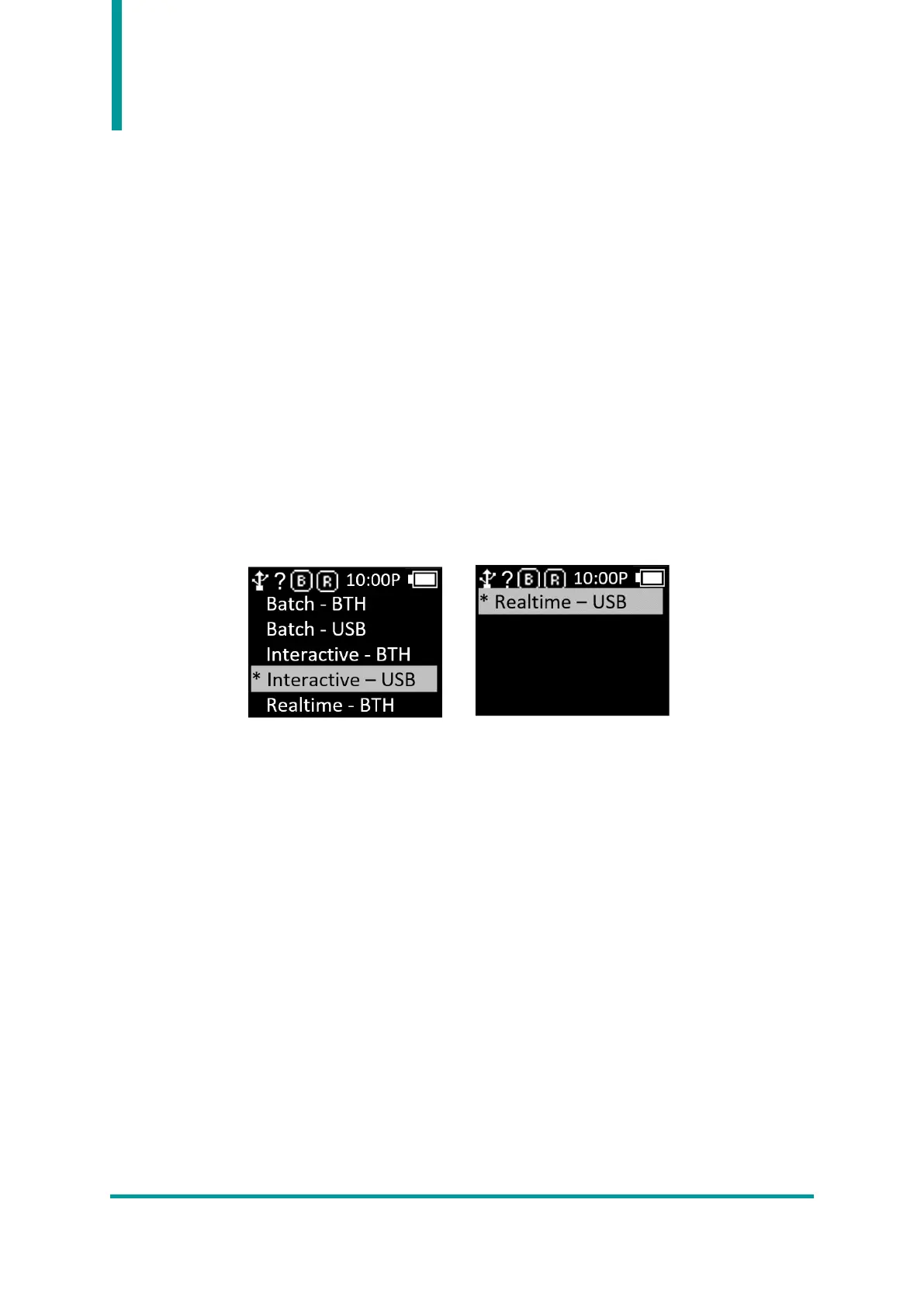
3) Com Mode : Select the communication method and data transmission method between the
AT388 and the Host device. ‘*’ indicates the currently set item.
• Realtime – BTH : Transmits captured data in raw data format to the host device through
Bluetooth in real time.
• Realtime – USB : Transmits captured data in raw data format to the host device through USB in
real time.
• Batch – BTH : The captured data is stored in the internal storage and then sent to the host
device in batches via Bluetooth.
• Batch – USB : The captured data is saved in the internal storage and then sent to the host device
in batches via USB.
• Interactive – BTH : Transmits captured data to host device according to ATID Protocol. In the
host device, it is linked with the application developed with ATID SDK. (Android, Windows, iOS).
• Interactive – USB : Transmits captured data to host device according to ATID Protocol. In the
host device, it is linked with the application developed with ATID SDK. (Windows).



 To Next Page