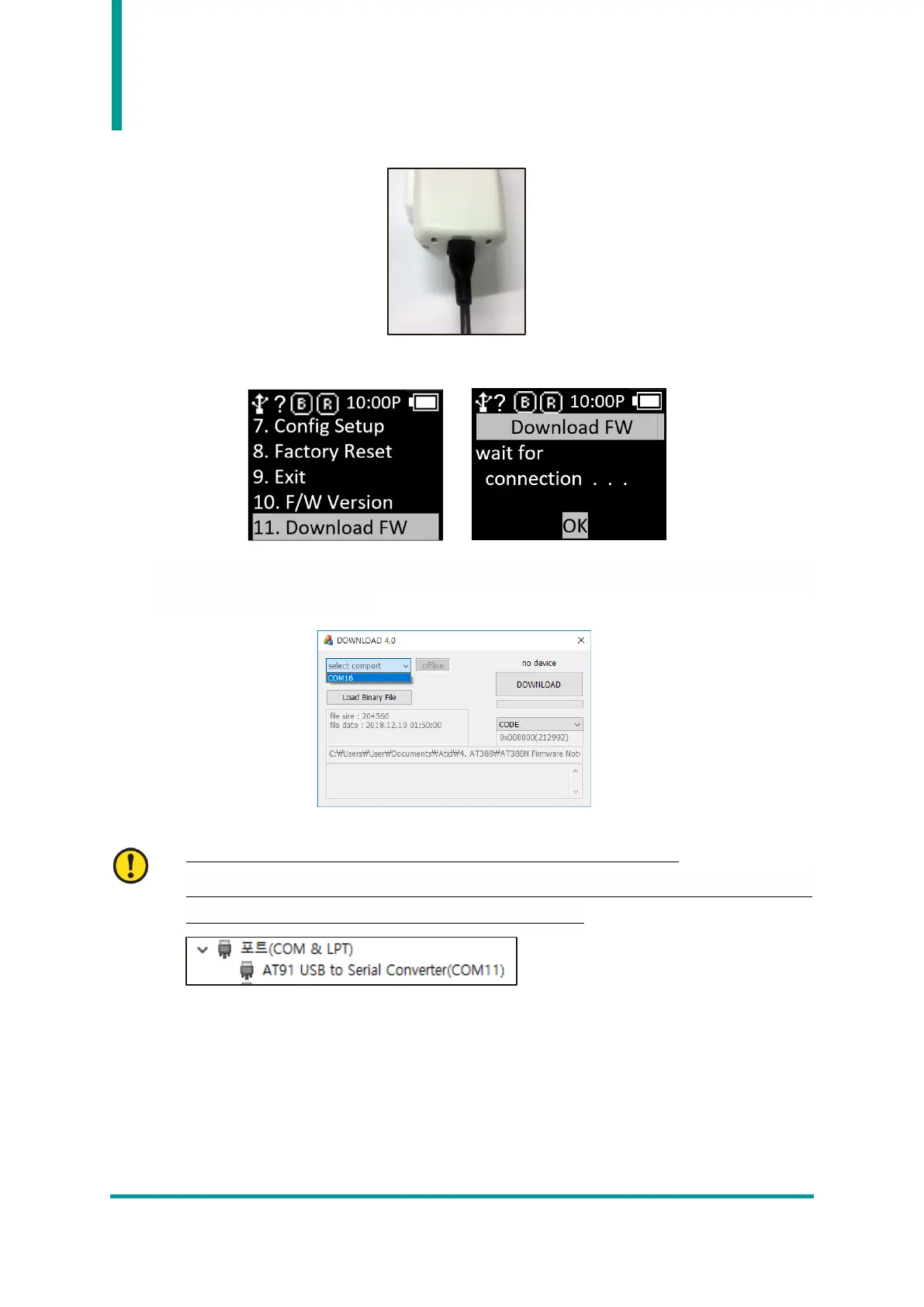
4) Connect AT388 to PC using USB Cable.
5) Enter ‘11. Download FW’ from ‘Device Setting Menu’.
6) Click the ‘select comport’ button of Firmware Download Tool. Then, select the COM Port assigned
to AT388 connected to your PC.
• COM Port is assigned a different number depending on the PC situation.
• Control Panel ‘Device Manager → Ports (COM & LPT)’ Please check the COM Port number
assigned to ‘AT91 USB to Serial Converter’ before entering.



 To Next Page