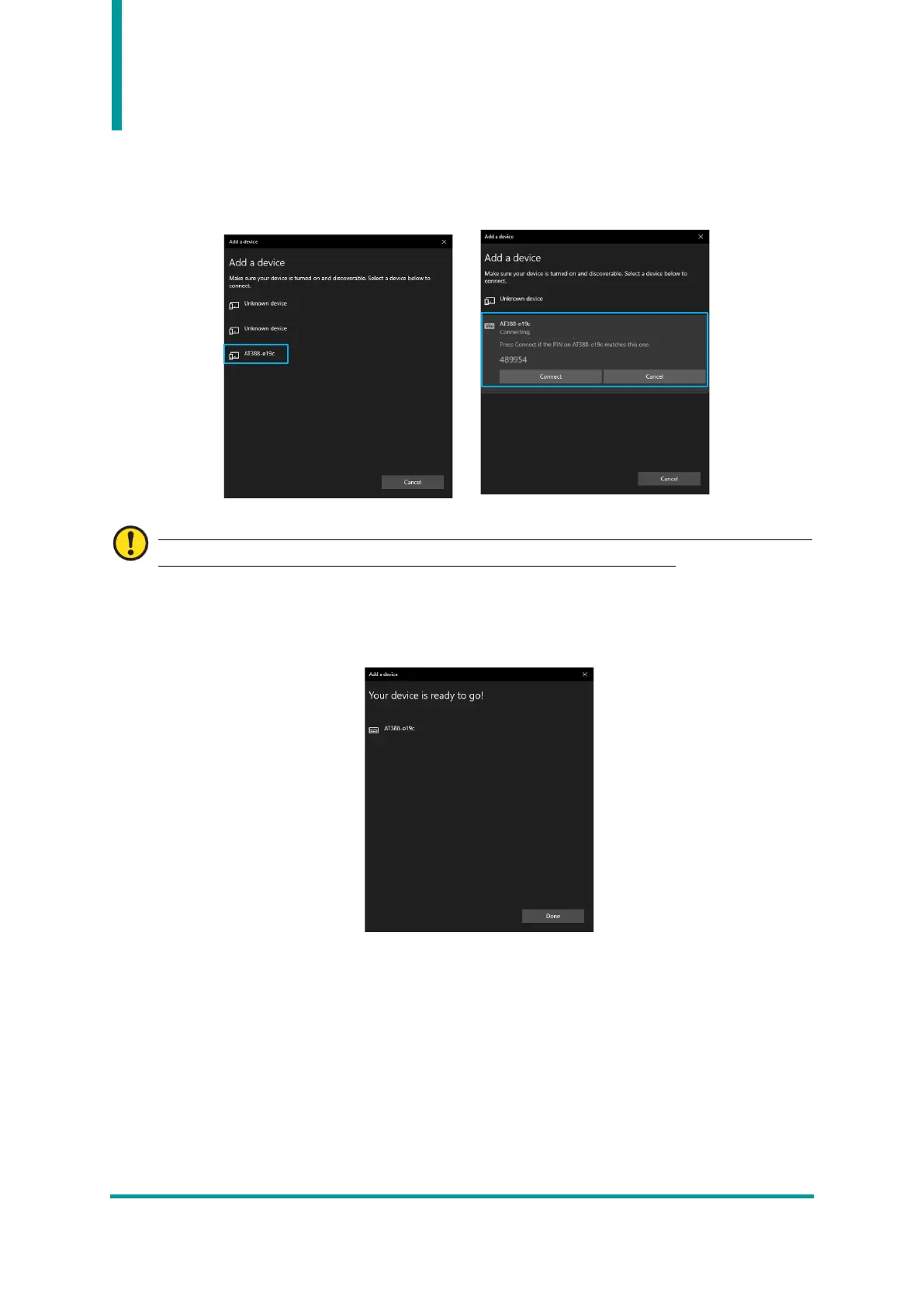
7) If you click the device you want to connect to among the found Bluetooth devices, the pairing
information screen of the target device is activated. After checking that it matches information of
the screen of AT388, if it matches, click the ‘Connect’ button.
The 4 digits after the device name to be searched are the last 4 digits of the Bluetooth Module
MAC Address. This 4 digit value is entered as a different value for all devices.
8) When pairing is completed normally, ‘Your device is ready to go!’ message is displayed. Click the
Done button to complete the pairing process.



 To Next Page