11
February 2006
Harmony™ Operating Manual
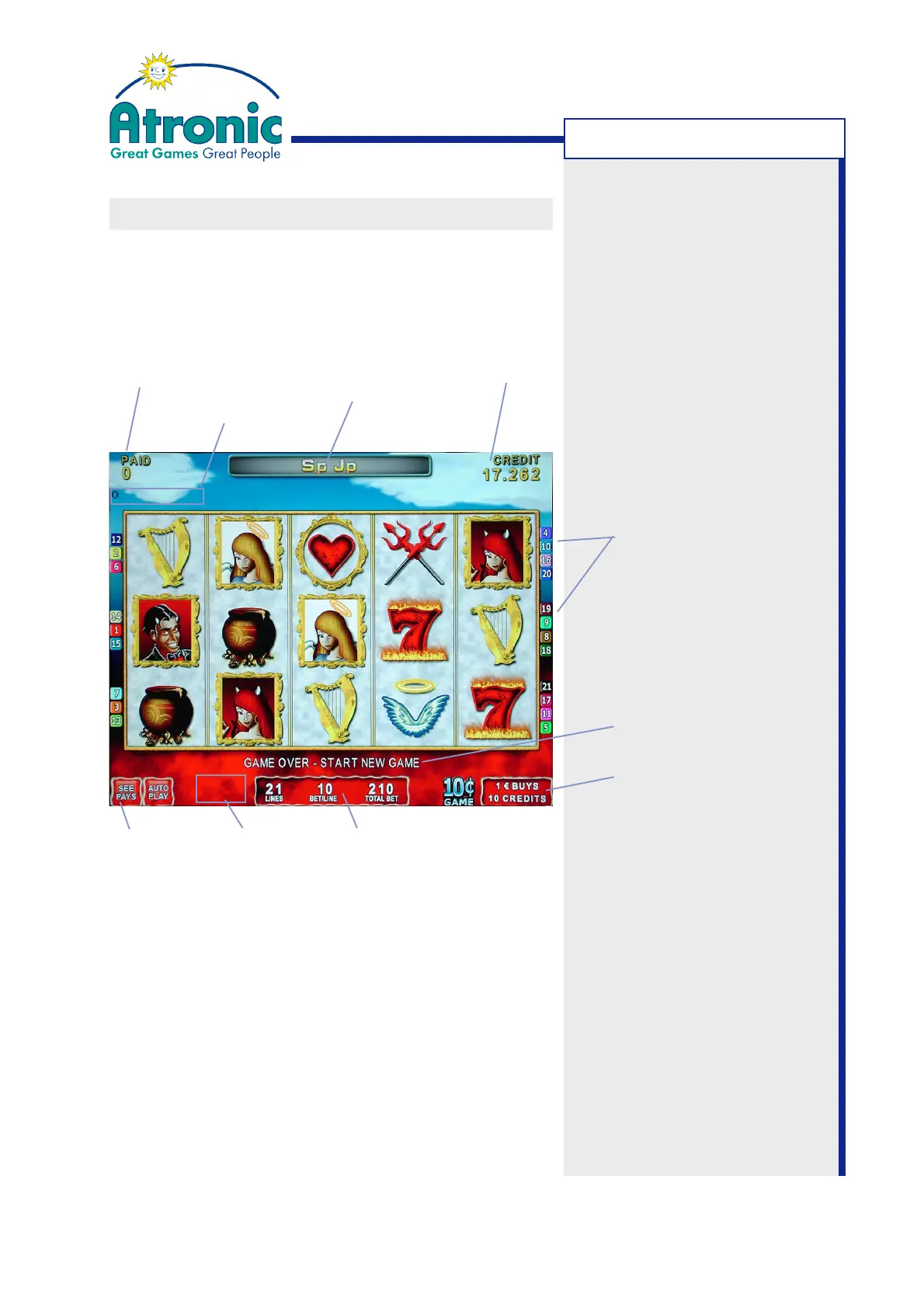
GAME SCREEN
The game screen displays all player relevant
information during game play and additional
information in case of an unexpected machine state.
Toggle Feature Credit Meter
It is possible to change the credit meter display from
credit values to money values. Simply touch the credit
meter area to change the display.
Paid Meter In-machine Display Credit Meter
(only applicable, if configured for Prog. Jackpot)
Machine State Window
Active Paylines
Player Message Window
Denomination and
Tokenisation Window
Info
Screen
Bet SettingsMachine State
Window
GAMEPLAY



 To Next Page