24
February 2006
Harmony™ Operating Manual
HOPPER EMPTY / HOPPER REFILL
If the hopper runs empty during a cashout.
Hopper Empty Procedure set to Handpay Mode
1. Carry out handpay and confirm handpay message
using the jackpot key.
2. The messages CALL ATTENDANT - HOPPER EM-
PTY is displayed. This message can not be cleared
using the audit key.
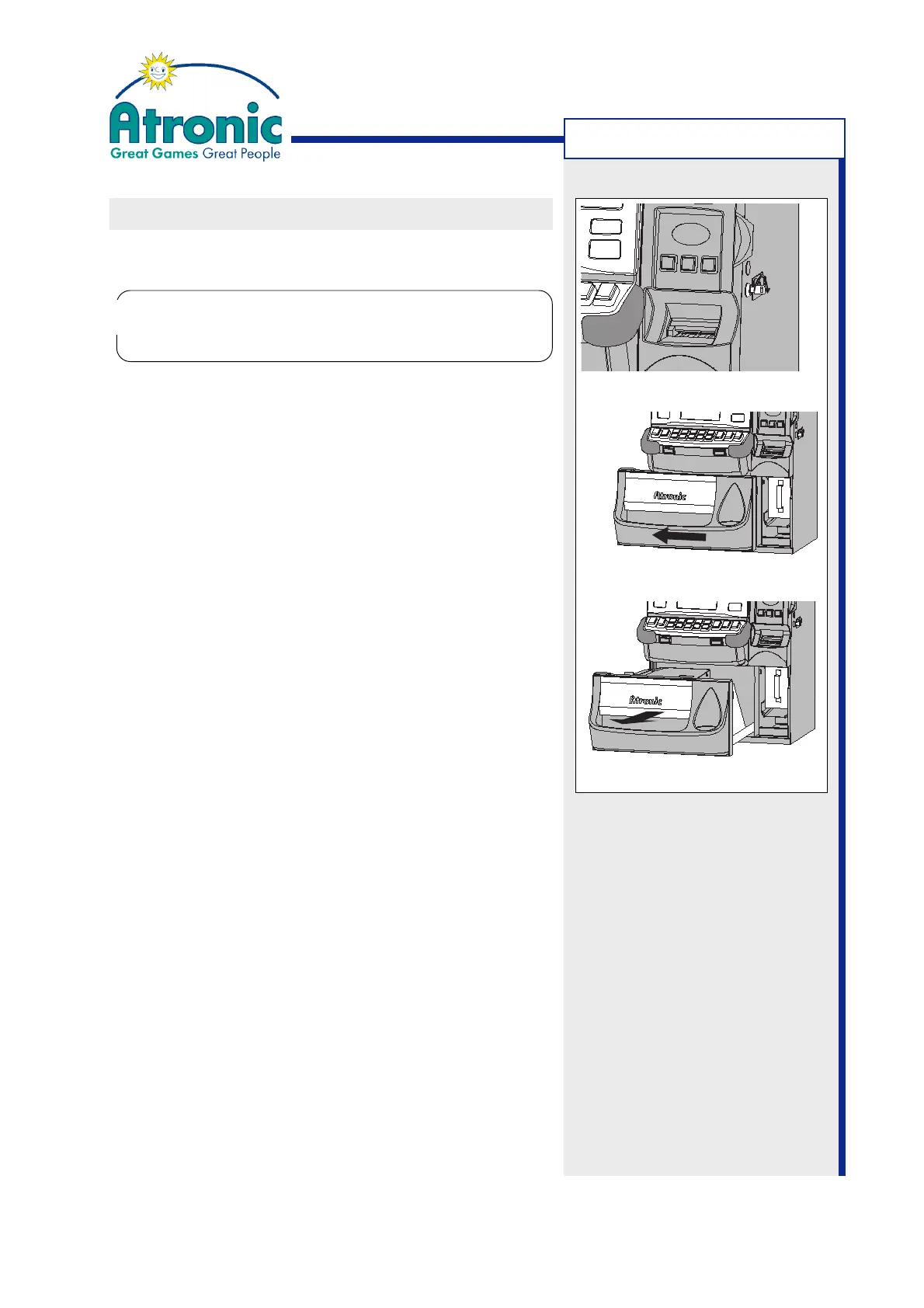
3. Unlock the hopper drawer (fig. a), slide it to the
left (fig. b) and pull out the hopper drawer (fig. c).
4. (optional) Refill the hopper and check that no coins
have fallen into the cabinet. Remove all foreign ob-
jects from the hopper drawer area.
5. Close the hopper drawer and slide it back to the
right with the lock in open position.
6. Lock the hopper drawer.
Hopper Empty Procedure set to Refill Mode
1. The messages CALL ATTENDANT - HOPPER EM-
PTY is displayed. This message can not be cleared
using the audit key.
2. Unlock the hopper drawer (fig. a), slide it to the left
(fig. b) and pull out the hopper drawer (fig. c).
3. Refill the hopper and check that no coins have fallen
into the cabinet. Remove all foreign objects from
the hopper drawer area.
4. If "Service Menu / Settings / Hardware / Hopper /
General / Hopper Refill" is enabled, enter the num-
ber of coins refilled.
5. Close the Hopper drawer and slide it back to the
right with the lock in open position. Payout conti-
nues when the hopper drawer is closed.
6. Lock the hopper drawer.
Figure a
Figure c
MACHINE HANDLING
Note:
Internal coin handling rules
may add additional tasks.
The Hopper Drawer Lock must be locked manually.
There is no slam lock. Any attempt to slam the
drawer closed may damage the locking mechanism.
!
!
Figure b



 To Next Page