32
February 2006
Harmony™ Operating Manual
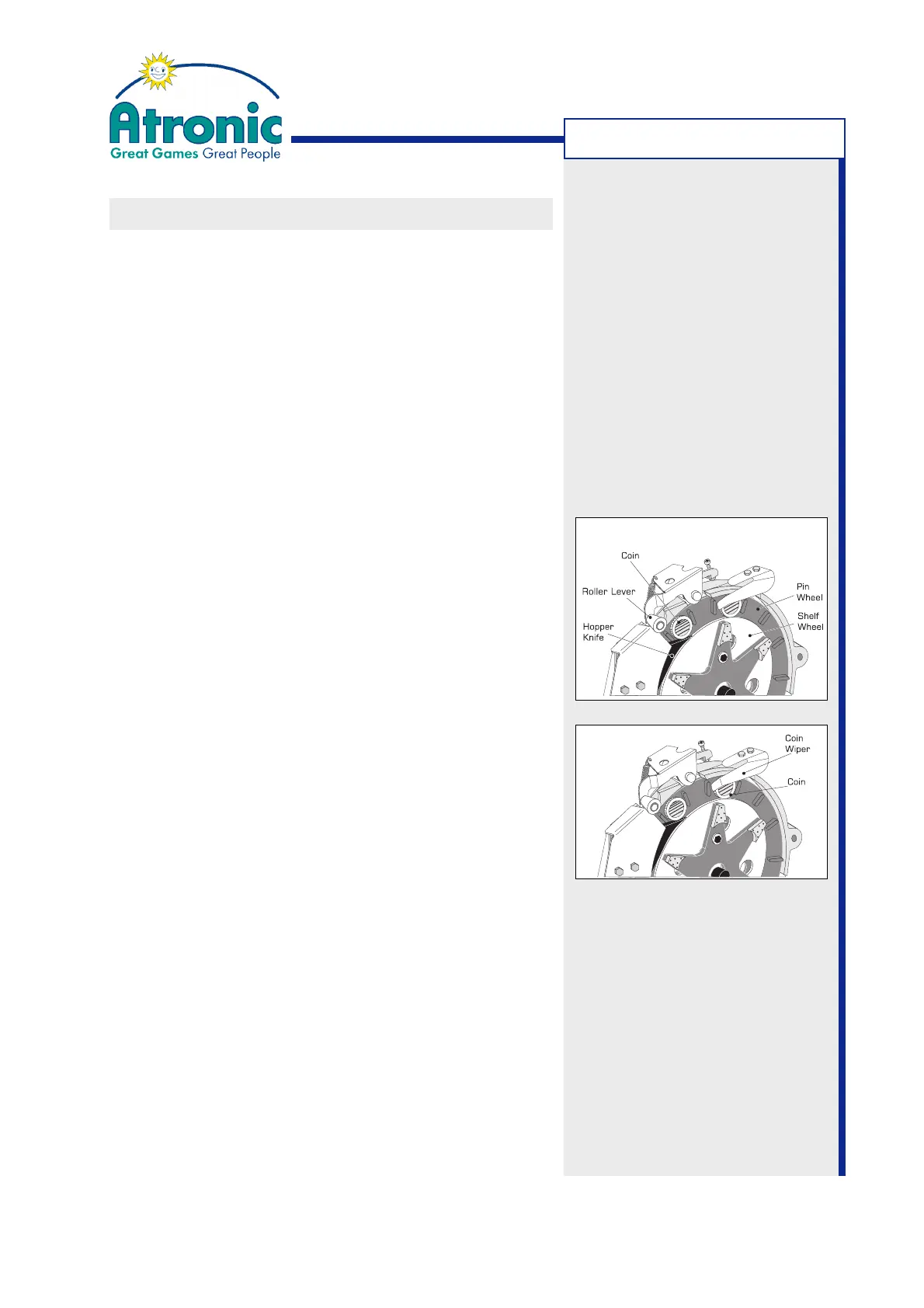
CLEARING HOPPER JAM
Adjust HOPPER JAM PROCEDURE in "Service Menu /
Settings / Hardware / Hopper / Jam Procedure" to:
• If a hopper jam occurs, left amount is handpay.
• If a hopper jam occurs, the hopper jam has to be
cleared. After the hopper drawer door is opened
and closed, the payout continues.
To clear a hopper jam, carefully follow these steps.
(Procedure description instancing SUZO hopper)
1. Power down the machine.
2. Open hopper drawer.
3. Remove any coins that may have collected around
the roller lever.
4. Check if coins have jammed under the hopper knife.
5. If necessary, correct the alignment of the hopper
knife. The front surface of the hopper knife should
be flush to the pin wheel and lay gently on the
shelf wheel.
6. If necessary, correct the coin wiper allignment. The
coin wiper should guide but not hold the coin. The-
re should be a small distance (<1 mm) between
coin and coin wiper or it should only lightly brush
the surface of the coin.
7. When the coin jam is cleared, close the hopper
drawer and turn the machine power on.
8. (
only if HOPPER JAM PROCEDURE is set to "pay-
out continues after jam is cleared").
Make sure that the hopper has paid out the cor-
rect number of coins.
9. Perform a hopper test.
Open "Service Menu / Diagnostics / Hopper" and
select PAY OUT X COINS for testing. Check the
number of coins paid out and the hopper timings.
If any timing value is below 12 msec, a hopper
adjustment is mandatory.
TROUBLESHOOTING



 To Next Page