46
February 2006
Harmony™ Operating Manual
EXCHANGING TOP GLASS
In case of a game conversion it is necessary to change
the (top glass) graphic film inside the feature box.
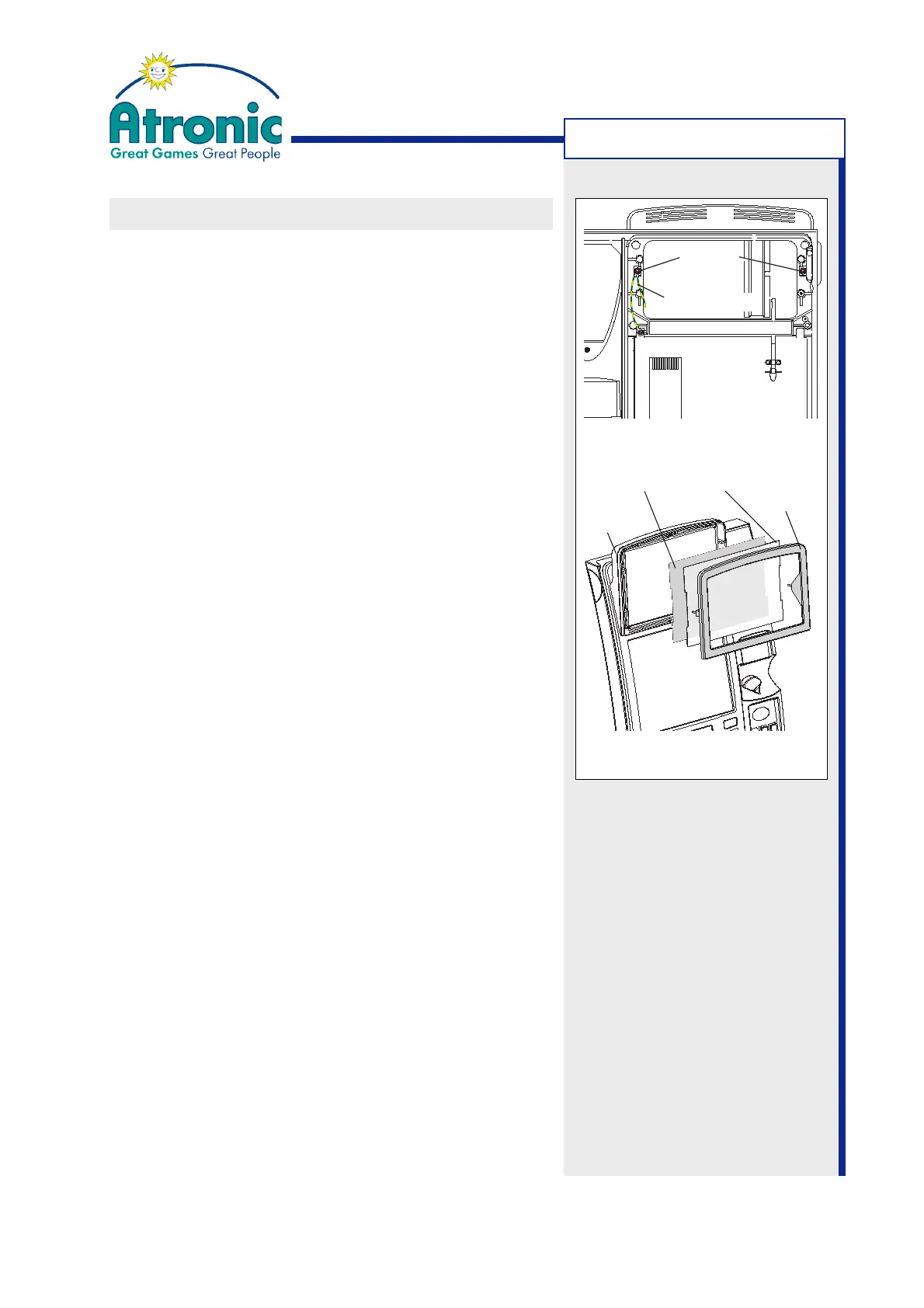
1. Open the maindoor and unscrew the two nuts M4
which hold the feature box cover (
figure 1
). Uncon-
nect the earthing cable.
2. Remove the feature box cover and take out the front
glass and the graphic film.
3. Make sure that front glass and the new graphic
film are free from dust and scratches. If necessa-
ry use a soft lint-free cloth and a mild glass clea-
ner for cleaning.
4. Stick in the game variant decals (play xx lines, win
up to xx credits, etc.) to the new graphic film.
Make sure that decals and game variant match.
5. Put the graphic film and the front glass into the
feature box and mount the feature box cover. Make
sure the cover is mounted flush to the feature box
before fastening.
6. Re-connect the earthing cable and fasten the co-
ver using two nuts M4 with lock washer.
TECHNICAL PROCEDURES
figure 1
figure 2
Nuts M4
Earthing Cables
Graphic Film Front Glass
Cover
Feature
Box



 To Previous Page