25
February 2006
Harmony™ Operating Manual
HOPPER REMOVAL AND REPLACEMENT
To remove the hopper for replacement or maintenance,
carefully follow these steps.
1. Power down the machine.
2. Make sure the coin bowl is empty and open the
hopper drawer.
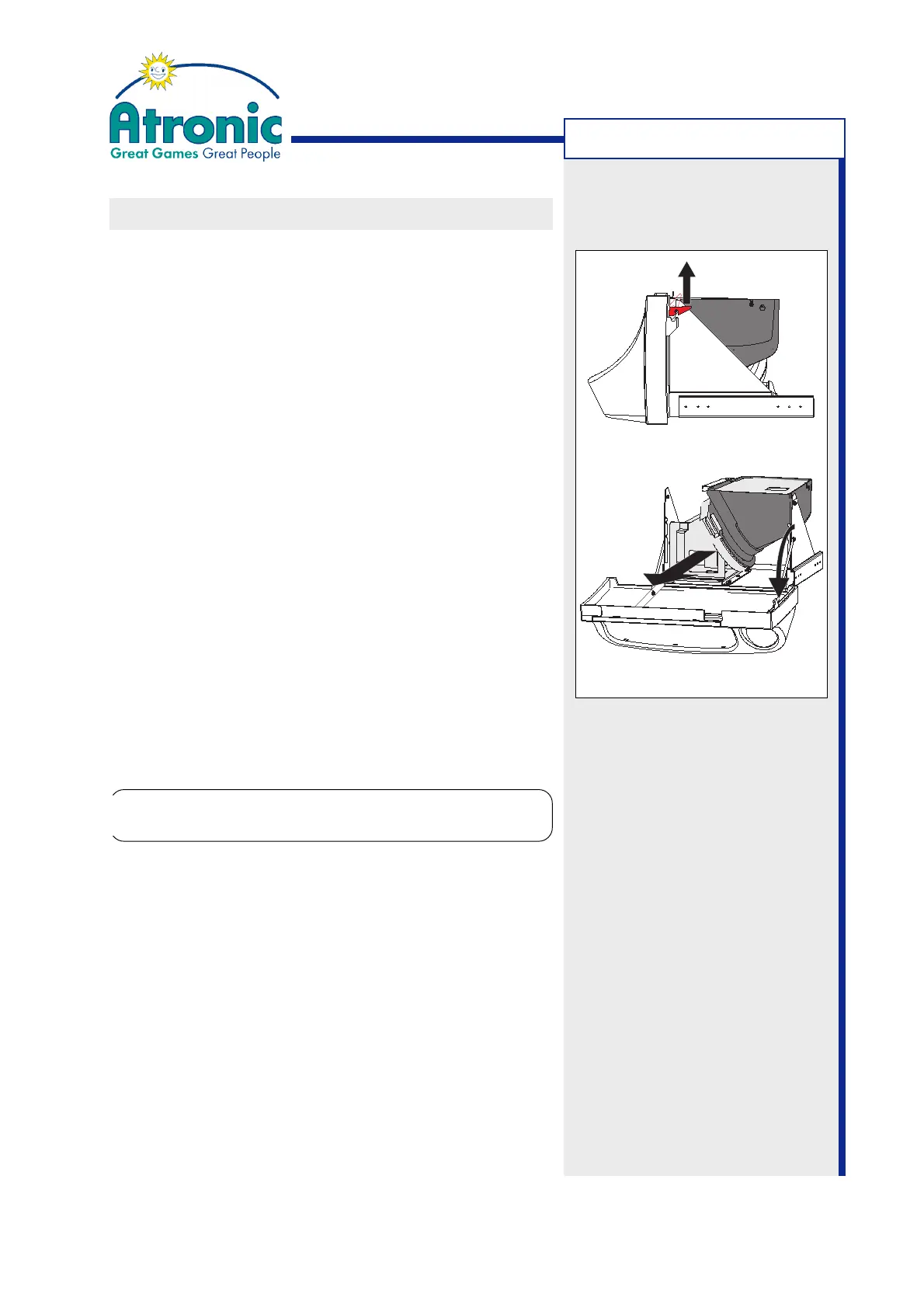
3. Lift the coin bowl retaining levers on both sides of
the hopper drawer (fig. a).
4. Gently lower the coin bowl until it stops (fig. b).
5. Slide the hopper completely out of the hopper
support guide. Do not use the coin switch or any
other sensitive part to carry or pull the hopper!
6. Re-install hopper after maintenance or install a new
hopper.
7. Close coin bowl and make sure the coin bowl retai-
ning levers are fully engaged.
8. (optional) Clear the message "Hopper failure check
connectors" using the audit key.
MACHINE HANDLING
Caution!
The (filled) hopper is heavy!
!
!
figure a
figure b
Coin Bowl
Retaining Lever



 To Next Page