27
February 2006
Harmony™ Operating Manual
VOUCHER PAPER REFILL
To refill the voucher printer with paper, follow these
steps (procedure for Seiko PSA-66 printer).
1. Open the maindoor.
2. Pull open the printer drawer until the paper tray
is completely accessible.
3. Remove any remaining paper and debris from the
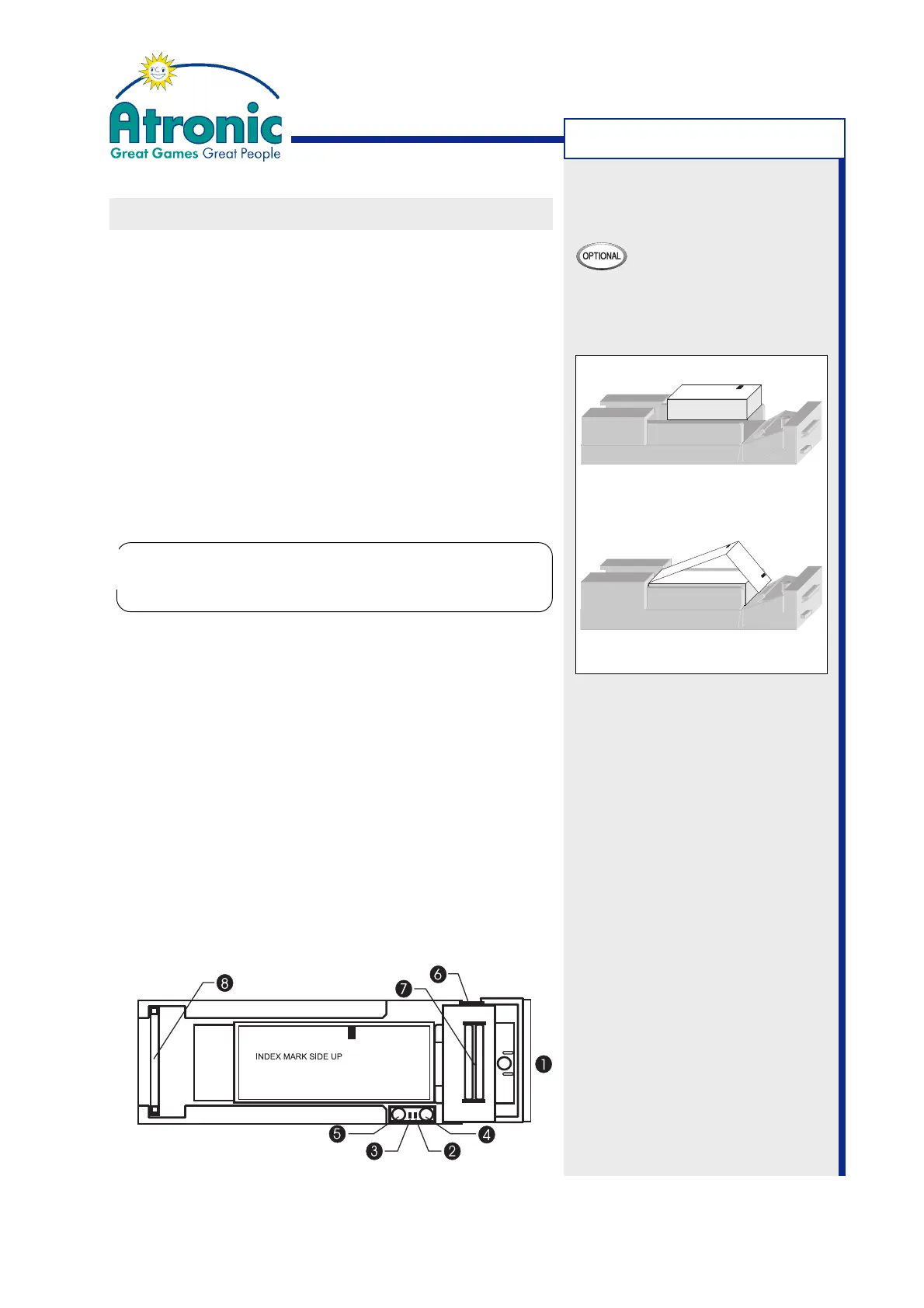
paper tray. Use the blue platen release lever (6) to
release the paper from the paper insertion slot (7).
4. Place a new paper stack with its index marks alli-
gned as indicated by the label in the paper tray
(fig.a).
5. Insert paper into the paper insertion slot (fig. b).
The printer will automatically pull through one or
two vouchers.
Note:
The platen release lever is provided to assist in
loading paper, but is normally not required.
6. Remove the excess vouchers.
The printer is now ready to print.
7. Slide the printer drawer closed and close / lock
the maindoor.
8. Clear error message by means of the audit key.
Figure a
Figure b
1. Front Bezel Display
2. Error! LED
3. Status LED
4. FEED Button
5. CUT Button (no function)
6. Platen Release Lever
7. Paper Insertion Slot
8. Ribbon Cable
MACHINE HANDLING
Insert the new paper stack with the printable
side facing downwards, even if something diffe-
rent is noted on the printer paper.
!
!



 To Next Page