36
February 2006
Harmony™ Operating Manual
SERVICE MENU
SERVICE MENU
Several pages of information, configuration and
diagnostics can be accessed from the Service Menu.
The structure of the Service Menu is designed to be
user friendly and self-explanatory.
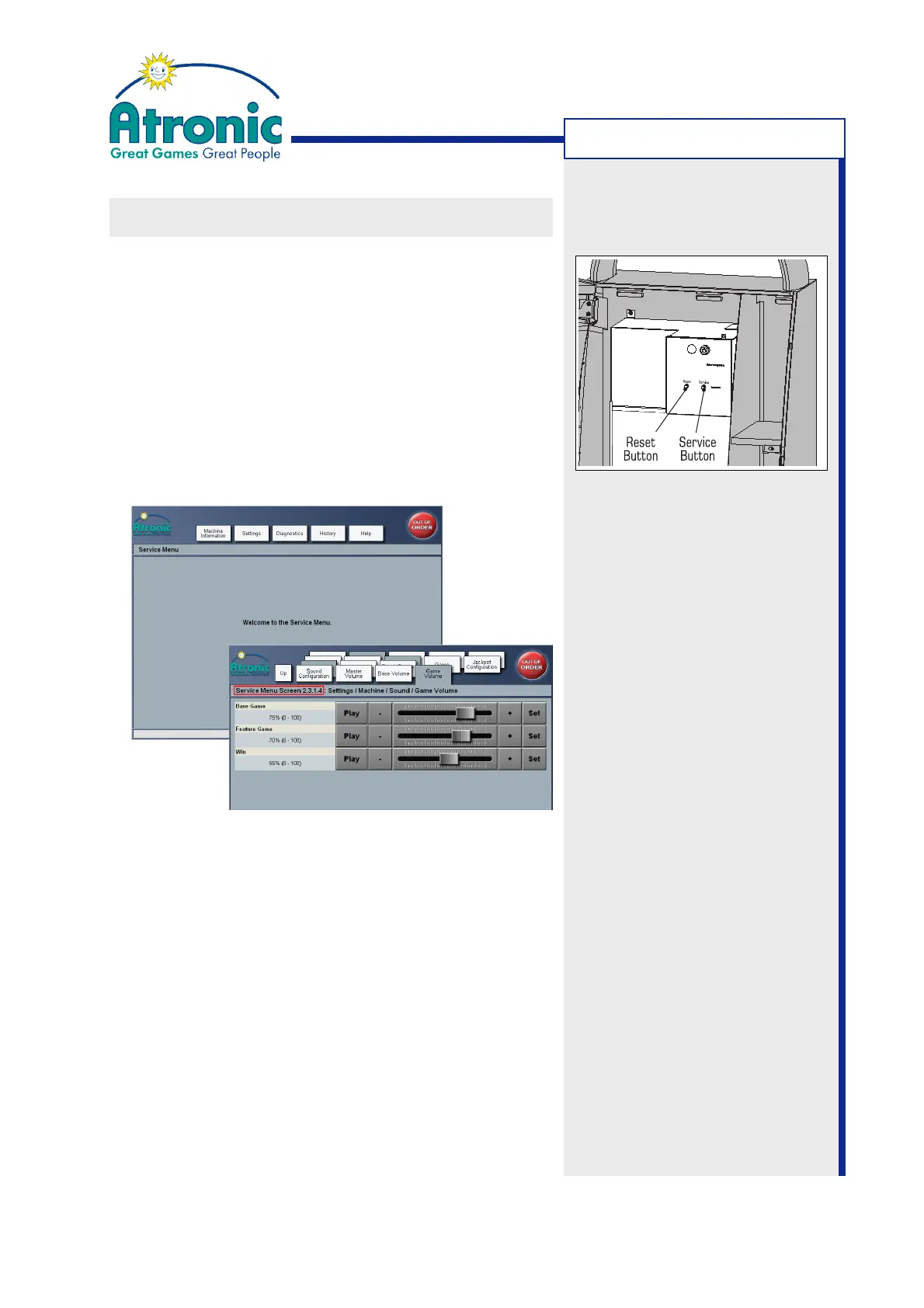
• To access the Service Menu, press the service but-
ton at front of the logic box (with the maindoor
switch in the open position).
• To exit the Service Menu, press the service button
again or close the maindoor.
The Service Menu consists of cascading screens that
contain pages of information and settings. To navigate
to the desired screen, touch the assigned folder
tab(s). Use the UP tab to navigate to the previous
menu step. The Service Menu screens are numbered
for better clarity.
Note:
See also manual "Software /
Basic Setup" for a detailed
Service Menu description.
Note:
(Only if a commboard is installed)
The Service Menu can be activated (without opening
the maindoor) by sending SAS long poll 0A "enter
maintenance mode". To exit Service Menu send 0B
"exit maintenance mode".



 To Next Page