40
February 2006
Harmony™ Operating Manual
3. History
3.2. Game
3.1. Accounting
3.2.4. Statistics per Game
3.2.5. Bet-Line Table
3.3.1. Money Log
3.3.2. Event Log
3.3. Logs
3.4. Cashless & Progressive
3.4.1. Cashless and Progressive
4.1. Hardware Error Codes
4. Help
3.1.2. Each Bill Count
3.3.3. Background Exceptions
3.3.1.4.1. Wagering Account Transfer
3.3.1.4.2. Cashable Electronic Promotion
3.3.1.4.3. Non Cashable Electronic Promo.
3.3.1.4.4. Bonus
3.1.1. Accounting Information
3.2.3. Statistics per Denom.
3.2.2. Statistics
3.2.1. Last Games
3.3.1.1. Coins
3.3.1.2. Bills
3.3.1.3. Vouchers
3.3.1.4. Transactions
3.3.1.5. Others
3.3.1.1.1. Last 10 Hopper Payouts
3.3.1.1.2. Last 10 Hopper Refills
3.3.1.2.1. Last 10 Bills Inserted
3.3.1.2.2. Last 10 Stacker Clearances
3.3.1.3.1. Last 35 Vouchers In
3.3.1.3.2. Last 35 Vouchers Out
3.3.1.5.1. Last 10 Handpays
3.3.1.5.2. Last 10 Denomination Changes
3.3.1.5.3. Last 10 Progressive Jackpots
3.4.2. Voucher and Handpay
3.4.3. Jackpot Statistics
2. Service Game
1. Machine Information
5. Touch Screen Calibration
AUDIT MENU
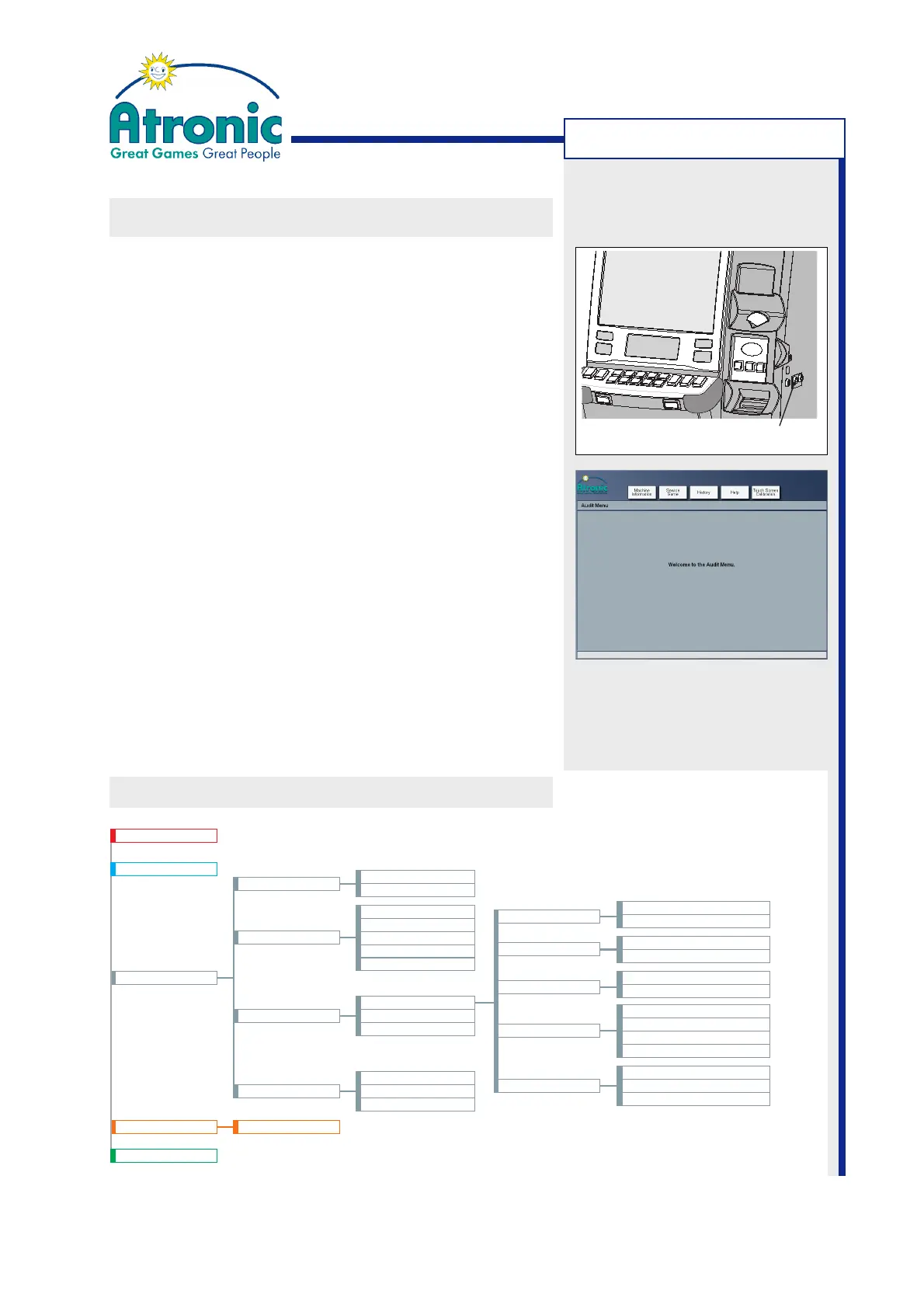
The sub-menus MACHINE INFORMATION, SERVICE
GAME, HISTORY, HELP and TOUCH CALIBRATION, are
available within the Audit Menu.
• To access the Audit Menu, turn audit key while the
machine is in idle mode. The Audit Menu can not
be accessed while a game is in progress or waiting
for player interaction (double up).
• To exit the Audit Menu, remove audit key.
The Audit Menu consists of cascading screens that
contain pages of information. To navigate to the
desired screen, touch the assigned folder tab(s). Use
the UP tab to navigate to the previous menu step.
The Audit Menu screens are numbered for better
clarity.
Show Details
Touch the SHOW DETAILS button in order to view a
brief description of an particular (highlighted) item.
AUDIT MENU FLOWCHART
Note:
Some items are application
dependent or not available in
certain jurisdictions.
AUDIT MENU
Note:
See also manual "Software / Basic Setup" for a detailed
Audit Menu description.
Audit Key Switch



 To Next Page