FMB10 User’s Manual Edition 06/2005
___________________________________________ Page 11 _____________________________________________
Audemat-Aztec SA – Audemat-Aztec INC
WEB: www.audemat-aztec.com - e-mail: contact@audemat-aztec.com
3. GETTING CONNECTED
3.1 Connection
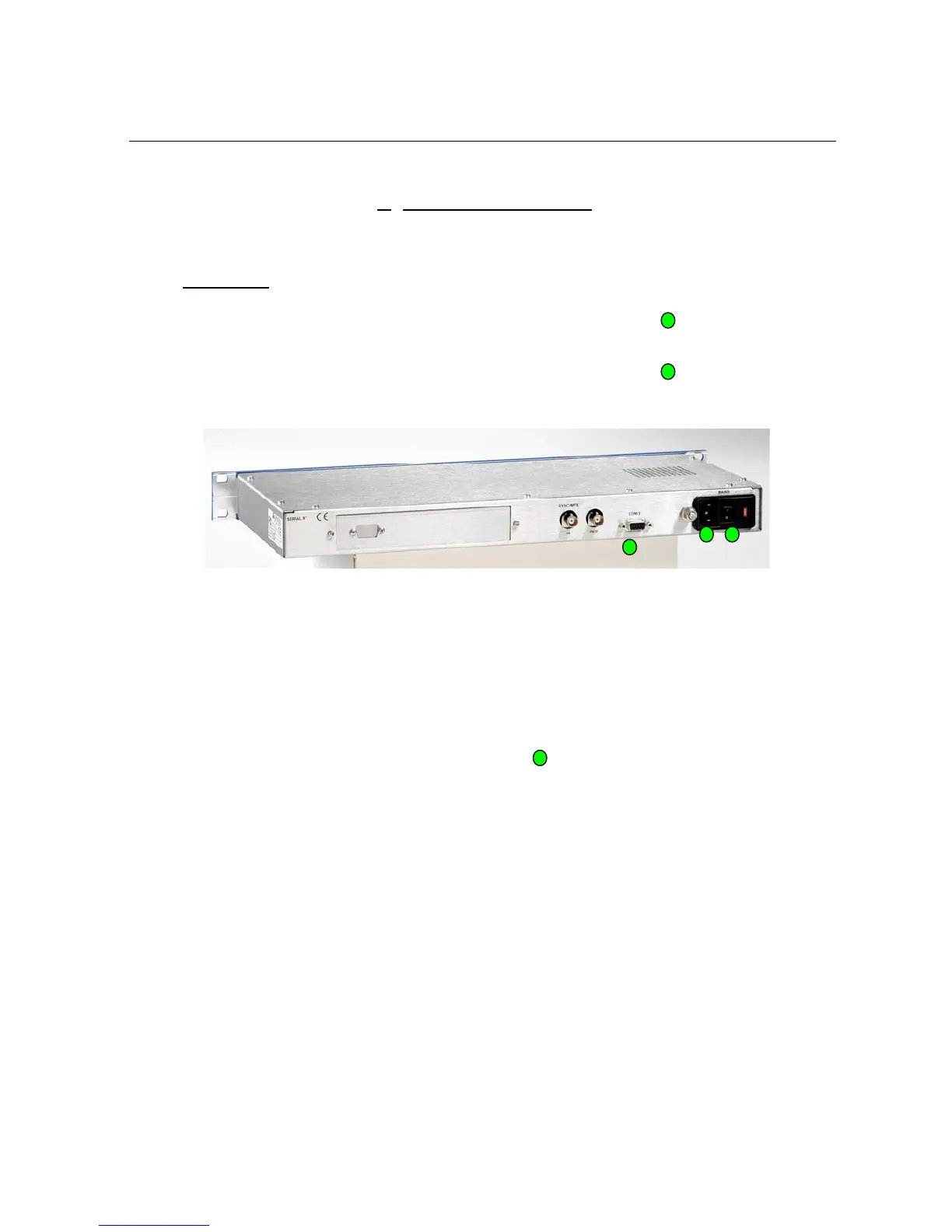
¾ Connect the equipment to the sector by using the power supply cable.
¾ Connect the computer to the “COM 0” with the serial USB/cable
¾ Connect the BNC cable of the stereo encoder with the MPX IN of the RDS encoder
¾ Connect the MPX IN or emettor’s RDS with MPX OUT of the RDS encoder
¾ Light the encoder thanks to the swith on the rear panel
1
2
2
1
3
3


 To Next Page