FMB10 User’s Manual Edition 06/2005
___________________________________________ Page 20 _____________________________________________
Audemat-Aztec SA – Audemat-Aztec INC
WEB: www.audemat-aztec.com - e-mail: contact@audemat-aztec.com
encoder transmitted data: especially, the object is not to try to check synchronism with the display obtained on
an RDS signal analyser in real time.
Right and left parts of the displayer are used to present static or temporary parameters. From top to bottom and
from left to right can be found the following:
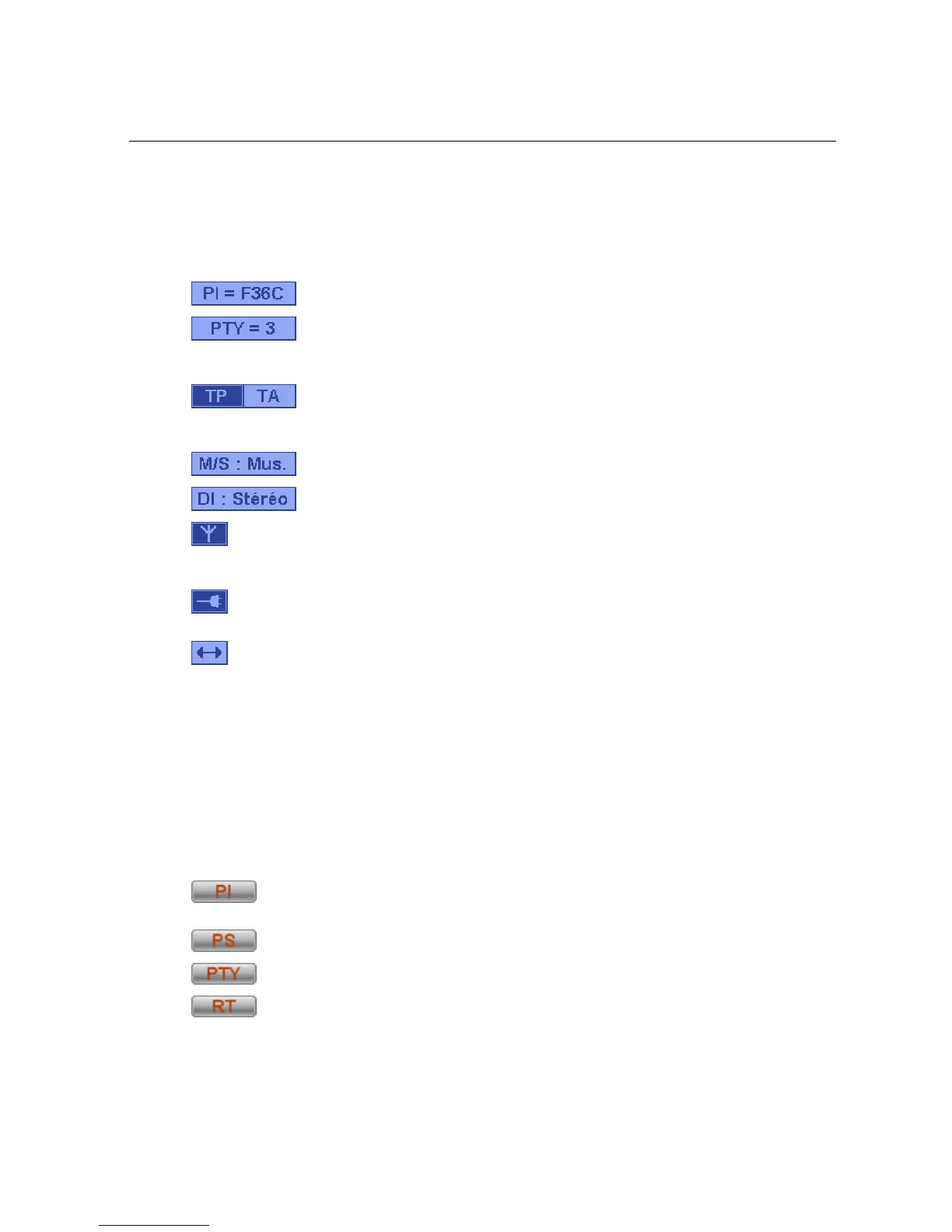
: PI code display zone (Program Identification) being broadcast.
: PTY code display zone (Program Type). When the mouse cursor stops for a moment
on this zone, code signification is indicated on light background. If a PTYN (Program TYpe name) has
been configured, its contents are displayed following the PTY.
: Current state of control signals of Info Trafic system (Traffic Programme, Traffic
Announcement). Dark text on light background indicates a value of 0 (here TA), and, vice versa, light
text on dark background indicates a value of 1 (here TP).
: State of MS communication code (Music / Speech).
: State of bit 0 (Mono/Stereo) of DI code (Decoder Identification).
: State of encoder output: indicates if an RDS signal is in fact present at encoder output (signal’s
Stop/Start parameter, see paragraph 4.3.2). Dark background indicates the presence of an output
signal.
: State of connection with the encoder. Dark background indicates that the connection has been
established and that any parameter modification will be transmitted to the encoder.
: Current encoder communication indicator when background is dark. This indication is
momentary.
4.3.1.2. Description of buttons
The lower part of the window contains a series of buttons for currently operating the encoder: one click on one
of these buttons (excepting TA) will display a window enabling corresponding parameter(s) to be modified.
These windows have 2 buttons: the Send button enables the encoder to be programmed with the considered
parameter’s new value; the Close button enables the window to be automatically closed again.
From left to right:
: enables station identification parameters to be toggled (PI + PS) between the two actions
maintained by the encoder.
: enables the Dynamic PS text to be modified (See for more details on this functionality).
: enables both the transmitted PTY code and the PTYN message text to be modified.
: enables the Radio text message to be modified. If the Radiotext is stopped, this button is
not active (cf 4.3.2 Radiotext).enables the Radio text message text to be modified.


 To Next Page