FMB10 User’s Manual Edition 06/2005
___________________________________________ Page 22 _____________________________________________
Audemat-Aztec SA – Audemat-Aztec INC
WEB: www.audemat-aztec.com - e-mail: contact@audemat-aztec.com
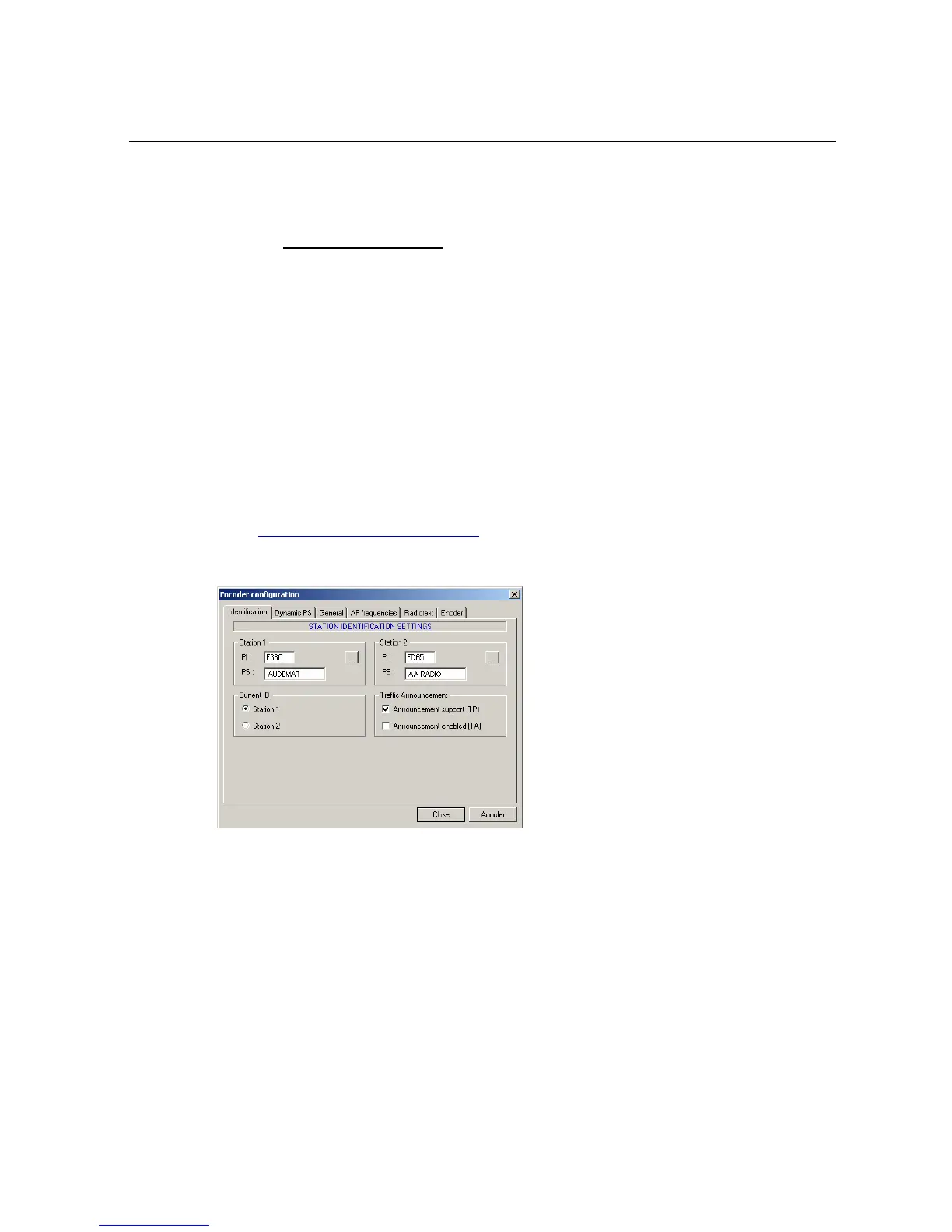
4.3.2 Encodeur configuration
The software should function with the RDS encoder so as to be able to program it and to reflect its functioning
all the time: for this, during its launching, the software tries to establish communication with the encoder and
asks for its configuration.
However, the software can work without the encoder: in this case it is used for creating configuration files which
could be later used for initializing one or several encoders. Display simulation (PI, PS) remains active in this
case, but the current operation buttons are disabled.
Access to encoder configuration is dune through the application’s main menu: 'Tools / Configure an encoder'. If
a password has been defined, it will be necessary to supply it before having access to the menu. The
configuration is divided into several pages which are described below.
When the desired parameters have been configured, validate using the Close button: the configuration thereby
updated will be sent to the encoder.
¾ Station identification parameters
This page contains the parameters necessary for identifying the station:
• Station 1 – Station 2: these two groups of edition zones enable the PI and PS codes to be
captured for the two identifications preserved by the encoder, to allow instant toggling from
one to the other during running (see paragraph).
• Current ID: these two buttons enable the identification (defined below) to be chosen.
• Info trafic: these two boxes are ticked to enable the state of Info Traffic system’s signals to be
defined. If the announce support (TP) is not active, the running button TA will be disabled (see
paragraph).


 To Next Page