FMB10 User’s Manual Edition 06/2005
___________________________________________ Page 15 _____________________________________________
Audemat-Aztec SA – Audemat-Aztec INC
WEB: www.audemat-aztec.com - e-mail: contact@audemat-aztec.com
3.4 Encoder’s configuration (basic & advanced)
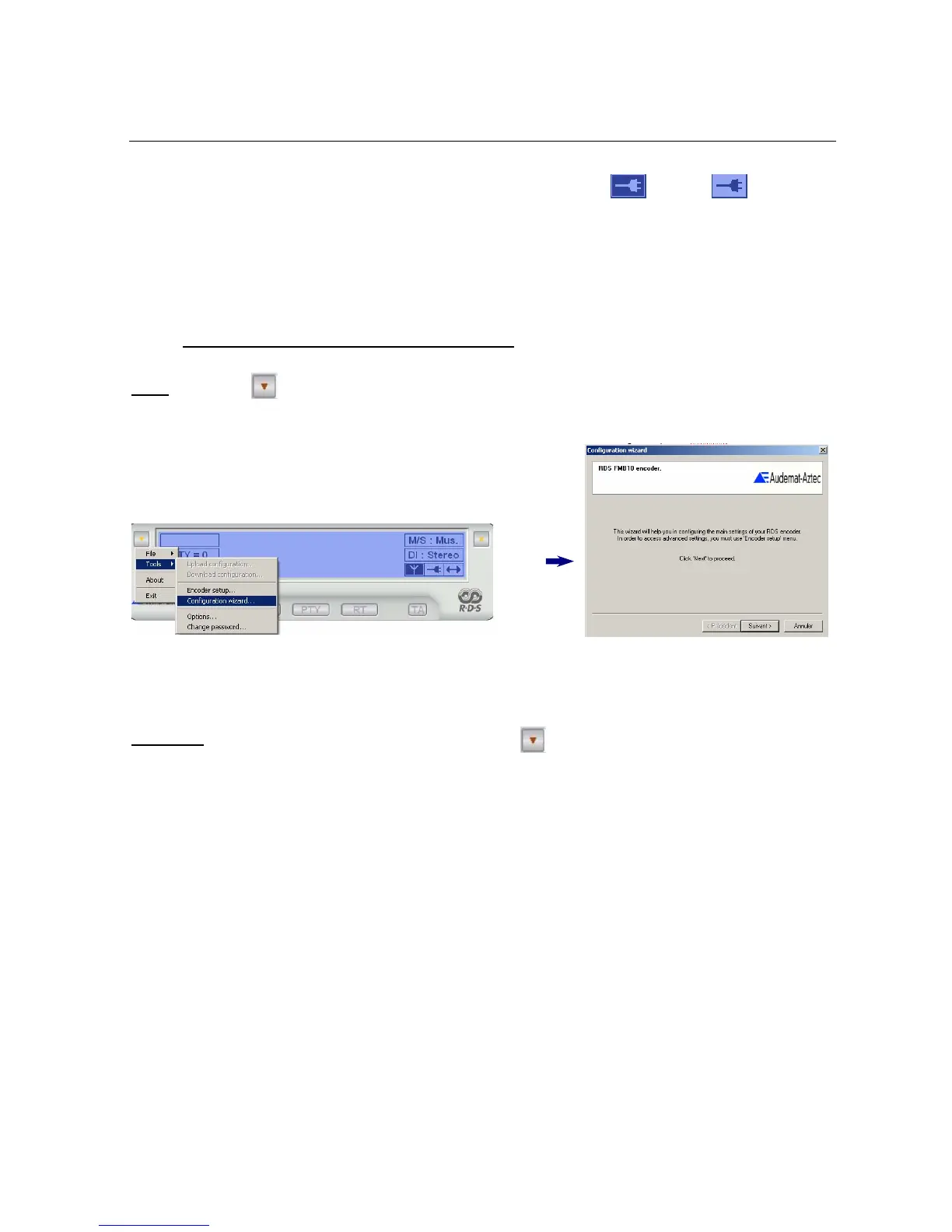
Basic : In the menu ( ) click on « Tools » then « configuration wizard… ».
Follow the wizard indications necessary to the encoder configuration.
Advanced :
To set up an “advanced” configuration, go to the menu ( ), select “tools/encoder setup” and enter your main
parameters.
This visual shows that the connection has been established:
Connected non-connected
In case of failure, check that the encoder is well lit and that the connections are correct. Then click on « F5 » on you


 To Next Page