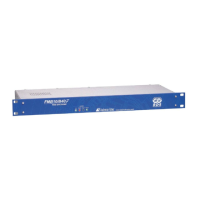
FMB10 User’s Manual Edition 06/2005
___________________________________________ Page 2 _____________________________________________
Audemat-Aztec SA – Audemat-Aztec INC
WEB: www.audemat-aztec.com - e-mail: contact@audemat-aztec.com
CONTENTS
1. INTRODUCTION...........................................................................................................................................................3
1.1. GENERAL INFORMATION ............................................................................................................................................3
1.1.1. About Audemat-Aztec........................................................................................................................................3
1.1.2. About RDS.........................................................................................................................................................3
1.2. BEFORE STARTING .....................................................................................................................................................3
2. PRODUCT PRESENTATION ......................................................................................................................................4
2.1. LIST OF INCLUDED ACCESSORIES ...............................................................................................................................4
2.2. GENERAL SPECIFICATIONS .........................................................................................................................................4
2.3. FRONT PANEL ............................................................................................................................................................6
2.4. REAR PANEL ..............................................................................................................................................................7
2.5. INTERNAL LAYOUT ....................................................................................................................................................8
2.6. 2.6 FMB10 BOARD AND CONFIGURATION OF THE JUMPERS.......................................................................................8
2.6. 2.6 FMB10 BOARD AND CONFIGURATION OF THE JUMPERS.......................................................................................9
2.7. “COMO” PORT : RS232 AND AUXILIARY SIGNALS, REAR PANEL .............................................................................10
3. GETTING CONNECTED ...........................................................................................................................................11
3.1 CONNECTION ...........................................................................................................................................................11
3.1.1. To connect the FMB10 encoder to the transmission installation....................................................................12
3.1.2. To connect the FMB10 encoder to a RDS or SCA input of the pilot transmitter ............................................13
3.2 INSTALLATION OF THE FMB10 ENCODER’S SOFTWARE (SEE MORE DETAILS IN CHAPTER 4)................................14
3.3 COMMUNICATION BETWEEN SOFTWARE AND FMB10 .............................................................................................14
3.4 ENCODER’S CONFIGURATION (BASIC & ADVANCED)................................................................................................15
4 INSTALLATION OF THE FMB10 CONTROL SOFTWARE ...............................................................................16
4.1 INSTALLATION .........................................................................................................................................................16
4.1.1 Software environment .....................................................................................................................................16
4.1.2 Computing configuration ................................................................................................................................17
4.1.3 Installation procedure.....................................................................................................................................17
4.1.4 De-installation procedure ...............................................................................................................................17
4.2 QUICK START...........................................................................................................................................................18
4.2.1 Program launching .........................................................................................................................................18
4.2.2 Software use....................................................................................................................................................18
4.3 FUNCTION DETAILS ..................................................................................................................................................19
4.3.1 Main window...................................................................................................................................................19
4.3.1.1 Description of display...................................................................................................................................................19
4.3.1.2. Description of buttons .......................................................................................................................................................20
4.3.2 Encodeur configuration ..................................................................................................................................22
4.3.3 Configuration assistant ...................................................................................................................................27
4.3.4 Software configuration....................................................................................................................................27
4.3.5 Configuration files ..........................................................................................................................................28
4.4 DETAILED MENU DESCRIPTION ................................................................................................................................28
4.4.1 'File' menu.......................................................................................................................................................29
4.4.2 'Tools' menu ....................................................................................................................................................29
4.4.3 ' About' menu...................................................................................................................................................30
4.4.4 ' Quit menu… ..................................................................................................................................................30
5 OBTAINING SERVICES ............................................................................................................................................31
6 GLOSSARY ..................................................................................................................................................................32
7. INDEX ...........................................................................................................................................................................34


 To Next Page
 Loading...