FMB10 User’s Manual Edition 06/2005
___________________________________________ Page 12 _____________________________________________
Audemat-Aztec SA – Audemat-Aztec INC
WEB: www.audemat-aztec.com - e-mail: contact@audemat-aztec.com
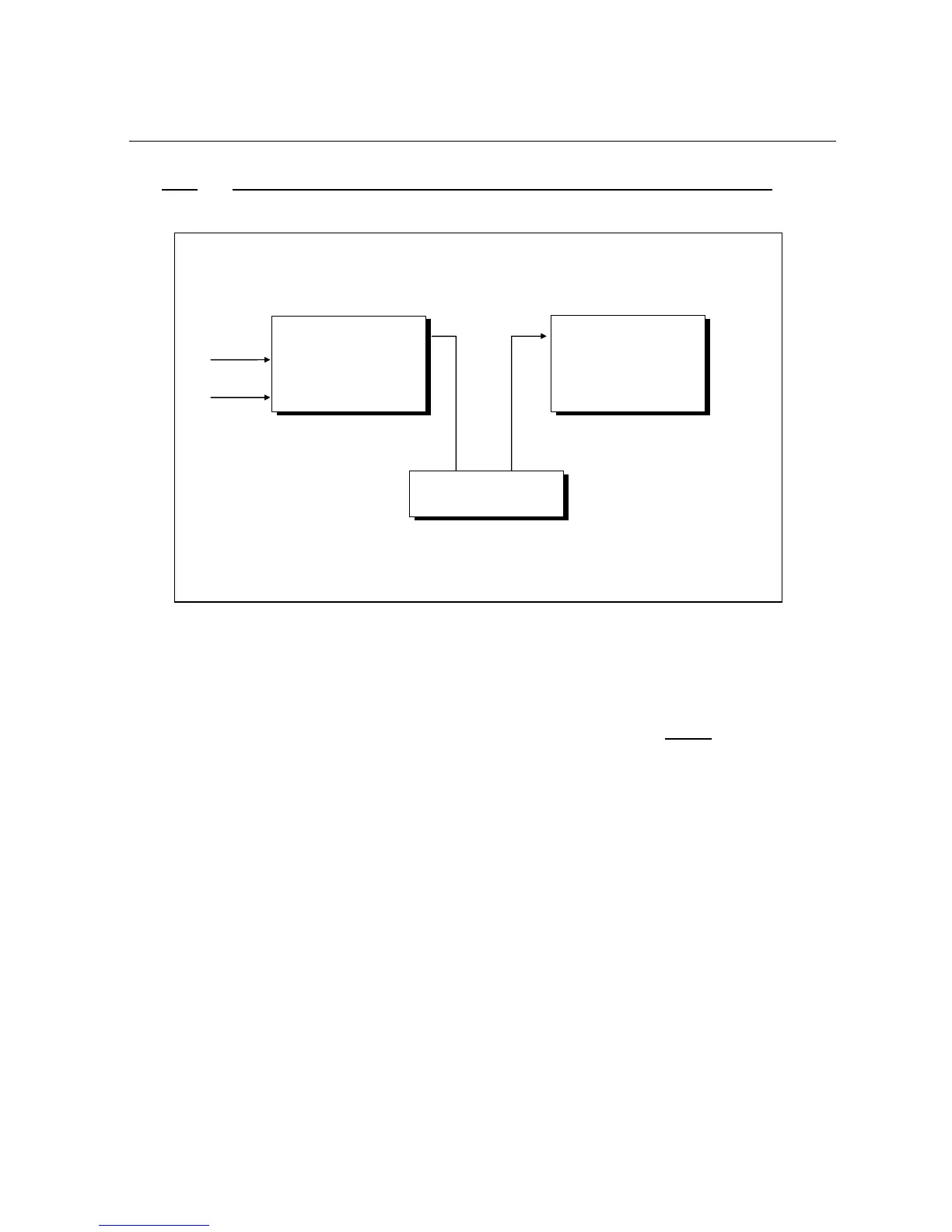
3.1.1. To connect the FMB10 encoder to the transmission installation : “loop through”
¾ The FMB10 encoder is inserted between the Stereophonic encoder and the transmitter (pilot): this is
the most frequent set up.
¾ The synchronisation of the RDS encoder is done by extracting the 19 KHz pilot signal contained in the
signal supplied by the stereophonic encoder to the RDS encoder "sync/mpx" input.
IMPORTANT: in this configuration, place "J1" and "J2" of the FMB10 PCB so as to ensure
the retransmission,
of the composite 'multiplex' signal applied to the input of the RDS encoder in all cases.
STEREOPHONIC
ENCODER
Left audio
Left audio
FM
PILOT
TRANSMITTER
Pilot MPX
input
FMB10
FMB10
"sync/multiplex" input
FMB10 output


 To Next Page