~
Headlight assistant : malfun ction! See own-
er's manual
Drive to an autho rized Aud i de ale r o r authorized
Audi Service Facility immedia t ely to have the
mal funct ion corrected. You can still switc h the
high beams on or off manually.
i:a Headlight assistant : currently unavailable.
Camera view restricted due to surroundings .
See owner 's manual
The camera view is blocked, fo r example by a
st icker o r debris.
The senso r is located betwee n the interior rear-
view mir ror and the windshield . Do not place any
sti ckers in t his area on t he wind shield .
,& WARNING
High beam assis tan t is only intended to assist
th e drive r. The dr iver is still responsib le for
contro lling the headlights and may need to
switch them on and off manually depend ing
on light and visib ility conditions. It may be
necessary to ope rate them manua lly in s itua-
tions such as:
- In adverse weather cond itions such as fog,
heavy ra in, blow ing snow or sp raying water .
- On roads where oncoming traffic may be
partially obsc ured, such as expressways .
- When there are road users t hat do not have
s ufficient lighting, s uch as bicyclers o r
vehicles with dirty ta il lamps.
- In tight cu rves and on steep hills .
- In poo rly lit areas .
- Wit h stro ng ref lecto rs, such as s igns.
- If t he area of t he windsh ield near th e se nso r
is fogg ed over, dirt y, icy or covere d w ith a
sti cker.
Adjusting the exterior lighting
The fun ctions are adjust ed in the Infotainment
system.
• Select in the Info tainment sys t em : !M E NUI but-
a ton > Vehicle > left contro l butto n > Vehicle
co
~
settings > Exterior lighting .
N
~
0
0
:E
'<I'
Lights and V ision
Automatic headlights
You ca n adju st the following setti ngs in the Au-
tomatic headlights
men u :
Activation time - you can adjust if t he headlig hts
switch on
Early, Medium or Late accord ing to t he
sensi ti vity of t he light sensor.
Headlight assistant* - you can switch the h igh
beam assis t an t * on and off.
Entry/exit lighting
When it is dark, the Entry/ exit lighting illumi-
nates the area a round the vehicle when unlocking
the ve hicle and afte r switching off the ignit io n
and opening the dr iver's door .
The
Entry/ exit lighting only works when it is
dark and the ligh t sw itch is in the
AUTO position.
Daytime running lights
USA models:
the daytime running lights can be
switched on/off . Select
On or Off.
Canada model s:
th is function canno t be switche d
off. They act ivate au t omatically eac h time t he ig-
nition is switched on.
Emergency flashers
- -- -- ---=-
~- -- --~--
----- ______ ,
~-=-- ·- o,o,6 .. -i, "'.A
- ~
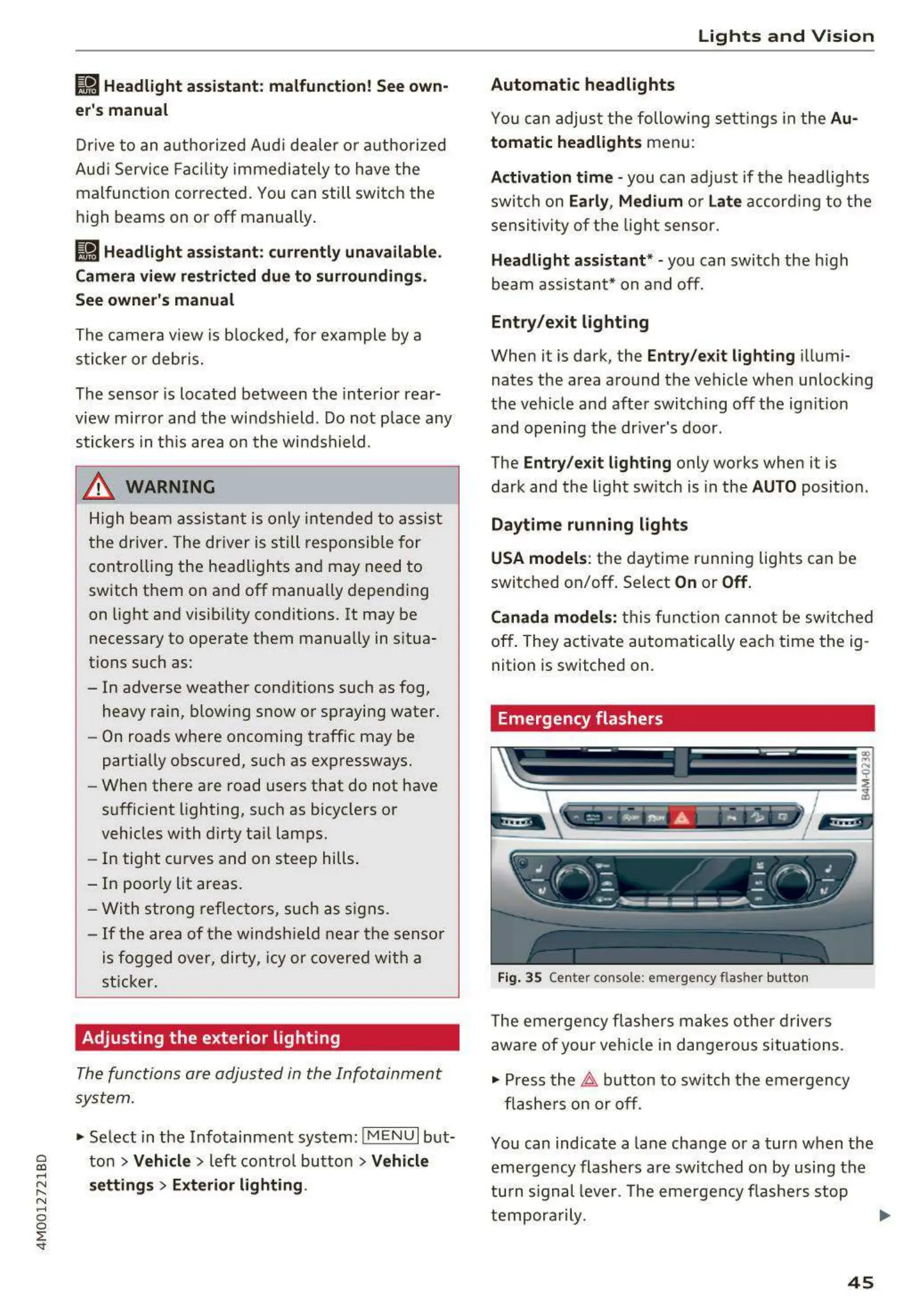
Fig. 35 Center console: eme rgen cy flasher but ton
The eme rgen cy fla she rs makes othe r dr ive rs
aware of your vehi cle in dangerous situa t ions.
• Press the ~ button to sw itch t he emergency
flas he rs on or off .
You can ind icate a lane change or a turn when the
eme rgency flashers are swi tch ed on by using t he
tu rn signal leve r. The emergen cy flashe rs stop
tempor ar ily. ""
45



 To Next Page