12
USER'S MANUAL
bit One HD /
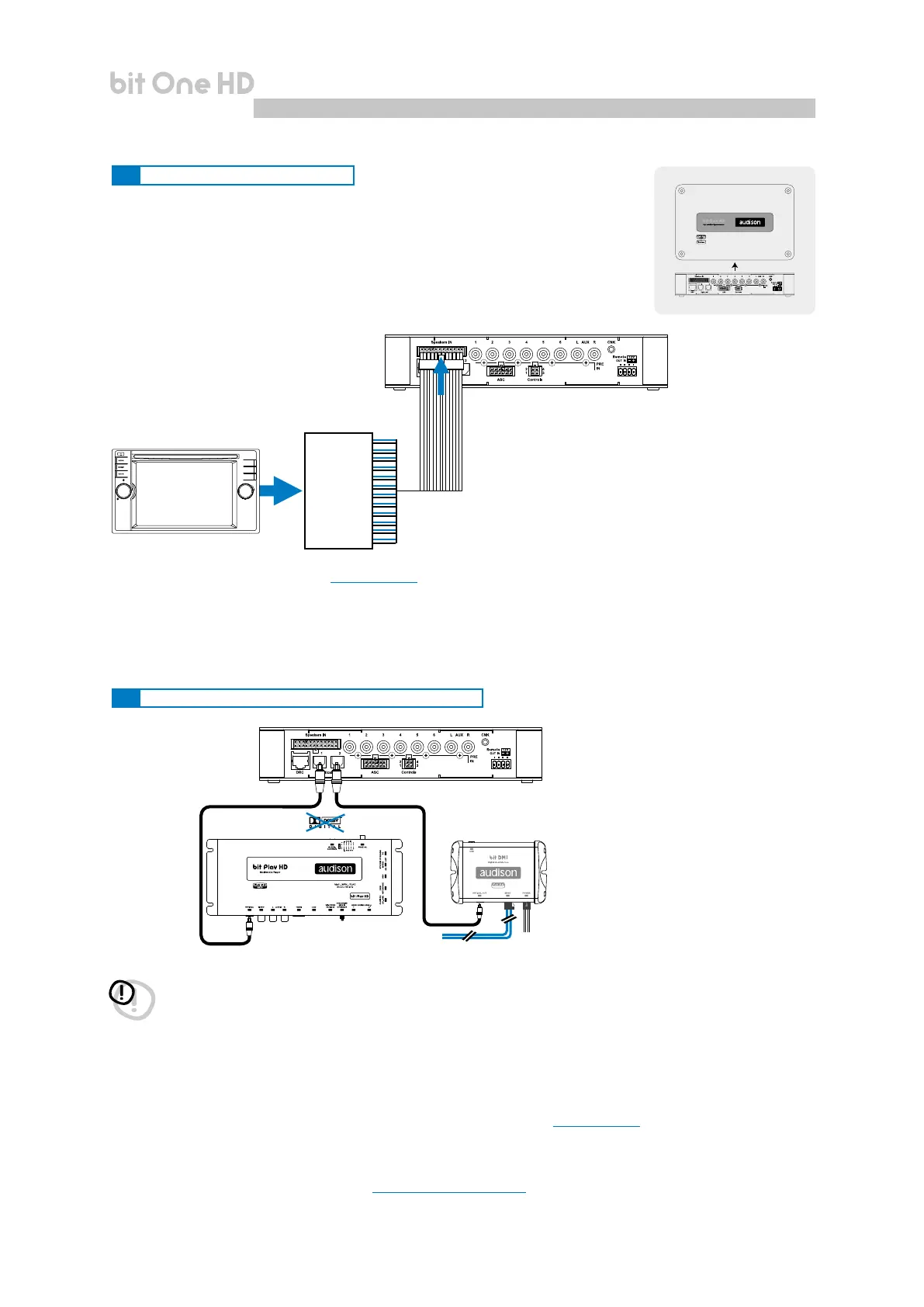
5.5 HIGH-LEVEL INPUT SIGNALS
5.6 OPTICAL 1/OPTICAL 2 DIGITAL INPUT SIGNALS
5.5.1. SPEAKER IN Hi-level MULTICHANNEL (max 12 CHANNELS)
OEM
AMPLIFIER
OEM HEAD UNIT
MAX 12
CHANNELS
INPUT
*
MASTER SPEAKER IN input selection
1. Through the DRC MP, selecting the MASTER input.
2. Through the MASTER input, using the bit One HD PC software.
*
CH1-CH2: Auto Turn On System (ART) (see section 7.4.1)
WARNING: the digital inputs accept up to 192 kHz / 24 bit stereo PCM signals. So DOLBY DIGITAL (AC3)
multi-channel signals coming from audio/video sources (such as the audio of a lm in DVD) or DTS can
not be reproduced. The output of these devices will therefore be set in STEREO mode for the signal to be
reproduced.
*
Remark: when performing the installation of ber optic cables, the minimum bending radius should be 40 mm.
A bending with higher radius value may cause the cable to break and the consequent disruption of the digital signal.
**
OPTICAL 1/OPTICAL 2 inputs selection
1. Through the DRC MP, selecting the OPTICAL 1 / OPTICAL 2 input.
2. Through the OPTICAL 1 SEL / OPTICAL 2 SEL terminal properly set up (see section 4.3.4).
This control is activated by connecting the terminal at + 12V.
3. Through the selection of the OPTICAL 1/ OPTICAL 2 input via the bit One HD PC software.
4. Through the selection of the OPTICAL 1/ OPTICAL 2 input on the OEM source, using the “Auto Input Switch”
function, via the bit One HD PC software
(see section 5.6.1 - 7.3.8 - 7.4.8).
bit One HD
Bottom Side
5



 To Next Page