Chapter 1 Aircraft 3
EVO Max 4T User Manual
13
Rear Arm LED
Used to display the current flight status of the aircraft.
The USB Type-C port of the aircraft cannot be used for charging. Do not connect the
included remote controller charger. For charging the aircraft, please refer to "2.2.3
Checking Battery Level and Charge" in Chapter 2 Remote Controller and "3.2.4 Charging
"
in Chapter 3 Smart Battery.
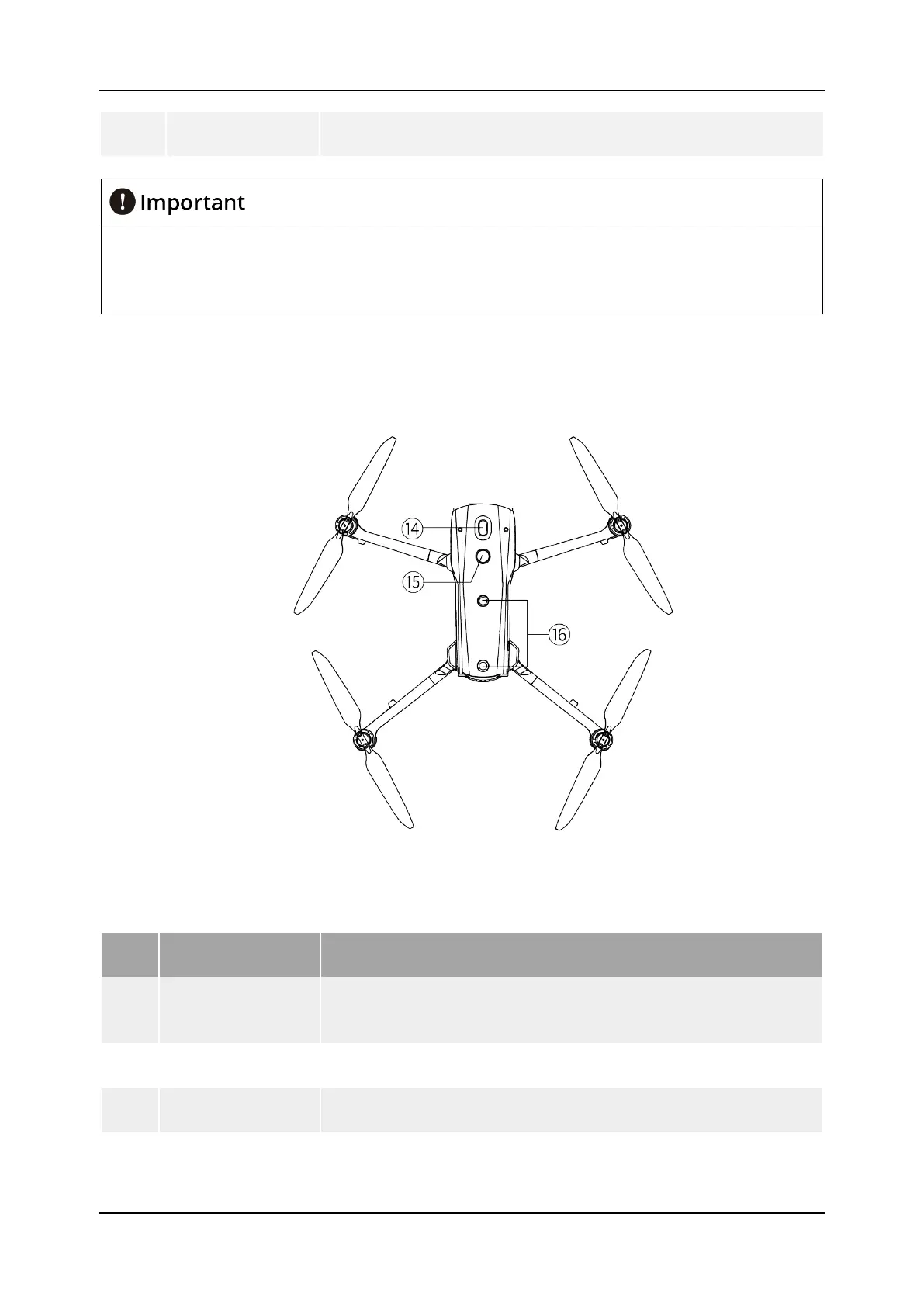
1.1.3 Aircraft Top-Down, Bottom-Up View
Figure 1-3 EVO Max 4T Top-Down View
Table 1-3 EVO Max 4T Top-Down View Details
No. Name Description
14
Mount Extension
Interface
More types of additional mounts can be provided to the aircraft
through the expansion interface, such as speakers, strobes, and
RTK modules.
15 Upper Night Lights
Can emit high-intensity flashing lights to indicate the position of
the aircraft at night to avoid air traffic accidents.
16
Used to sense obstacles above, and to the left and right of the
aircraft and avoid collisions.












 To Next Page