46 Chapter 4 Autel Enterprise App
EVO Max 4T User Manual
Connect to Aircraft
Connecting to the aircraft: If the aircraft is not currently connected, click "Connect to the
aircraft", and then double-click the power button of the aircraft according to the pop-up
notification to complete the frequency pairing between the remote controller and the
aircraft.
Disconnect: If the aircraft is currently connected, click "Connect Aircraft", a prompt box
will pop up, click "Disconnect".
4.3.4 Image Transmission Settings
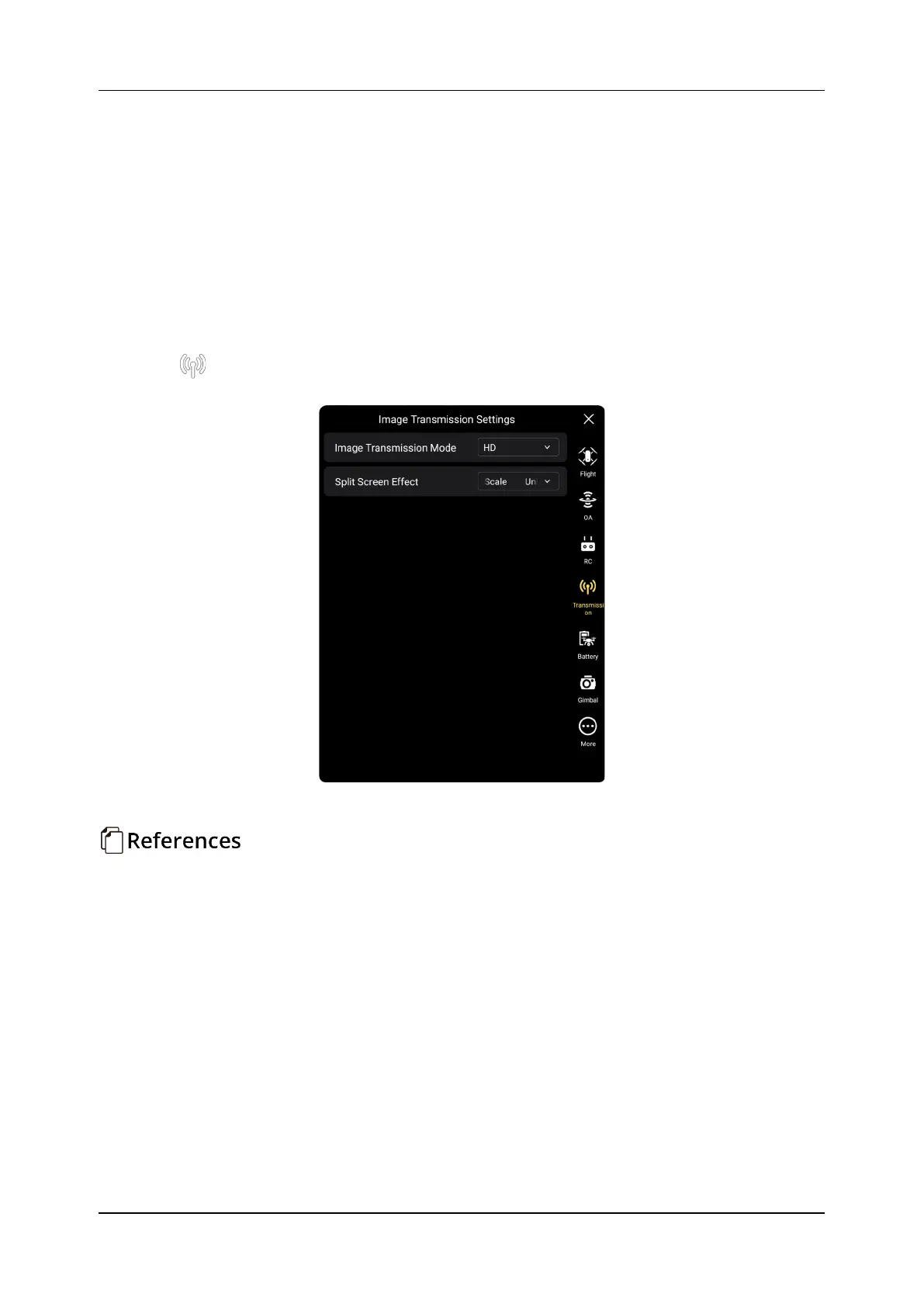
Click " " to enter the "Image Transmission Settings" interface, the user can set the Image
Transmission Mode, Split Screen Effect, as shown in the figure below.
Figure 4-5 "Image Transmission Settings" interface
Set Image Transmission Mode
Click the drop-down list of "Image Transmission Mode" and select smooth or HD according
to your needs.
Set Split Screen Effect
Click the "Split Screen Effect" drop-down list, and choose Uniform Scale or Fit the Screen
according to your needs.
Uniform Scale: In dual-screen mode, the image transmission screen is proportionally
reduced.
Fit the screen: In the dual-screen mode, the picture transmission screen is stretched to
cover the screen.












 To Next Page