16 Chapter 2 Remote Controller
EVO Max 4T User Manual
5 Air Outlet
For heat dissipation of the remote controller. When using it,
please pay attention to whether there are foreign objects
6 HDMI Interface
Connect an HDMI cable to output video/audio, output the live
view of RC to a monitor or other device that can support HDMI.
7 Type-C Interface Used for remote controller charging or device debugging.
8
Expandable 4G/5G module or external USB device for data
transmission.
9
Button
Long press for 3s to turn on/off the remote controller.
10
User-defined Key
C2
Use the Autel Enterprise App to customize the setting function,
see "4.3.3 Remote Controller Settings" in Chapter 4 Autel
Enterprise App for details.
11 Shooting Button Tap to take a photo.
12
Turn the thumbwheel to adjust the zoom factor of the camera.
13
Default operation mode: control the translation of the aircraft in
four directions: front/back/left/right.
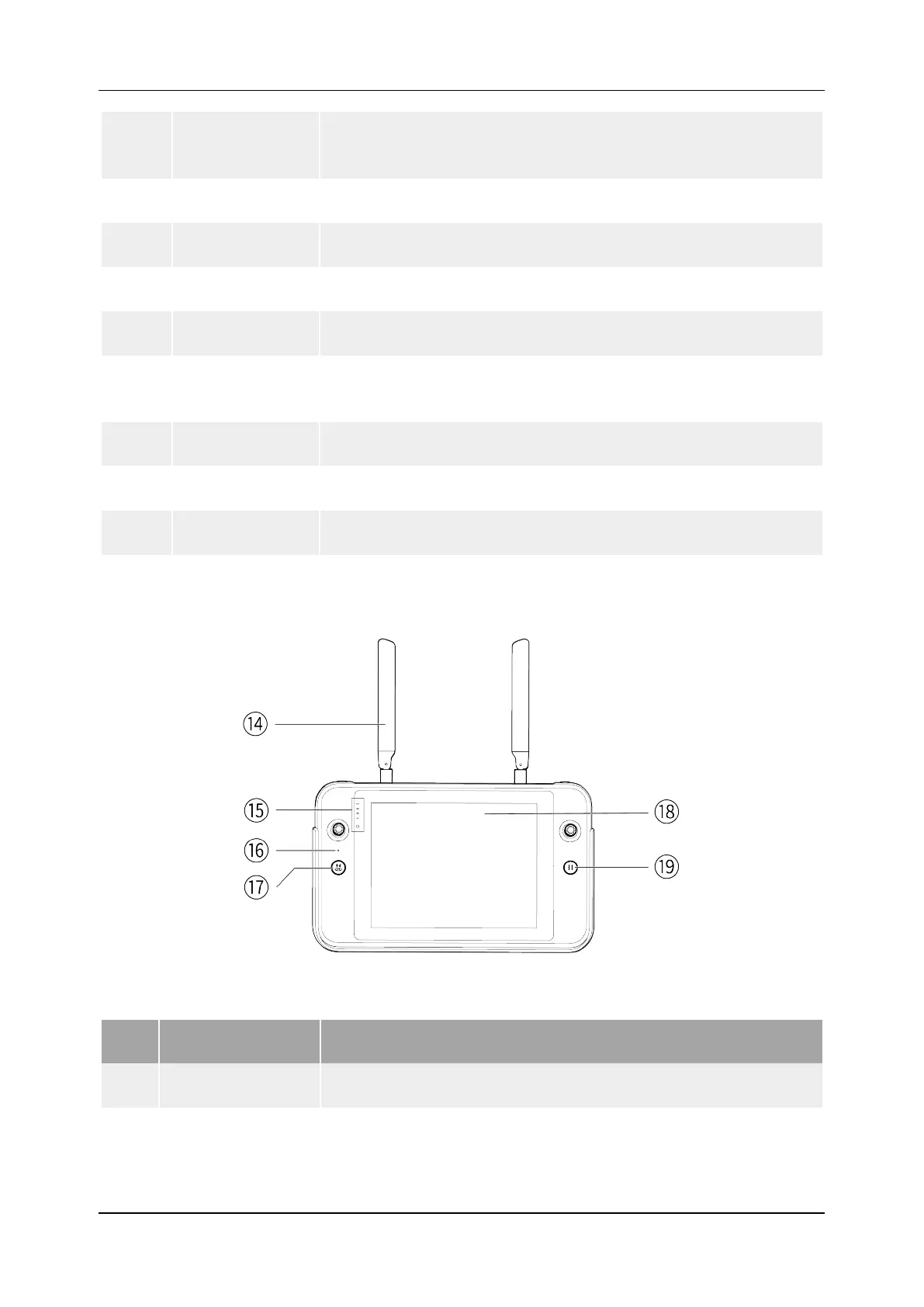
2.1.2 Remote Controller Front View
Figure 2-2 Remote Controller Front View
Table 2-2 Remote Controller Front View Details
No. Name Description
14 Antenna Communicates with aircraft via 2.4GHz/5.8GHz
15
Indicator
Displays the remaining remote controller battery level.












 To Next Page