Chapter 5 First Flight 77
EVO Max 4T User Manual
5.3.3 Preparing the Aircraft
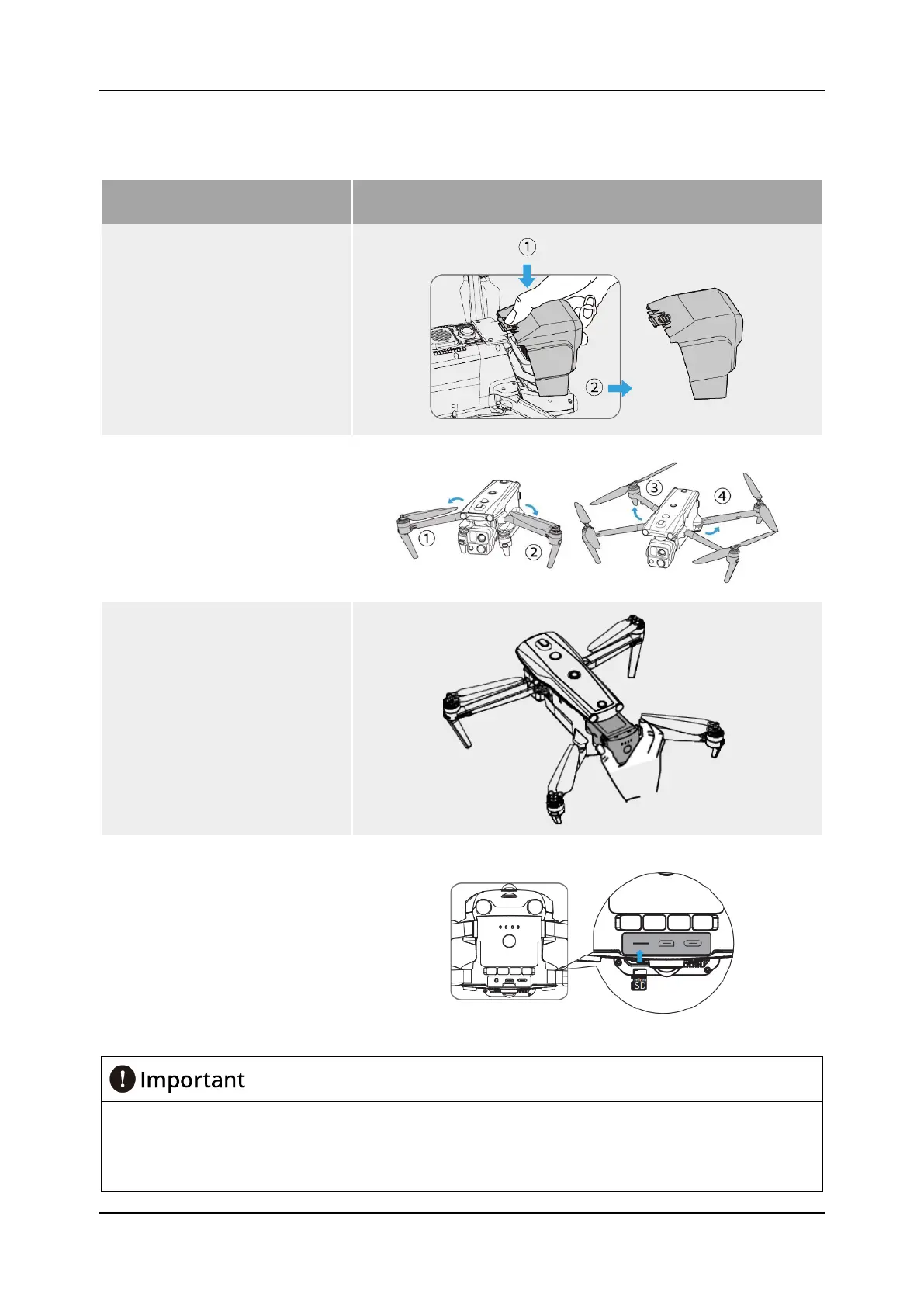
Table 5-3 Preparing the Aircraft
Step Diagram
1)
Take off the protective
cover of the gimbal: lightly
press the buckle of the
protective cover and take it
off.
2)
Unfold the arms: When
unfolding the arms, please
unfold the front arms first,
and then unfold the rear
arms.
3)
Inserting the battery: Align
the battery from the rear of
the aircraft fuselage and
push it in.
4)
Insert microSD card: Insert
the microSD card into the
card slot on the rear of the
device.
After powering off the aircraft, it is necessary to mount the gimbal protective cover
promptly to prevent damage to the gimbal.
Before powering on the aircraft, unfold the front arms of the aircraft first, and then unfold
the rear arms of the aircraft.












 To Next Page