10 Chapter 1 Aircraft
EVO Max 4T User Manual
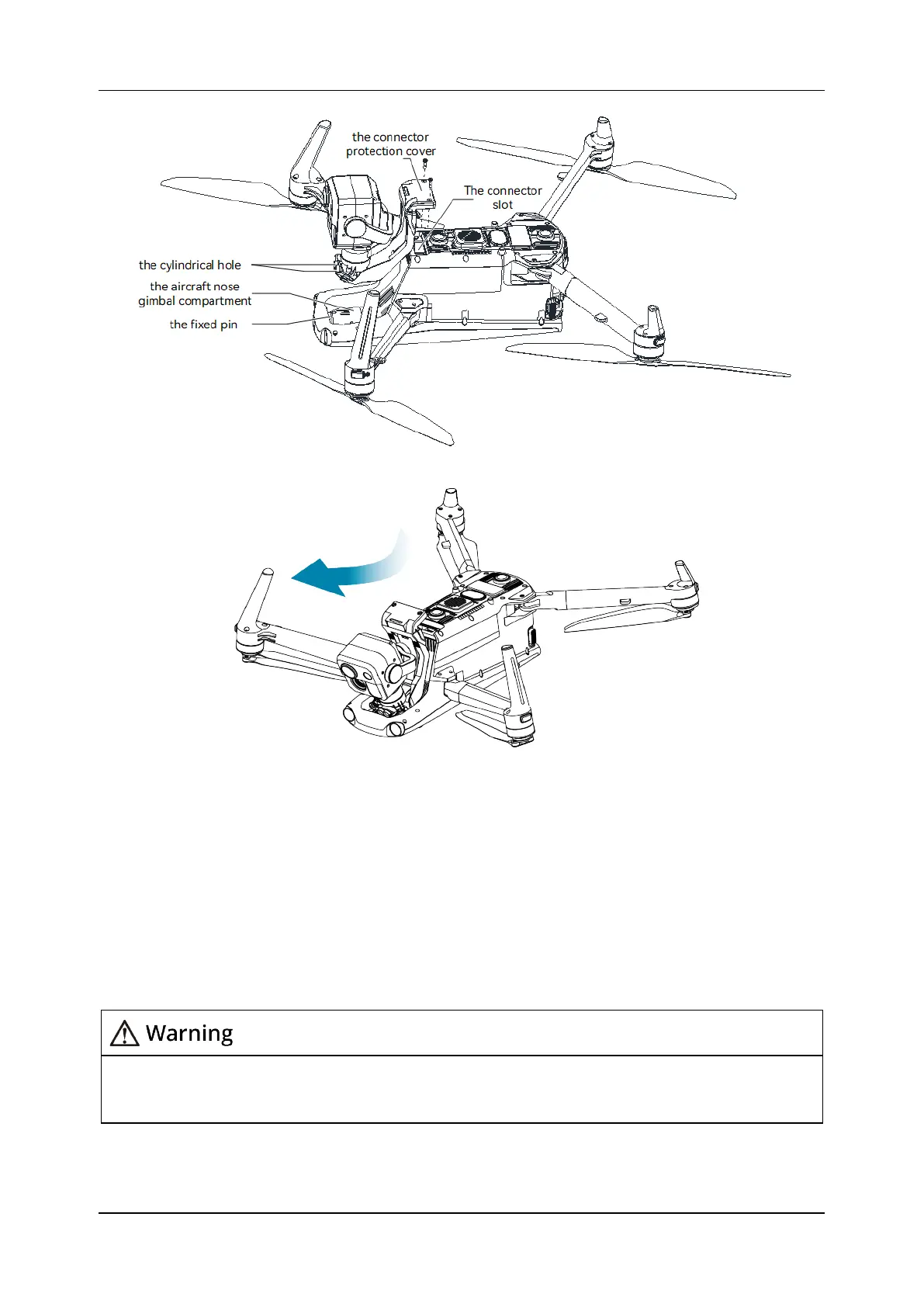
Figure 1-9 Slide down and forward to install the gimbal camera
2) Gently push down the "connector protection cover" to the bottom, so that the
connector under the "connector protection cover" is inserted into the "connector slot",
and the "connector protection cover" needs to be flush with the bottom of the aircraft.
3) Insert two screws into the two holes of the "connector protection cover", and tighten
them with a Phillips 2.0 screwdriver, as shown in Figure 1-10.
4) Press and hold the battery power button for 3 seconds to power on the aircraft. If the
connector cable of the gimbal camera is connected correctly, the gimbal will
automatically rotate the camera to perform a self-test.
After installing the gimbal camera to the aircraft, please ensure that all parts are fully
fixed to avoid loss due to functional failures caused by loose assembly of the gimbal
camera during flight.












 To Next Page