1
i
Table of Contents
Chapter 1: Getting Started
Introduction 1--2.........................................................................
The Purpose of this Manual 1--2.........................................................
Where to Begin 1--2...................................................................
Supplemental Manuals 1--2.............................................................
Technical Support 1--2.................................................................
Conventions Used 1--3...................................................................
Key Topics for Each Chapter 1--3........................................................
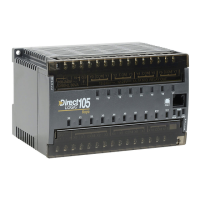
DL105 Micro PLC Components 1--4.......................................................
The DL105 Micro PLC Family 1--4.......................................................
Programming Methods 1--4...............................................................
DirectSOFT Programming for Windows™ 1--4............................................
Handheld Programmer 1--5.............................................................
I/O Quick Chart Selection 1--5............................................................
Quick Start for PLC Checkout and Programming 1--6.......................................
Step 1: Unpack the Recommended DL105 Equipment 1--6.................................
Step 2: Connect Switches to Input Terminals 1--7..........................................
Step 3: Connect the Power Wiring 1--8...................................................
Step 4: Connect the Programming Device 1--8............................................
Step 5: Switch on the System Power 1--9.................................................
Step 6: Initialize Scratchpad Memory 1--9................................................
Step 7: Enter a Ladder Program 1--9.....................................................
Steps to Designing a Successful System 1--10..............................................
Step 1: Review the Installation Guidelines 1--10............................................
Step 2: Understand the PLC Setup Procedures 1--10........................................
Step 3: Review the I/O Selection Criteria 1--10.............................................
Step 4: Choose a System Wiring Strategy 1--10............................................
Step 5: Understand the System Operation 1--10............................................
Step 6: Review the Programming Concepts 1--11...........................................
Step 7: Choose the Instructions 1--11.....................................................
Step 8: Understand the Maintenance and Troubleshooting Procedures 1--11...................
Questions and Answers about DL105 Micro PLCs 1--12......................................
Chapter 2: Installation, Wiring, and Specifications
Safety Guidelines 2--2....................................................................
Plan for Safety 2--2....................................................................
Safety Techniques 2--2.................................................................
Three Levels of Protection 2--3..........................................................
Emergency Stops 2--3.................................................................
Emergency Power Disconnect 2--4......................................................
Orderly System Shutdown 2--4..........................................................


 To Next Page