High-Speed Input and
Pulse Output Features
3--21
High-Speed Input and Pulse Output Features
DL105 PLC User Manual, 3rd Edition
SP0
LD
K20
Load constant K20 into the accumulator. This selects
Mode 20 as the HSIO mode.
OUT
V7633
Output this address to V7633, the location of the HSIO
Mode select register.
LD
K12
Load the constant required to configure X0 as P hase A
input.
OUT
V7634
Output the constant to V7634, the location of the setup
register for X0.
DirectSOFT
UDC
CT76
Kxxxxxxxx
C1
C0
C2
END
END coil marks the end of the main program..
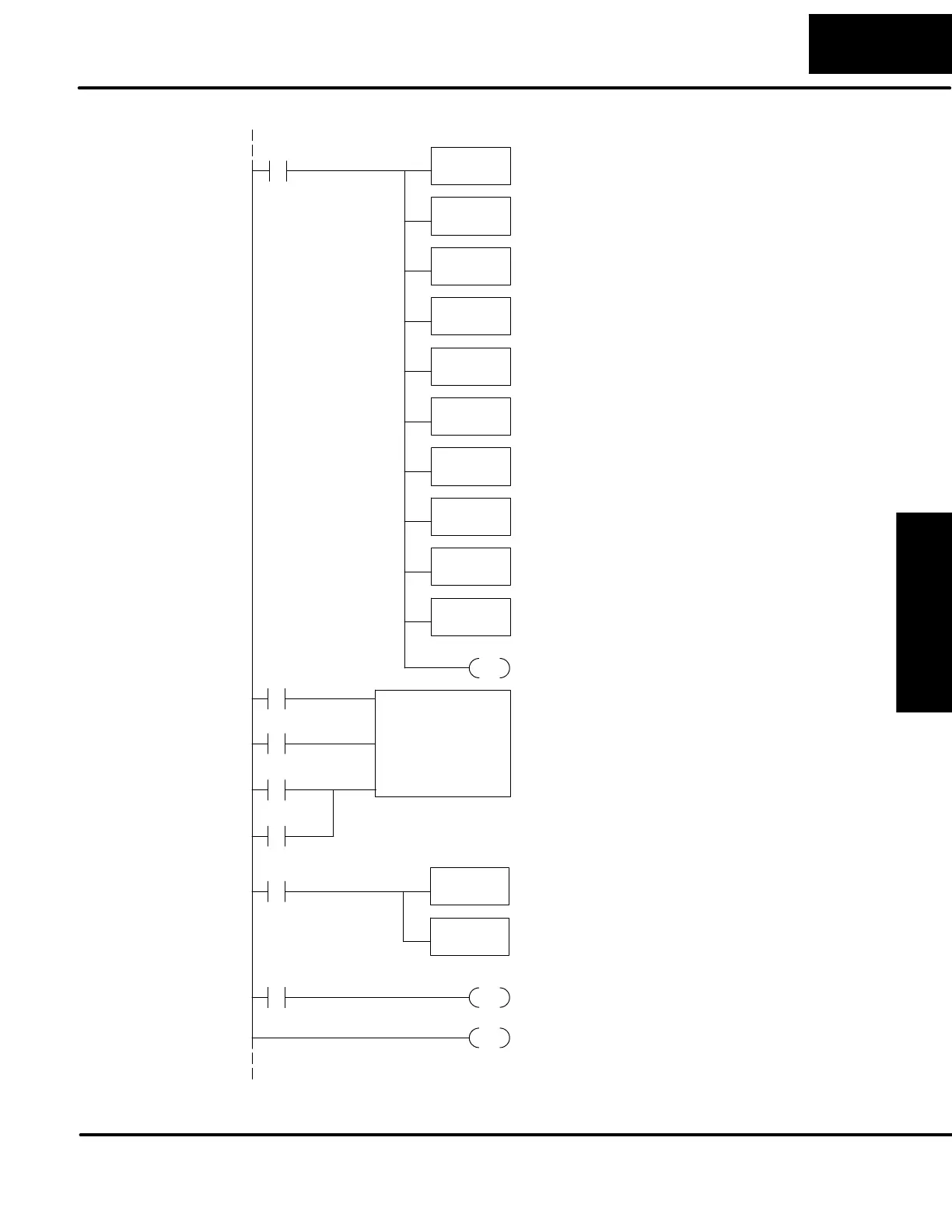
CT76 is the HSIO quadrature counter. The first rung’s SP1
always enables the counter. The preload contact in the
middle is controlled by the logic below this counter
instruction.
LD
K0
Load the constant required to configure X1 as P hase B
input.
OUT
V7635
Output the constant to V7635, the location of the setup
register for X1.
LD
K7
Load the constant required to configure X2 as an external
reset.
OUT
V7636
Output the constant to V7636, the location of the setup
register for X2.
LD
K1006
Load the constant required to configure X3 as a filtered
discrete input with a 10 mS time constant.
OUT
V7637
Output the constant to V7637, the location of the setup
register for X3.
SET
Set C0 on at powerup to enable counting.
C0
SP0
Select Mode 20
The third rung’s Reset input is normally off,
because we will use the external reset. You can
optionally reset the counter value on each powerup
using the SP0 contact.
SP1
LDD
V1076
Load the current value of the counter into the accumulator
on each scan.
CMPD
K44292
Compare the value in the accumulator with the constant
K44292. If they are equal, the SP61 contact will be
turned on.
Select Mode 20
SP61
SET
Y0
Set Y1 to ON when the counter reaches our
comparison value.
To preload the counter, just add the following example rungs to the program above.
Program
Example Cont’d


 To Next Page