PARTNER User Guide Page 18
- Issue 1b (22 February 2010)IP Office PARTNER Version
3.3 Using Handsfree
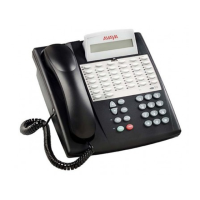
The ETR 6D, ETR 18D, ETR 34D telephones each have a speaker and microphone which you can turn on by pressing
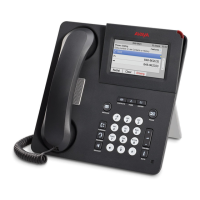
SPKR. The 1408 and 1416 telephones also each have a speaker and microphone which you can turn on by pressing
SPEAKER.
· In addition, on the ETR 6D, ETR 16D and ETR 34D telephones, you can turn just the microphone on and off by
pressing MIC/HFAI. When the green light next to MIC/HFAI is on, the microphone is on.
· The 1403 telephones has a speaker but no microphone. This allows it to hear page calls and hear the progress of a
call when making a call. However the handset must be used to speak on a call.
Room acoustics and background noise can affect the proper operation of the speakerphone. To ensure that your
speakerphone works effectively, follow these guidelines:
· Avoid placing your telephone in areas with high background noise caused by sources such as motor vehicles,
manufacturing equipment, loud voices, radios, printers, copiers, typewriters, other noisy office equipment or
heater and air conditioning fans.
· Avoid talking before the other person is finished speaking. When you both talk at the same time, only one person’s
voice comes through.
· Do not use your speaker to make announcements over a loudspeaker paging system connected to your telephone
system.
· When talking, always face your telephone and stay within two feet of it.
· Place your telephone at least six inches (15 cm) away from the edge of your desk.
· If you have difficulty hearing the other party, try increasing the speaker volume. If you have background noise,
try turning off the microphone when the party at the other end is speaking and turning it on when you speak. If
the difficulty persists, lift your handset to continue the conversation.
· In conference rooms, a separate speakerphone is recommended, since the built-in speaker on a system telephone
is designed for individual use.
To make a call without lifting the handset
1.Press SPEAKER or SPKR to get a dial tone
2.Dial the number, you hear the call ringing. When the other party answers, you can talk without lifting the handset.
To switch modes
· If you are already on a call, you can switch from the handset to the speakerphone by pressing SPEAKER or SPKR
and then hanging up the handset.
· If you are using the speakerphone and want to switch to the handset, lift the handset. The speaker and
microphone are turned off.
· On ETR phones, to turn off the microphone when you are using the speaker, press MIC/HFAI. This will mute your
voice so the other party cannot hear you. On 1400 Series phones to do this press the MUTE button.
3.4 Hands-Free Answer on Intercom
When you receive a voice-signaled intercom call, your telephone beeps once to indicate that your speaker has been
turned on automatically, and you hear the caller’s voice over your telephone’s speaker. If you leave your microphone on
all the time, you can start talking when you hear the caller, without lifting the handset. This feature is called Hands-Free
Answer on Intercom (HFAI).
Any user in the system can make a voice-signaled call to an idle system telephone by pressing an intercom button and *
and then dialing an extension number.
You cannot make a voice-signaled call to an extension that has the Cell Phone Connect feature active. (The call will not
appear at the extension.)
1.The HFAI feature can be turned on or off only when your telephone is idle. On ETR phones use the HFAI button, on
1400 Series phones use the MUTE button. Muting your voice while you are on a call only turns off the microphone
for the duration of the call.
2.If you are already on a call, any additional voice-signaled call to your extension is turned into a normal ringing call
instead.



 To Next Page