PARTNER User Guide Page 38
- Issue 1b (22 February 2010)IP Office PARTNER Version
5. Using Voicemail
Each extension on the system has a voicemail mailbox by default. Except for special cases, for example the extensions
connected to the fax machine and loudspeaker, the mailboxes are used when the extension has calls it does not answer
within a set time (by default 15 seconds though this can be adjusted for each extension by the system administrator).
In addition to accessing your mailbox and listening to your messages , you can perform a range of other actions:
· Record Your Name
Your can replace the extension number played to callers with a recording of your name.
· Set an Access Code
You can set an access code that must be entered whenever you try to access your mailbox.
· Record a Greeting
You can replace the default greeting asking a caller to you mailbox to leave a message with your own recorded
greeting.
· Switch Voicemail Cover On/Off
You can select whether voicemail should be used to cover calls ringing at your extension.
· Forward a Message
You can forward a message to another extension or extensions. You can also add you own comments to the
message.
· Call a Message Sender
If the message includes the caller ID, you can initiate a call back to the message sender.
· Voicemail Email
You can use email to receive notification of a new voicemail message.
· Visual Voice
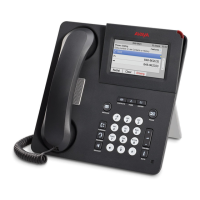
1408 and 1416 phone users can access their mailbox using a series of menus on the phone's display.
39 40
41
42
43
44
45
45
46
47



 To Next Page