25
2PRODUCT DESCRIPTION
2.3 OPERATING MODES
ALS
104
GB
2.3.2 Configuration mode
Switching to configuration mode:
£ Press the buttons + .
– Display:
– LABEL SETUP is the name of the first menu shown
directly after switching to configuration mode.
– In configuration mode, the button assignments are
as shown below the buttons [23D].
Function of the double-arrow button
To dispense individual labels:
£ Press button briefly (less than two seconds).
– Dispensing speed: As specified in the configuration;
‘Speed Adaption’ is not active.
To automatically calibrate the label length:
£ Hold down the button for a while (more than two
seconds).
– Is equivalent to the function LABEL SETUP > Label Size.
Menus
In ‘Configuration’ mode, the user has access to several
menus providing a fixed sequence of various functions
that can be carried out.
In addition to the LABEL SETUP menu, there are also
the menus MACHINE SETUP and SERVICE
FUNCTION.
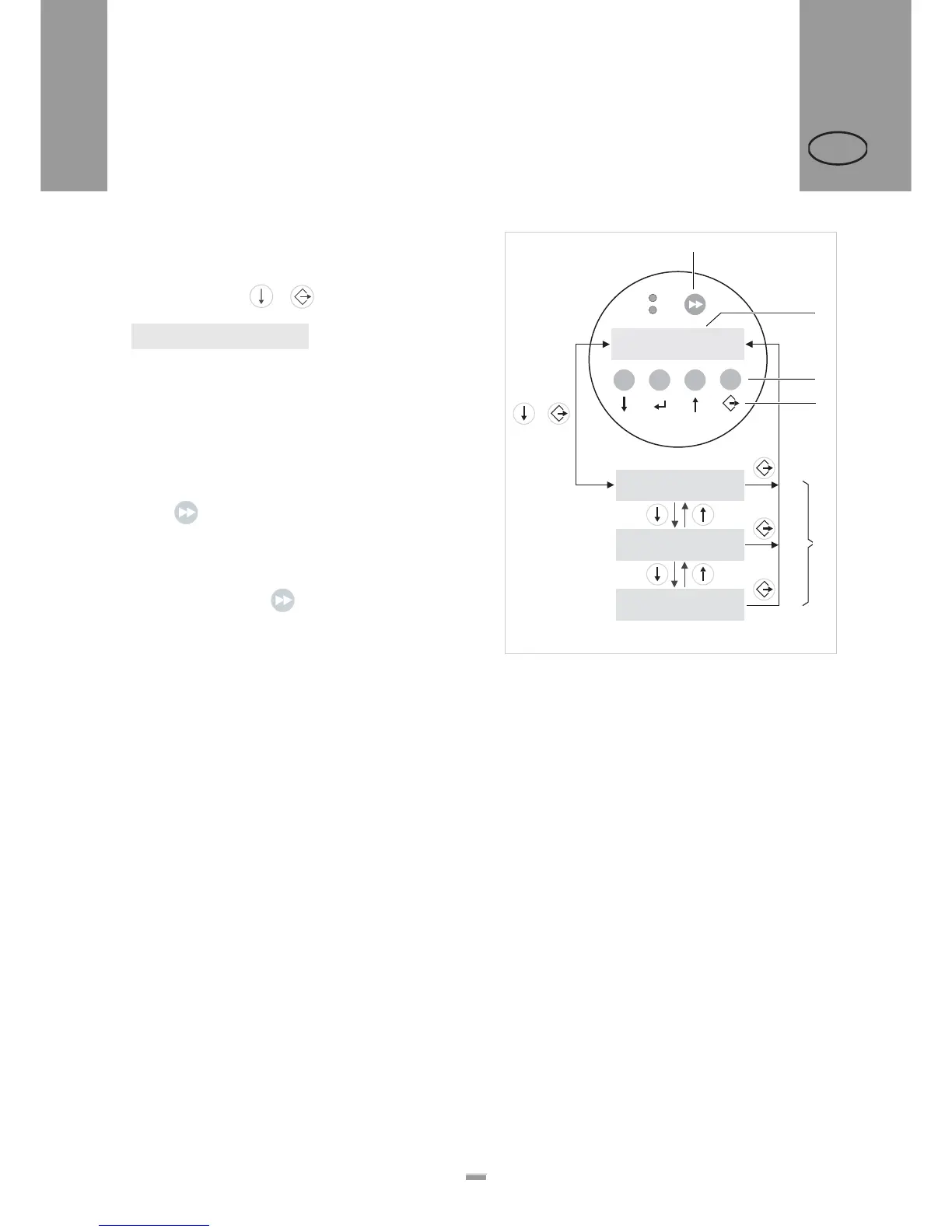
Figure [23] shows the button functions for switching
between individual menus and for leaving the
configuration mode.
LABEL SETUP
[23] Control panel and button functions in configuration mode.
A Button for triggering a dispensing procedure and for
starting the measurement of lengths.
B Display in dispensing mode
C Explanation of buttons in dispensing mode
D Explanation of buttons in configuration mode
E Display indicators in configuration mode
LABEL SETUP
MACHINE SETUP
SERVICE FUNCTION
Speed
12.2 fix
Offset
0.0
+
+
–
–
ON
STATUS
+
B
E
C
D
A


 To Next Page