38
4OPERATION
4.2 CONFIGURATION AND MONITORING
ALS
104
GB
4.2.1 Function menu settings
Label length
The label length is calibrated automatically.
Prerequisites:
– Label material is inserted
£ Call up the function LABEL SETUP > Label Size:
£ Press the key to start the calibration. ALS104
then dispenses four labels in order to determine
their length:
£ Press the key to accept the calibrated value, or
press to retain the old value.
Label stop position
Prerequisites:
– The label length must be specified
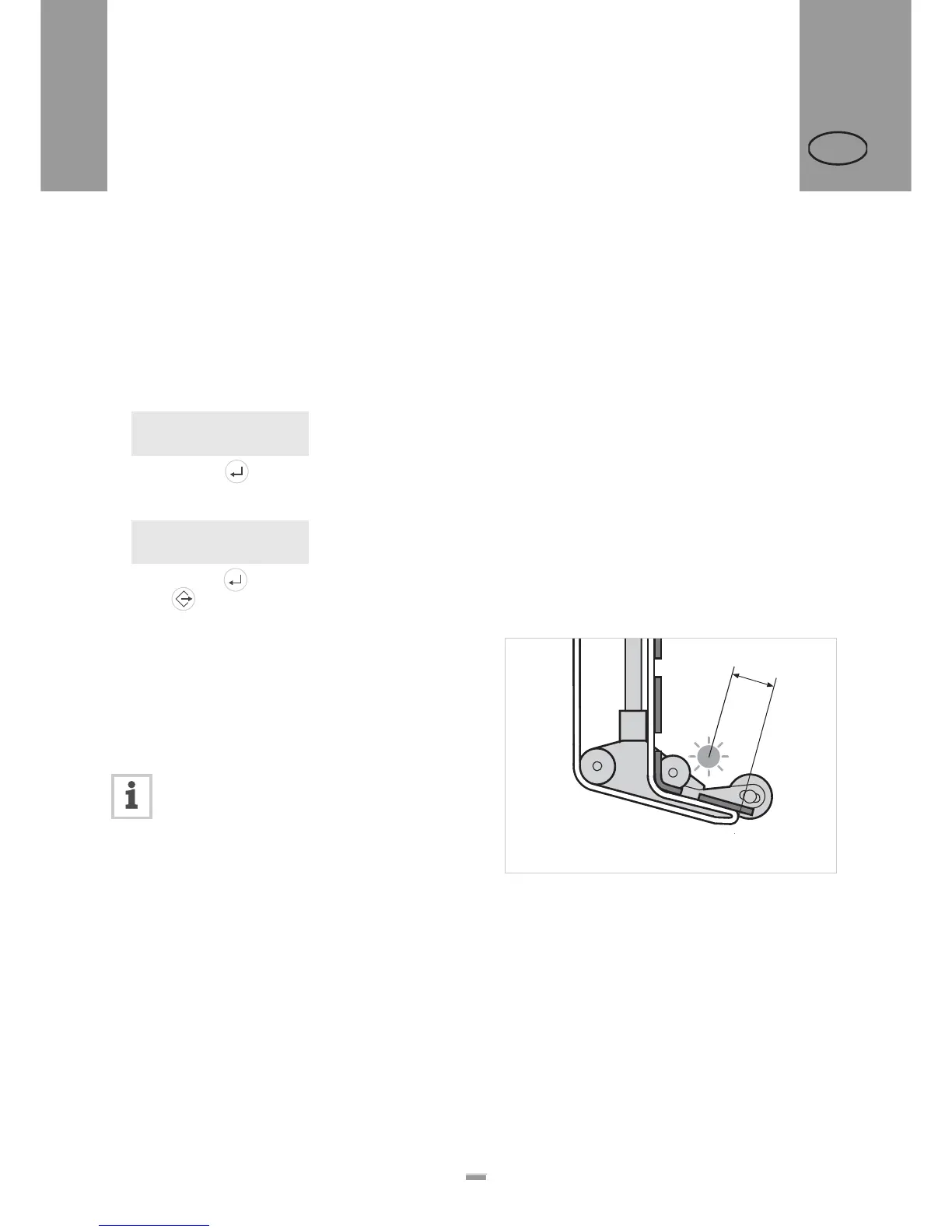
The next label to be dispensed is halted in the label
stop position. This is useful if the label protrudes over
the dispensing edge somewhat [48].
ALS 104 is pre-configured for use with the
supplied label sensor. If this sensor is
employed, the label stop position setting will
only require minimal correction.
Correcting the default setting:
£ Call up LABEL SETUP > Stop sensor pos..
£ Increase the value to increase the overhang or
lower the value to reduce the overhang.
The value ‘0’ will cause the label to stop directly with its
front edge under the label sensor.
The front edge of the label to be dispensed should be
flush with the dispensing edge:
£ Enter the distance [48A] between the label sensor
and the dispensing edge.
The front edge of the label to be dispensed should
overhang:
£ Add the length of the overhang to the distance
between the label sensor and the dispensing edge.
Current Size:
0.0 mm Detect?
Size Found:
107.7 mm Accept?
[48] Label stop position (A)
A
4.2 CONFIGURATION AND MONITORING


 To Next Page