14
2PRODUCT DESCRIPTION
2.1 OVERVIEW
ALS
104
GB
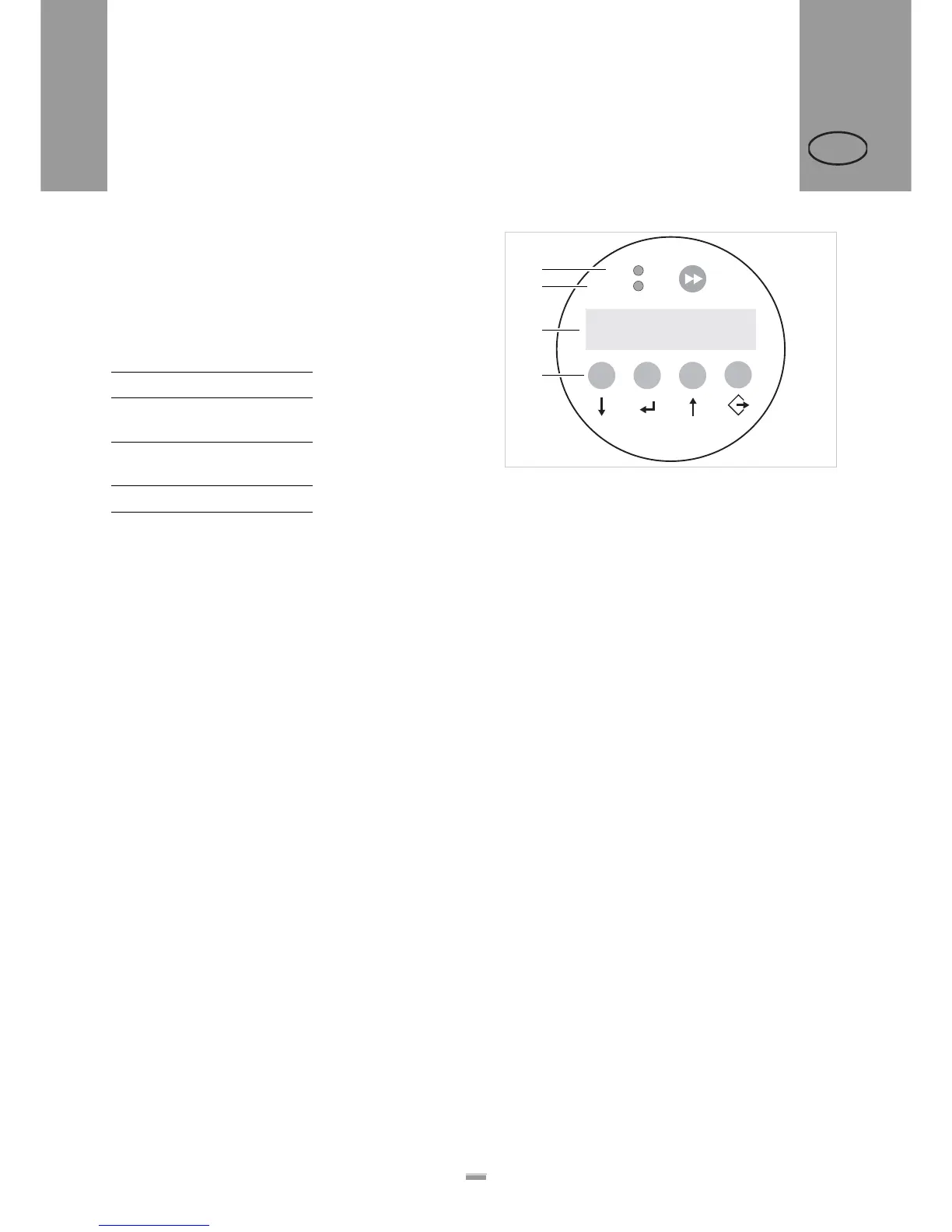
2.1.2 Control panel
Operating LED
Lights up green when the device is switched on.
Status LED
[5] Meaning of the red status LED
LCD display
– Displays functions, configured values, operating
states and error messages
– What is displayed at any one time depends on the
operating status of the device; these screens are
explained in the section “Operating modes” on
page 24.
Buttons
The button assignments depend on the currently active
operating mode and are described in the section “Ope-
rating modes” on page 24.
LED Explanation
On Dispensing
mode
Off Configuration
mode
Flashing Error
[4] Control panel of the ALS 104
A Operating LED
B Status LED
C LCD display
D Buttons
Speed
12.2 fix
Offset
0.0
+
+
–
–
ON
STATUS
A
B
C
D


 To Next Page