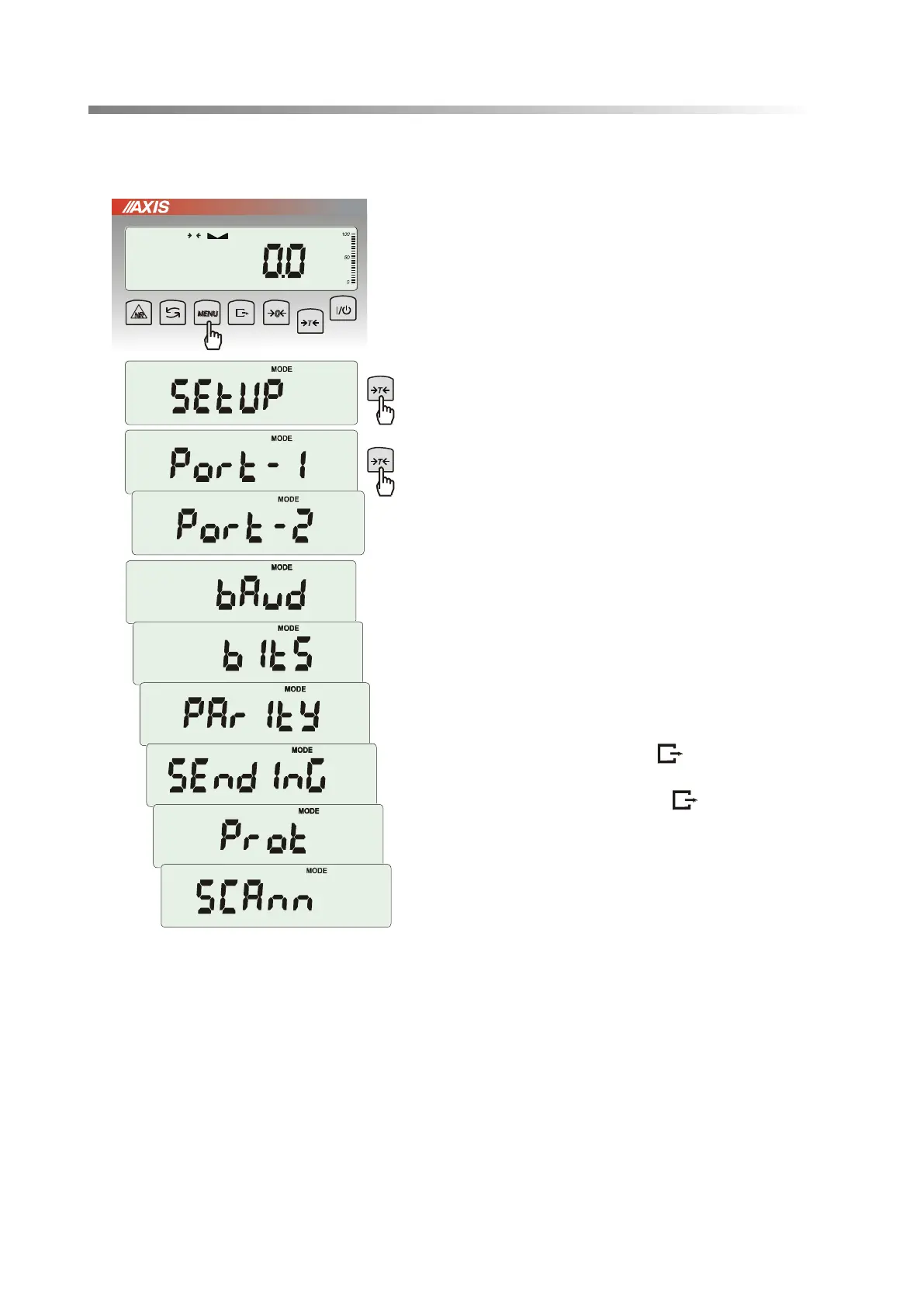
38 USER MANUAL ME-01
17.4 Serial port parameters setting (SErIAL)
The function allows setting independently
communication parameters of both of serial ports
Port-1 and Port-2 (executed in RS232C, RS485,
USB or LAN standard):
- transfer protocol (Prot):
LonG – cooperation with printer or computer,
EPL – cooperation with label printer in normal mode
(activates LAbEL function),
EPL_A – cooperation with label printer in automatic
mode (activates LAbEL function),
EPL_d – cooperation with special label printers,
Pen-01 – cooperation with PEN-01,
- baud rate (bAud): (4800, 9600, ….115 200bps),
- number of bits in single char. (bitS): 7, 8,
- parity control (PArItY):
nonE – no control
Odd –nonparity
Even – parity control,
- scale number in network (nr):
(if the scale doesn’t work in network the number
must be 0),
- transmission through serial interface (SendInG) :
StAb – transmission after key is used and
result is stable,
noStAb – transmission after key is pressed
without need of stabilisation,
Auto - automatic transmission after load is put on
and result is stable (Auto),
Cont - continuous transmission, about 10 results
per second (Cont.),
Remove – transmission after removing load.
Default parameter values:
Long, 9600 bps, 8 bits, none, StAb,
- SCAnn – cooperation with MJ-4209 barcode
readers: ON, OFF.
In order to set needed parameters choose SErIAL function, select appropriate parameter and press
T
key when required option or parameter value is displayed.
In scales with an additional serial port appear Port-1 and Port-2, for the independent setting of both ports.



 To Next Page