5-2
Chapter 5. ADVANCED OPERATION
5 - 1 Functions
This section describes how to set up functions.
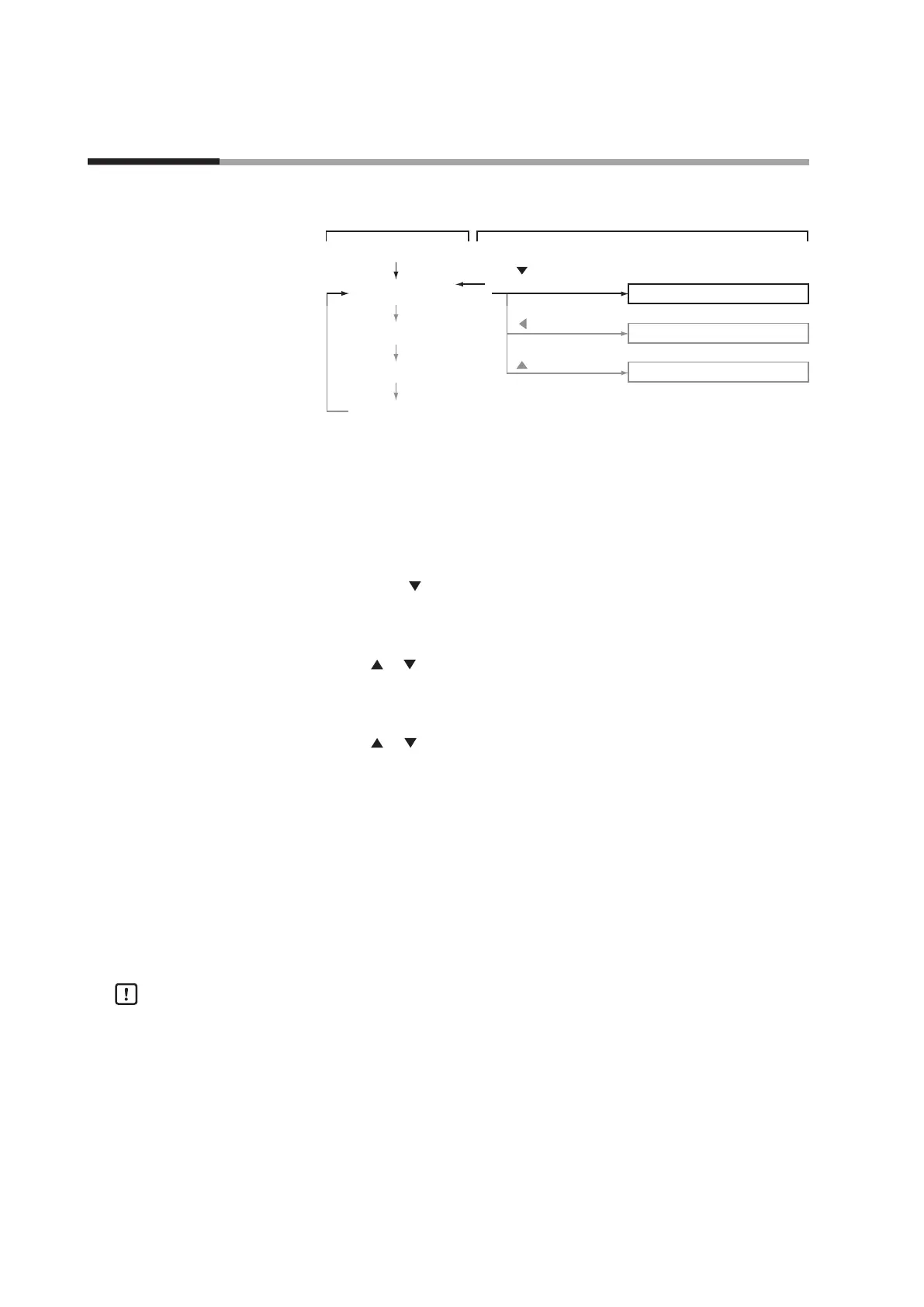
Instantaneous ow rate display
DISP key
Flow set value display
DISP key
Totalized ow display
DISP key
Power ON
Function setup mode
Parameter setup mode
Device information display mode
key + ENT key
(3 s or more)
DISP key
key (3 s or more)
key (3 s or more)
Basic operation Advanced operation
DISP key
Setup method
Follow the procedure below to set functions such as event output type and external
contact input assignments:
(1) Press the DISP key several times to display the instantaneous flow rate.
>> The PV and L/min lamps light (mL/min in MQV9005/9020/9200).
(2) Hold down the
and the ENT keys for three seconds or more.
>> Item C-0 1 is displayed on the 7-segment display and mode changes to the
function setup mode.
(3) Press the
or key to select the desired setup item number, and then press the
ENT key.
>> The current setting value blinks on the 7-segment display.
(4) Press the
or key to select the desired setting.
(5) When you have selected the desired setting, press the ENT key to enter the
setting.
>> The setting value is updated. (At this point, the setting value is saved.)
(6) If you want to set up other items, return to step (3) and repeat the procedure.
Otherwise, proceed to step (7).
(7) Press the DISP key.
>> The function setup mode changes to the instantaneous flow rate display.
Handling Precautions
•
If you do not press any keys for one minute after entering the function setup
mode, the display automatically returns to the instantaneous flow rate display.
•
If you press the DISP key without pressing the ENT key after carrying out the
operation in step (4), the setting remains at the previous value without being
updated.



 To Next Page