To send a software profile to on-board memory, you need to click on the
profile you wish to send and then click on or to
send it to the first or second on-board memory slot.
5.2. KEYBIND SETUP
When pressing button on the keypad, the corresponding button will light
up in the Azeron software and execute the keybind.
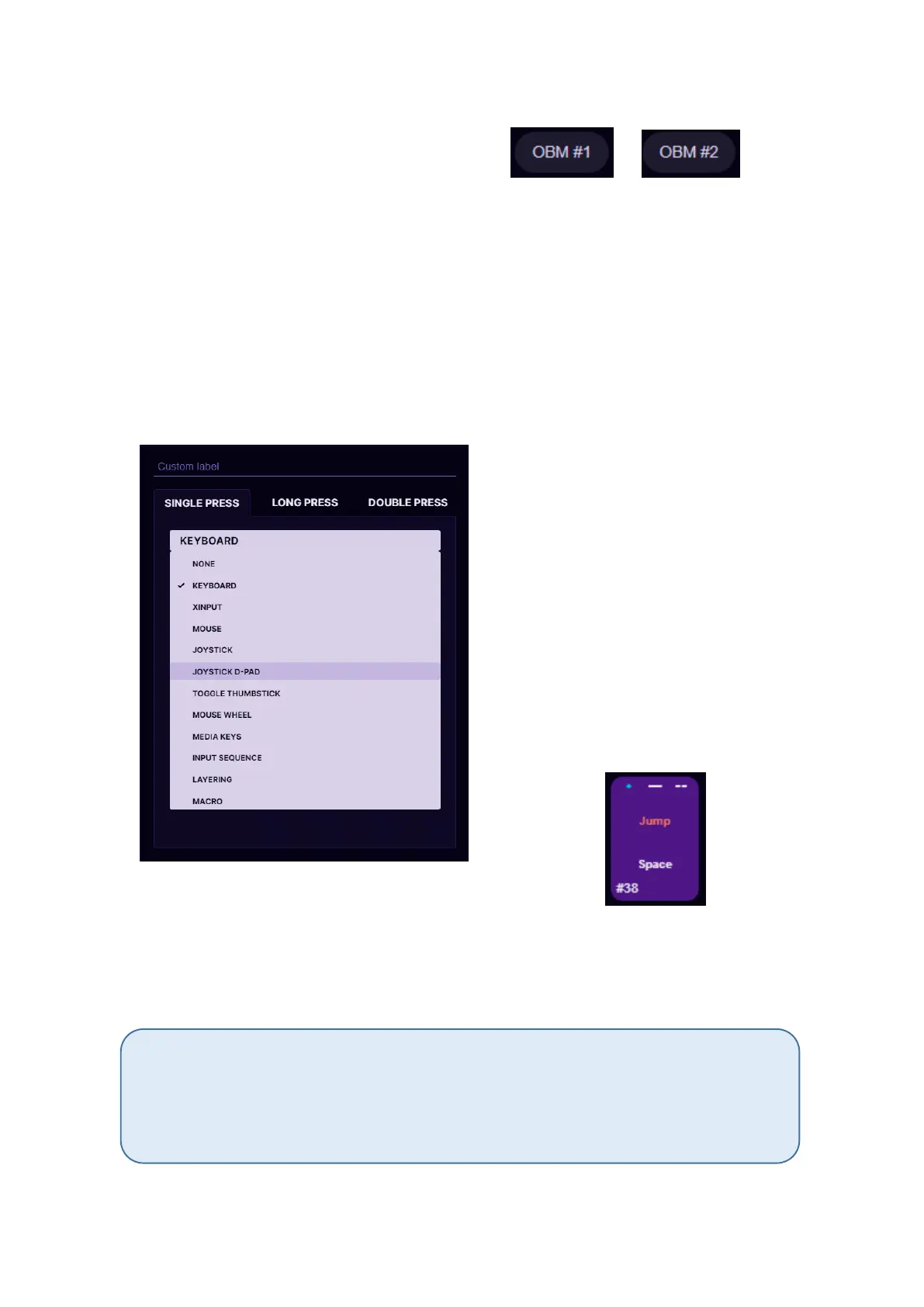
To setup buttons, with your mouse click on the button you wish to setup,
then on the popup window choose between several modes.
At the top you can name the
button by writing custom label,
for example, “Jump”.
It is possible to setup several
modes on one button at the same
time – single click, long press and
double press.
If you choose all three modes,
then the corresponding symbols
will appear on top of the button:
Single click keybind will execute immediately on button press. Long press
keybind will execute only after the delay that you specify while holding
down the button. Double press keybind will execute after the button is
pressed 2 times.
If you are using Single click and Double press modes on the same button, then there
may be a small lag for Single click keybind. The shorter the Double press delay is
specified, the shorter will be the lag on Single click keybind. If you specify very short
delay, then there is a chance that Double press will be executed unintentionally, when
you actually expect to have Single click keybind executed.



 To Next Page