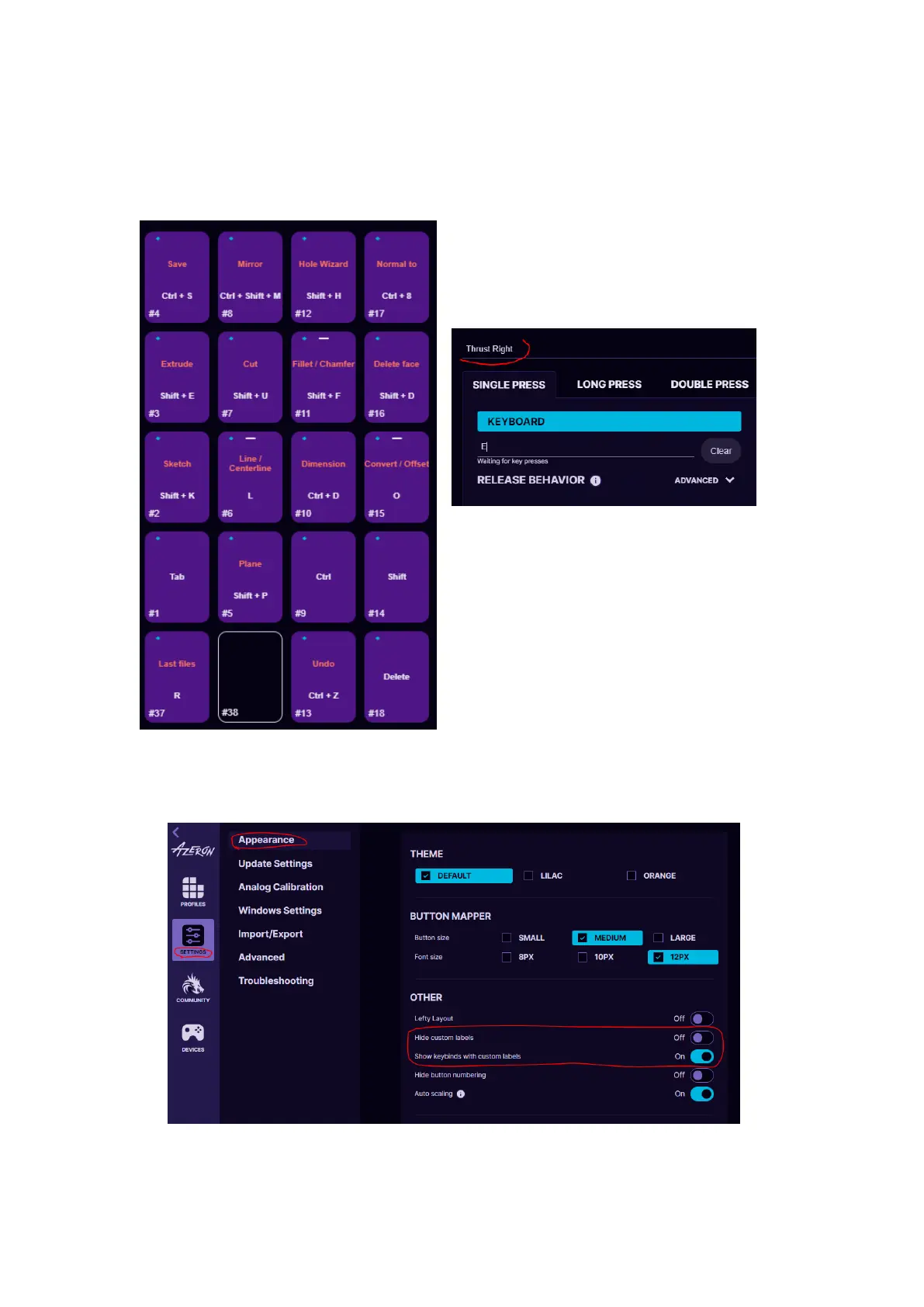
5.2.13. Button labels
You can setup custom names for each button for easier overview of your
keybinds. Similar to this (white color is keybinds, darker color is custom
button names):
To setup custom name - click on the
button and then write the name in
field “Custom name”:
In the software Settings under
Appearance you can choose to:
- Hide custom labels, to show only keybinds
- Show both labels and keybinds



 To Next Page