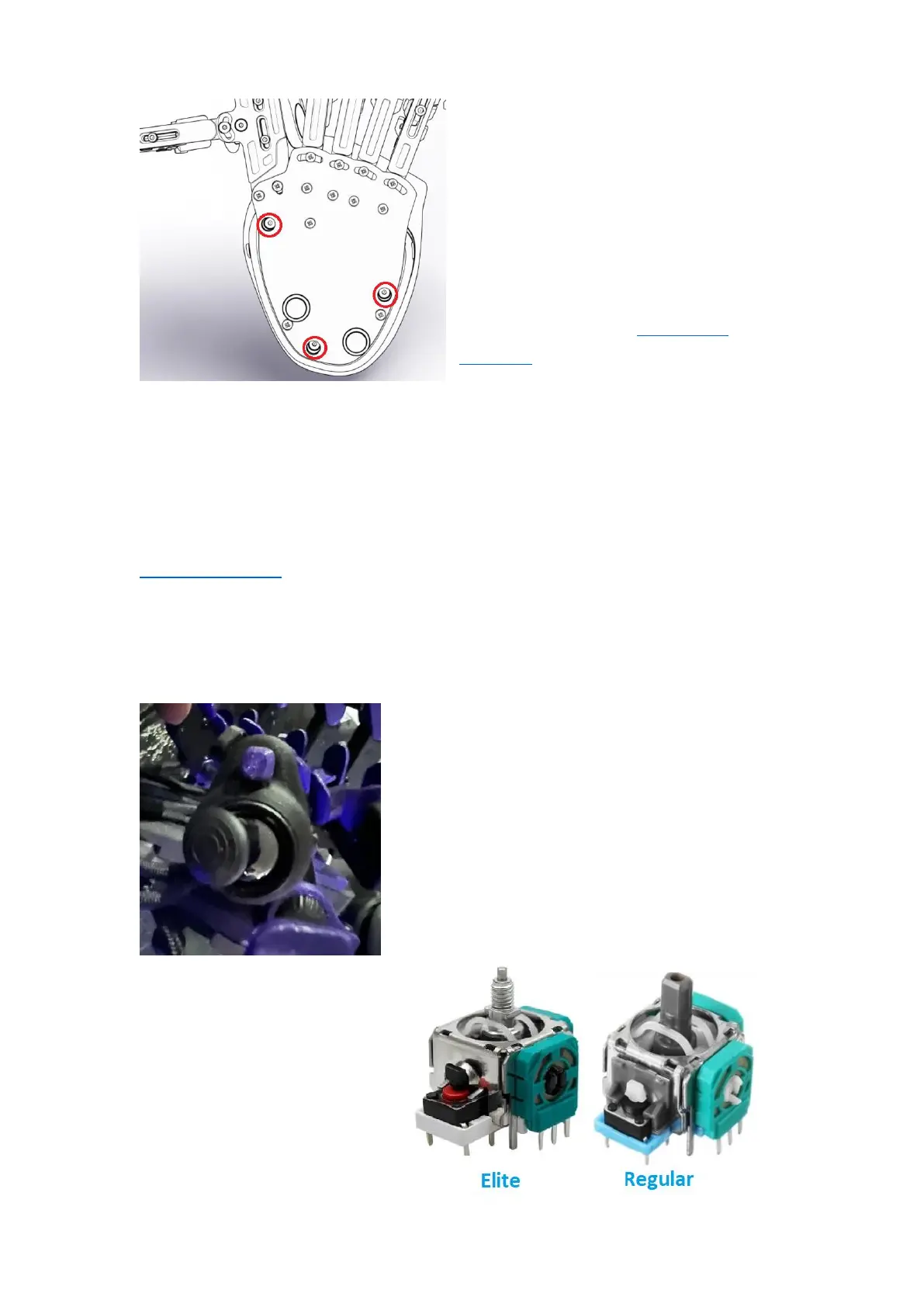
To fix the wire issue, open the
palmrest by unscrewing the 3 deep
recessed screws underneath the
Azeron, then lift the palmrest off
your keypad.
Inspect the wires if everything
seems connected. Check for the
thumbstick wires in this circuit
diagram.
Disconnect the wire (either red or black) and re-connect again, making
sure the wire is making a clean contact and no insulation is stuck in the
screw-in clamp. You can plug in the USB again while the palmrest is open
to test the thumbstick, just make sure you are not touching any of the
wires or board while your Azeron is plugged in!!!
If you are experiencing further issues, please email us on
info@azeron.eu
7.3.4 Thumbstick is physically getting stuck
If your thumbstick feels sticky or is getting
stuck, this usually happens on Elite
thumbsticks that are adjustable and have a
threaded stem.
You will need to rotate the thumbstick
dome clockwise (black glossy part in the
picture) to tighten it down, so it stops
rubbing on the outer body.



 To Next Page