5.2.11. Macro
This mode is not available in On-board memory profile!
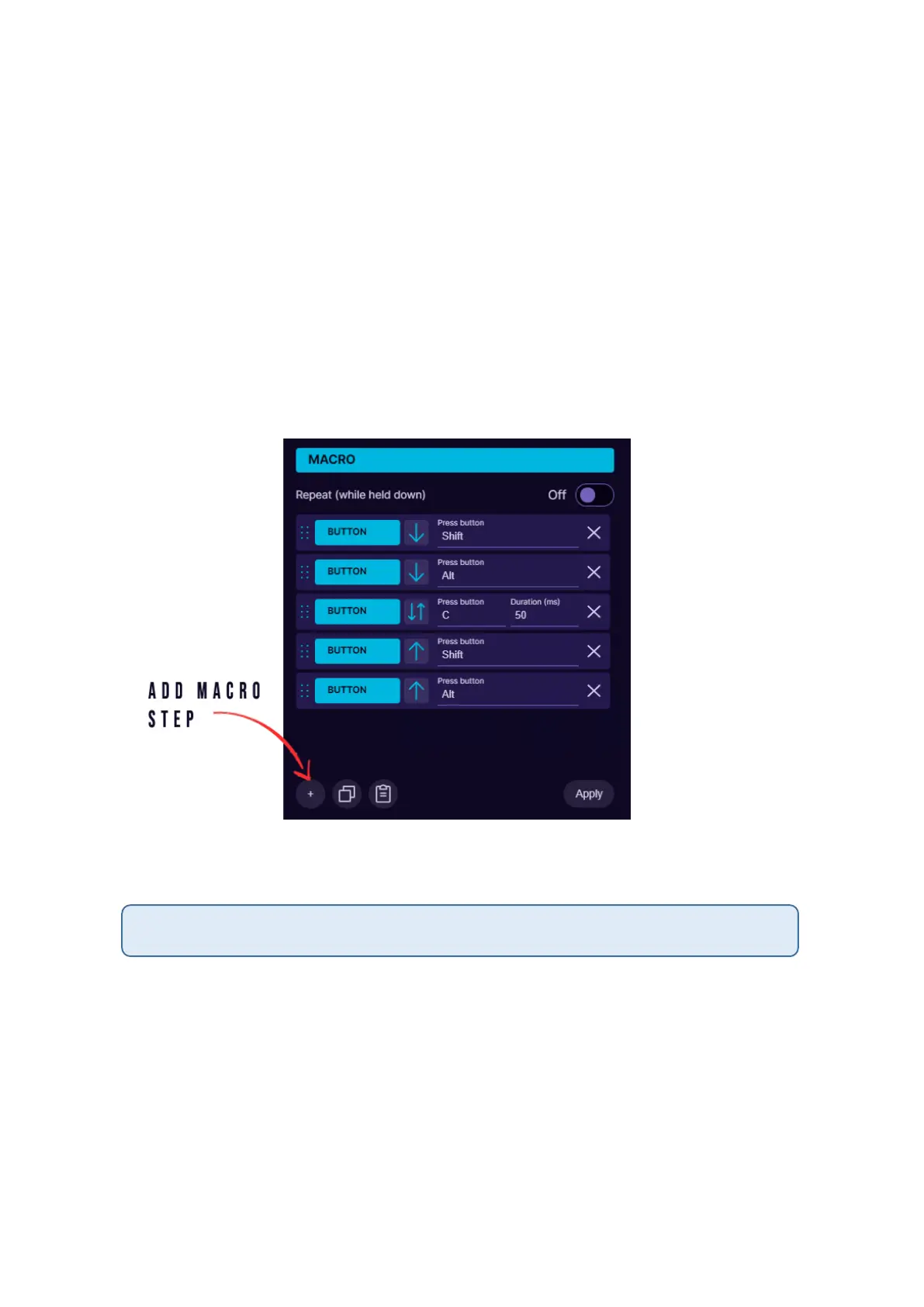
It is possible to setup macros on keypad buttons. When choosing Macro
mode for the button, it is possible to program several sequential keyboard
keypresses, mouse buttons and delays in the sequence you wish. You can
also choose how long is the keypress and delays in milliseconds (avoid
using too small values for delays and keypresses, otherwise it may not
register). It is also possible to turn on a repeat for the macro while the
button is held down (the repeat will not be available if you have setup a
long press or double press on the same button). The blue arrow next to
the button shows if the button is held down or raised up, or both.
At the bottom of the window are Copy and Paste buttons, to be able to
copy current Macro and paste it on another keypad button.
Macro function is available only in software profiles! Currently it is not possible to save
Macro in on-board memory due to the memory limitations.



 To Next Page