You can download the STM32 software here:
https://www.st.com/en/development-tools/stm32cubeprog.html#get-
software
If you are experiencing further issues, please export the log file from
software Settings tab -> Troubleshooting -> Export logs and email it to
us on info@azeron.eu and tell us about the issue.
7.2 BUTTON ISSUES
7.2.1 Button physically stuck
Temperature changes make parts expand or contract and during shipping
the screws loosen or tighten themselves with the vibrations caused.
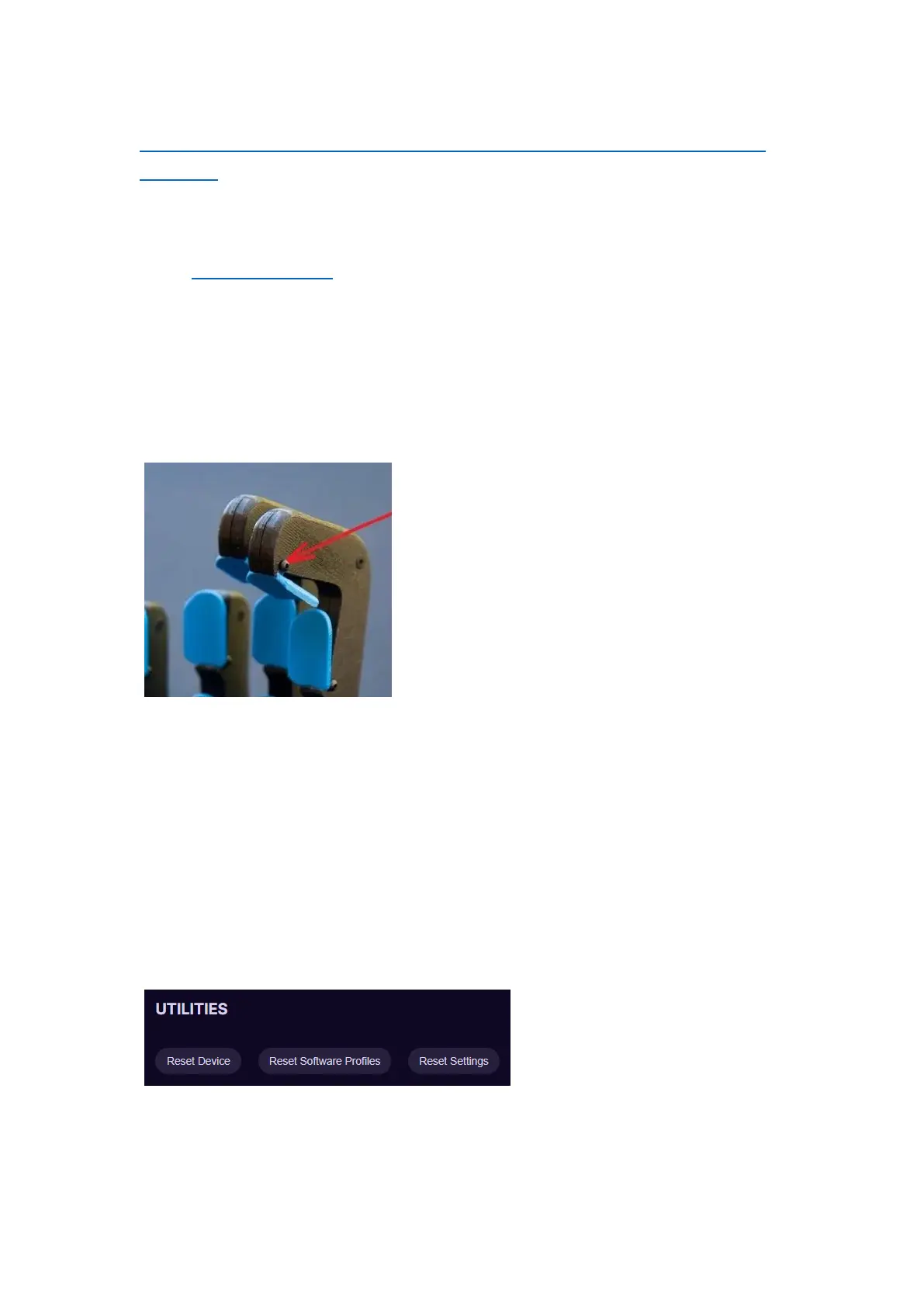
Get the button stuck and then locate the
screw that holds the button and acts as a
hinge and start loosening it with the
screwdriver, till the button jumps back to
released position. If that doesn't fix the
issue proceed to next step.
Remove the screw for the button that is
getting stuck and then remove the button
from the tower housing. Whilst the button
is in your hand insert the screw and try turning the screw. Button
shouldn't turn along with the screw. If the button is turning along
with the screw, there might be some debris on the screw or in the
borehole, remove debris and put the screw back in and test. If it
moves freely you can put the button back in and tighten the screw
in the tower.
7.2.2 Not registering any input in PC
Step 1 – in Azeron software go to Settings -> Troubleshooting -> Utilities
and try any of the reset buttons.
Step 2 – if that doesn’t help, then we will need to check if the wire is
properly connected to the button with input issue. Unplug your USB first,
then open up the palmrest by unscrewing the 3 deep recessed screws



 To Next Page