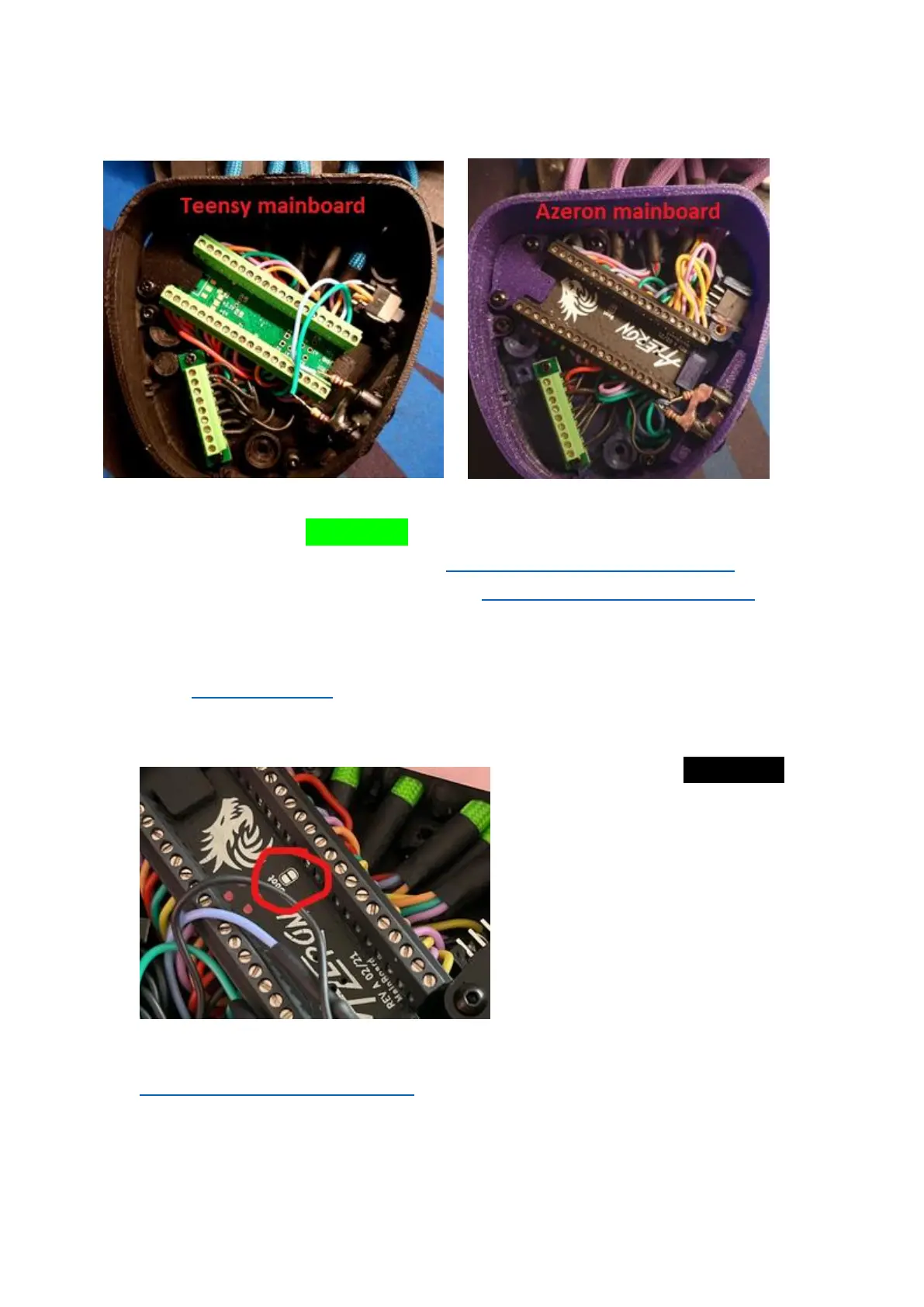
If your keypad has green color mainboard, please follow this video guide
to reset firmware on your keypad: https://youtu.be/8BaiWCWA7Rs and
to do a clean reinstall for the software https://youtu.be/zRk2aeCzwxc
If you are experiencing further issues, please export the log file from
software Settings tab -> Troubleshooting -> Export logs and email it to
us on info@azeron.eu and tell us about the issue.
If your keypad has black color
mainboard, it is required to do
a hard reset: hold each end of
paperclip or small piece of wire
over boot plates, whilst
plugging in the USB in the PC.
You should see the LED light
turn on and device has
connected in boot mode. Once
the device is in boot mode,
please follow this video guide to reinstall the firmware
https://youtu.be/EkQ9YYJuq7E. !!! Skip the first part of unplugging the
keypad and re-plugging by holding 3 buttons!!!



 To Next Page