5.7 SYSTEM TRAY ICON
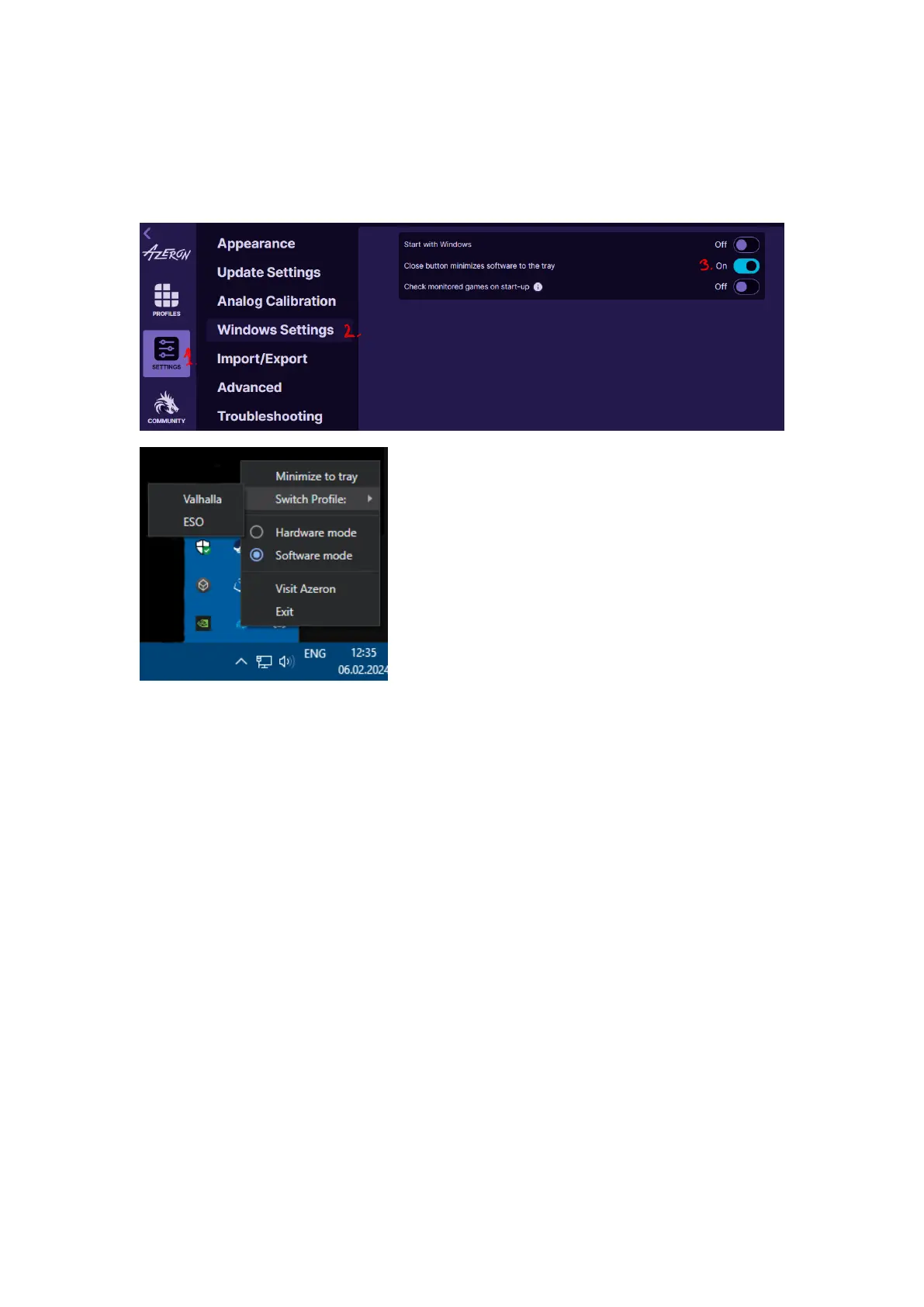
It is possible to minimize the Azeron software to Windows system tray
(at the bottom near the clock) by enabling option “Close button
minimizes software to the tray”.
Then in the system tray you can right click
on Azeron icon to get several options:
Minimize to tray – will close the Azeron
software window
Switch Profile – you can swap between 2
favorite profiles in your profile list
Hardware mode – switch the keypad to
on-board memory profiles
Software mode – switch the keypad to software profile mode
Visit Azeron – open Azeron.eu download site
Exit – close the Azeron software completely
You can double click on the Azeron icon in the system tray to open the
software window.



 To Next Page